
Joining and signing in
The first two minutes decide whether people reach your event at all. Most attendee support questions are about them. Knowing which screen a person meets, and which of your settings put it there, lets you answer those questions in one reply.
It starts with an email address
Every way into your event ends on the same entry screen. That includes the address you publish, an invitation email and the website's register button. One side shows your event's banner, name and dates. The other side asks for one thing: the person's email address.
The sign-in buttons you allowed sit above the field. A language button at the top lets people switch language before they type anything.
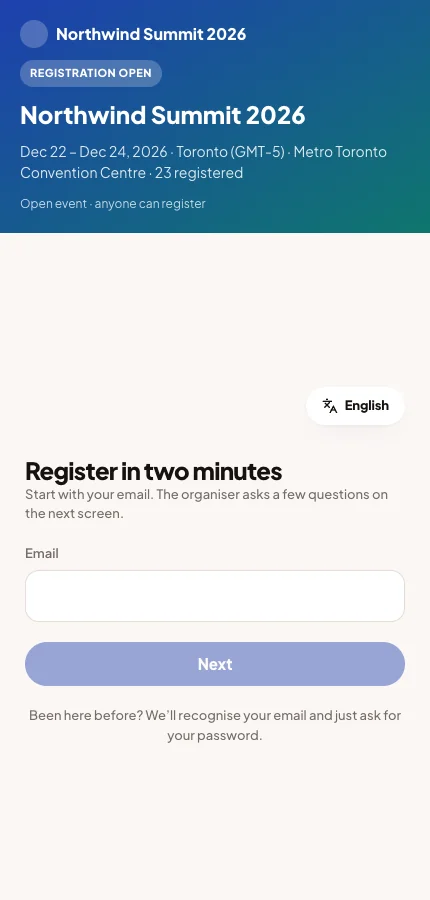
Moostoo then checks the address against your invitation list, your roster and existing Moostoo accounts. It shows the one step that fits. The attendee never has to choose between signing in and signing up.
| Situation | Next screen |
|---|---|
| The address has a Moostoo account with a password | Welcome back, with a password field and Send me a reset link. |
| The account signs in only with Google, LinkedIn or Microsoft | One button for that provider. They are never asked for a password they do not have. |
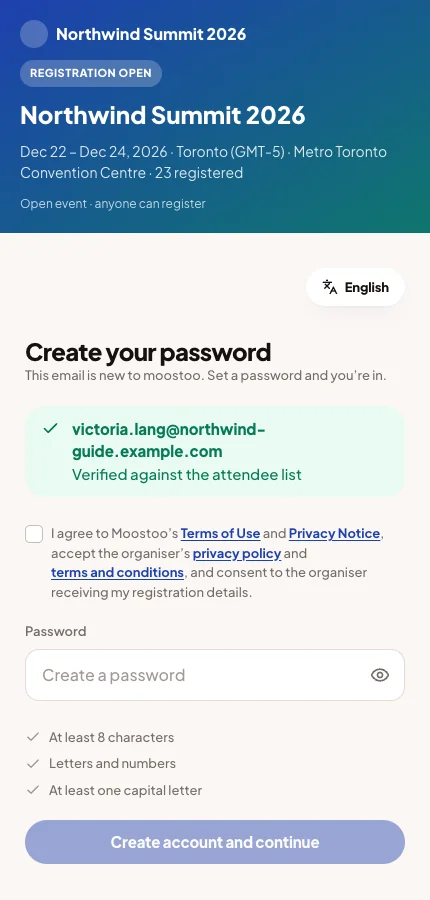
| The address is on your list but has no account yet | Create your password, with the password rules and the consent line. |
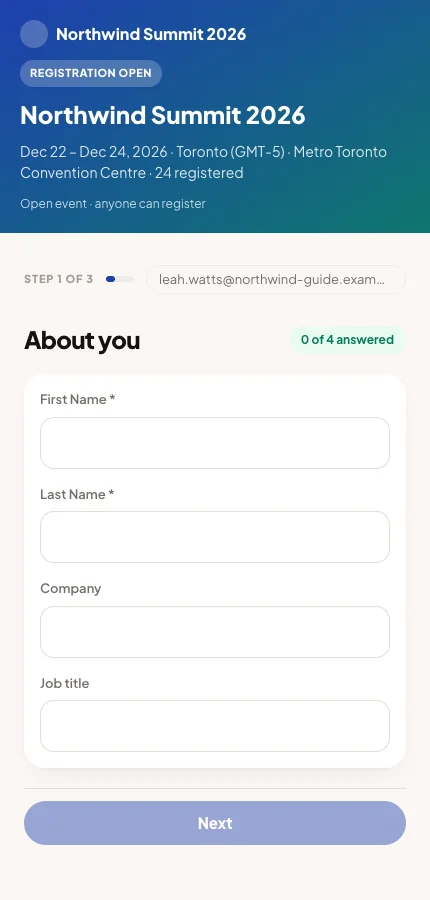
| A new address at an open event | Your registration form, with the address filled in. |
| A new address at an invitation-only event | That email isn’t on the list, with Try another email. |
| The event is still a draft | A message that the event isn’t open yet. Nobody gets in until you publish. |
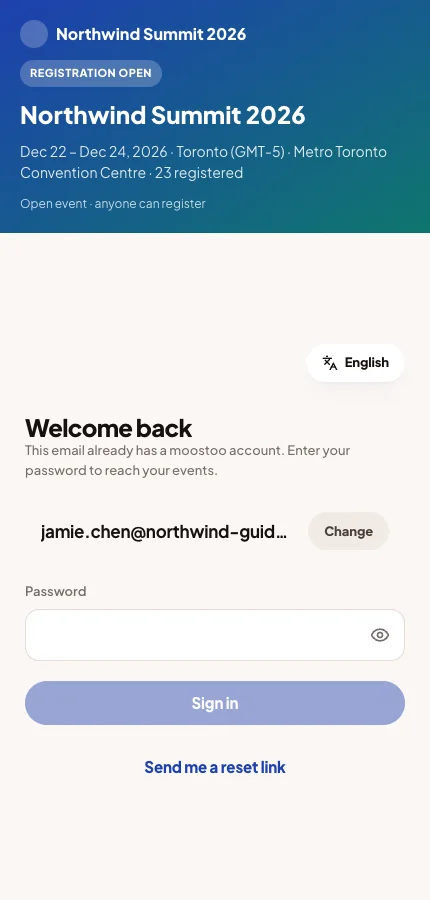
One account for every event
The account belongs to the person, not to your event. Someone who attended another organizer's event signs in here with the same password. That is why people you never invited can see Welcome back.
Passwords and resets
- Send me a reset link emails a link to set a new password. The link expires after 30 minutes.
- Email addresses are not case-sensitive. An address with a space inside it is refused.
- After several wrong passwords, sign-in is slowed down for a few minutes.
- Someone who normally uses a sign-in provider can still set a password through the reset link.
Sign-in providers
Each provider button reads Continue with Google, LinkedIn or Microsoft. The provider confirms who the person is. Moostoo then matches them by the email address the provider has verified.
A provider only proves identity. A stranger at an invitation-only event is still turned away. A new person at an open event still fills in your registration form.
In the Moostoo app from the App Store and Google Play, Sign in with Apple appears whenever your event offers any provider. Apple requires this. People who use Apple's Hide my email get a private address, so if you invited them at their real address, they should sign in with email instead.
Registration
At an open event, a new address goes to your registration form. It shows your steps in your order, with Next between them.
The last step asks for a password, or offers a sign-in provider instead. It also shows the consent line, and billing details when an invoice is needed. Create account and continue saves the registration and the account together. A ticket paid by card goes to the payment step next.
The consent line
Consent is asked once, when an account is created. A returning attendee never sees it. The box is never pre-ticked.
The sentence names:
- Moostoo's Terms of Use and Privacy Notice, always.
- Your privacy policy and terms and conditions, only if you have published them.
- Consent to you receiving their registration details.
Each document is a link that opens its full text. Until the box is ticked, the password cannot be set and the provider buttons on that step stay disabled.
Choosing a language
A new account ends on a Your language screen. It proposes the language of the person's device, with Choose another language beside it. There is no skip.
The choice applies to the app, emails and notifications at every Moostoo event. People can change it later on their profile. If their device's language is not offered, the screen proposes your event's language.
Your privacy documents come first
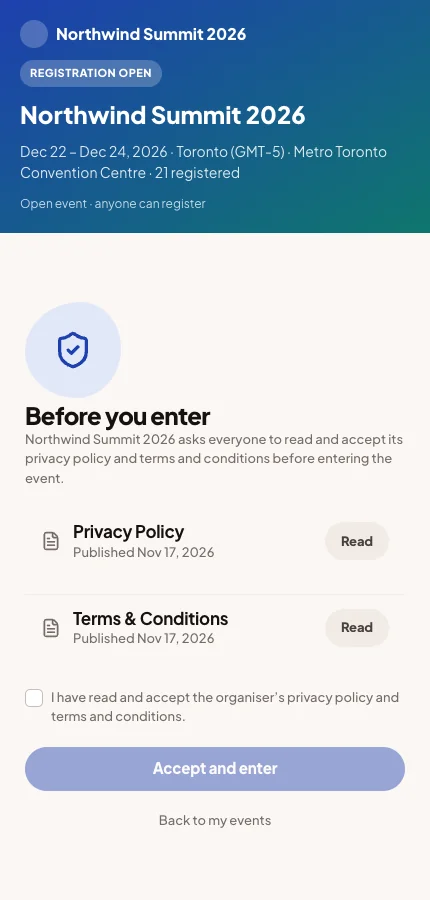
If you have published a privacy policy or terms and conditions under Privacy & legal, the first screen inside the event is Before you enter. The attendee reads your documents, ticks the box and clicks Accept and enter. Nothing of the event loads before that.
Someone who accepted the same documents while creating their account is not asked again. When you publish a new version, everyone is asked again for that document.
Links still land in the right place
A link into the app, such as a session in an announcement, works for someone who is signed out. They sign in first and then land on that page, not on the event's home. Your documents and an unfinished profile wizard still come first. See The profile.
What you control
| Setting | Where | What it changes |
|---|---|---|
| The event's address | App → Domain | Where the entry screen is. |
| Google, LinkedIn and Microsoft buttons | App → Sign-in, defaults in Sign-in methods | Which provider buttons appear. |
| Public or Invitation Only | Event settings | Whether a new address can register. |
| The registration form | Registration form | The steps a new registrant fills in. |
| Published privacy policy and terms | Privacy & legal | What the consent line names, and whether the entry screen appears. |
| Publishing | Go live | A draft event lets nobody in. |
Common questions
An attendee says the event can't be found.
The event is not published yet, or they used an old address. Publish the event, and send the new address if you changed it.
Someone is told their email isn't on the list.
Your event is invitation only and they typed a different address, often a personal one. Ask them to use the invited address, or add them in the attendee directory.
An attendee who signed in with Google is now asked for a password.
They are probably using a different address. On your event's entry screen, the app recognises a provider account and offers its button. If they want a password, Send me a reset link sets one.
Can we skip the consent line or pre-tick it?
No. Creating a Moostoo account always needs the person's own agreement.
Will attendees accept our privacy policy again after we fix a typo?
Only if you publish a new version. Every published version asks everyone again.