
One address to print on every badge, poster and email.
Pick what attendees see first, in the order you want.
From FAQs and galleries to a live speaker list.
Canada or the EU, with the app's data kept in that region.
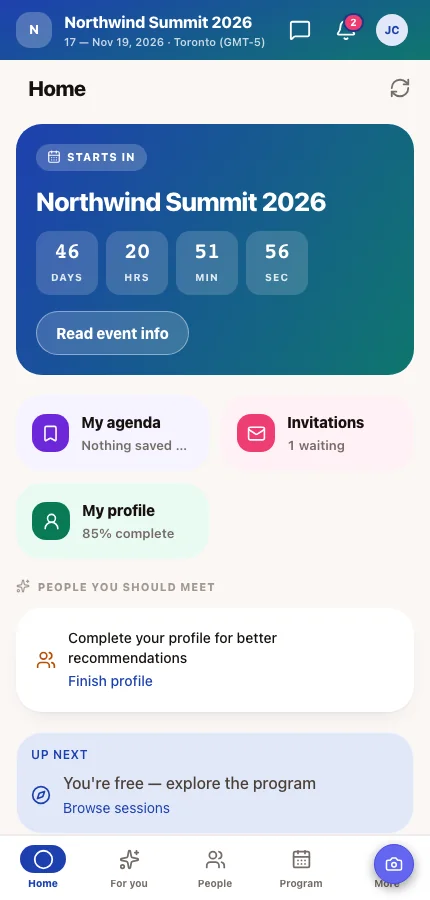
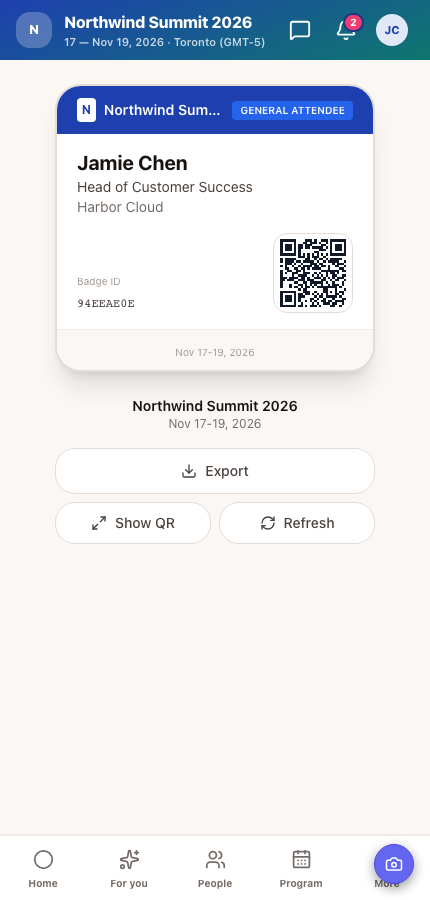
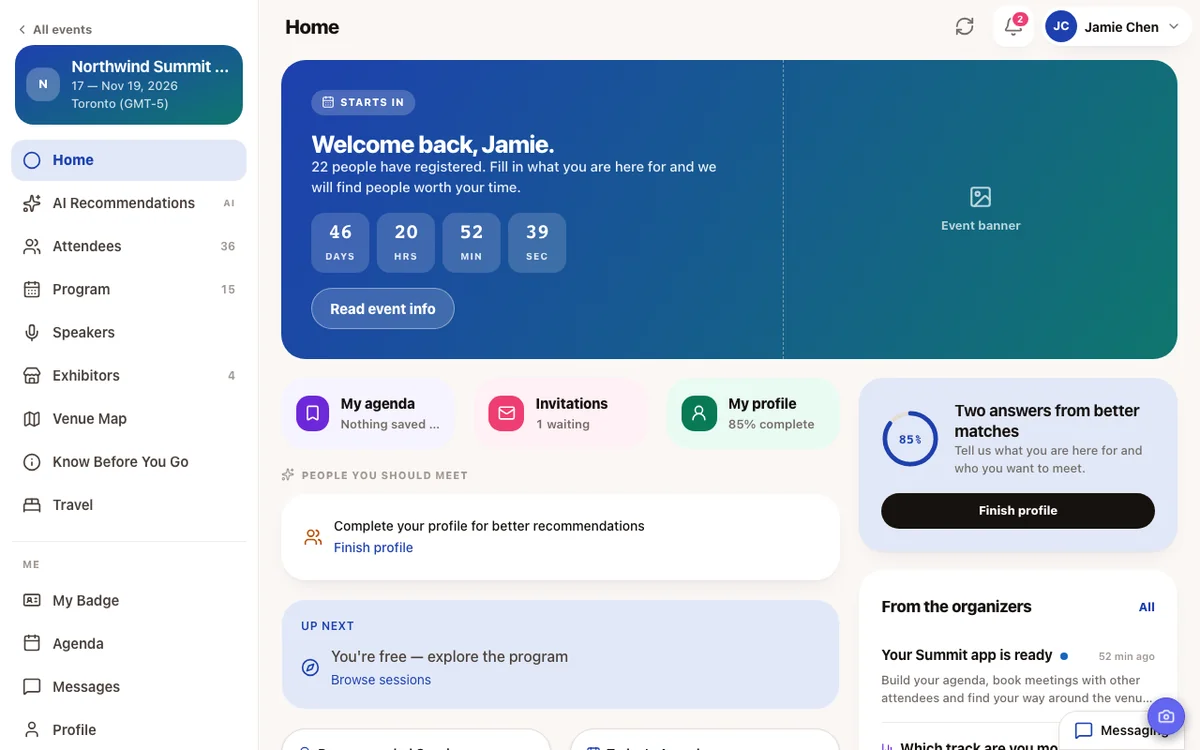
The home screen answers the question attendees have right now: what's next for me, who should I meet, what did the organizers just announce? From there it's one tap to the program, their agenda, the people directory, exhibitors and the venue map. And from the day before the event, a My badge button puts the QR code they need at the door right on the home screen.
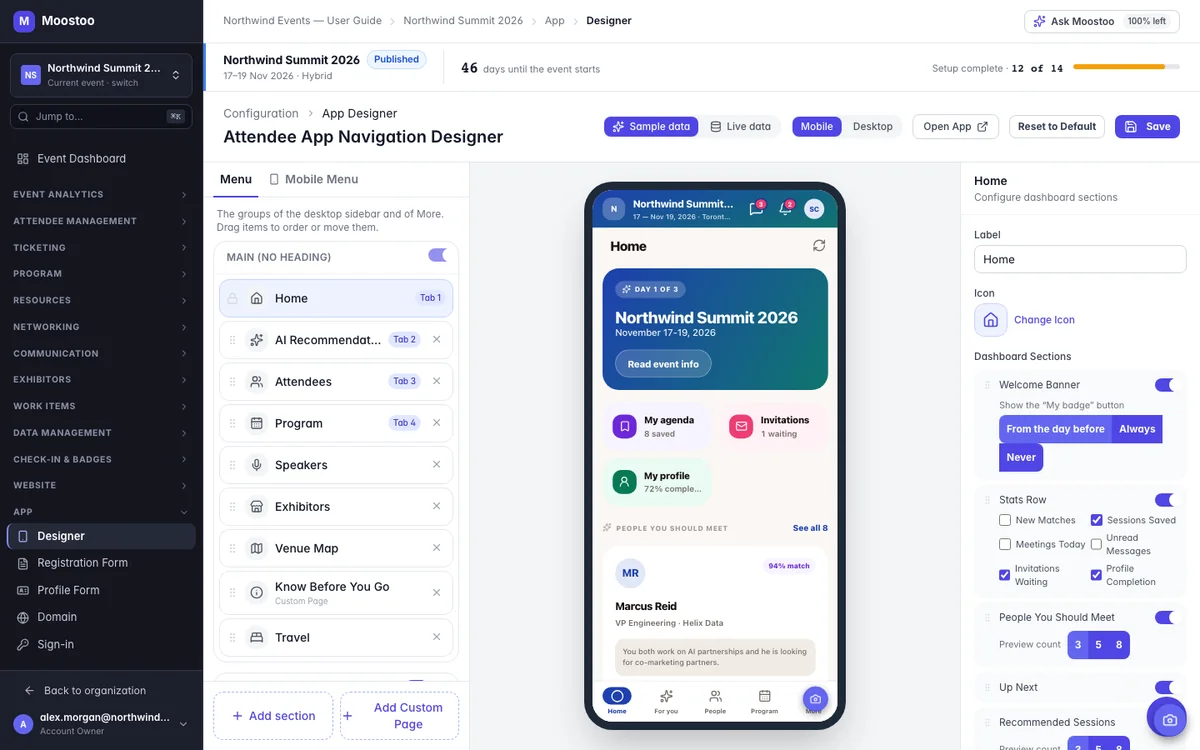
A trade show wants exhibitors and the venue map up front. A leadership retreat might hide the attendee list altogether. The App Designer is an event app builder: you choose which pages exist, what they're called, where they sit and what the home screen shows, while a live preview of the real app updates next to you. Check it on a phone or a computer, with sample people or your event's own data.
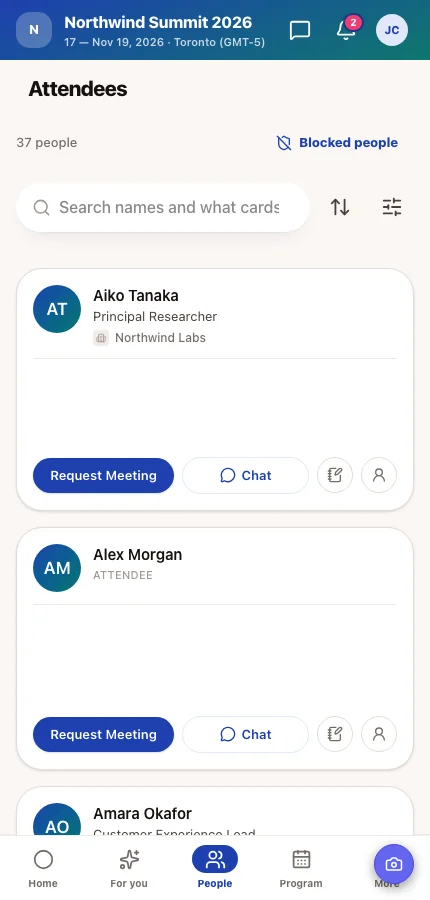
Networking starts with attendees scanning cards to decide who to talk to. You decide what each card shows: what a founder is raising, which markets an investor covers, what a buyer is looking for. Whatever choice questions you place on the card become the directory's filters, so designing the card is designing how people find each other.
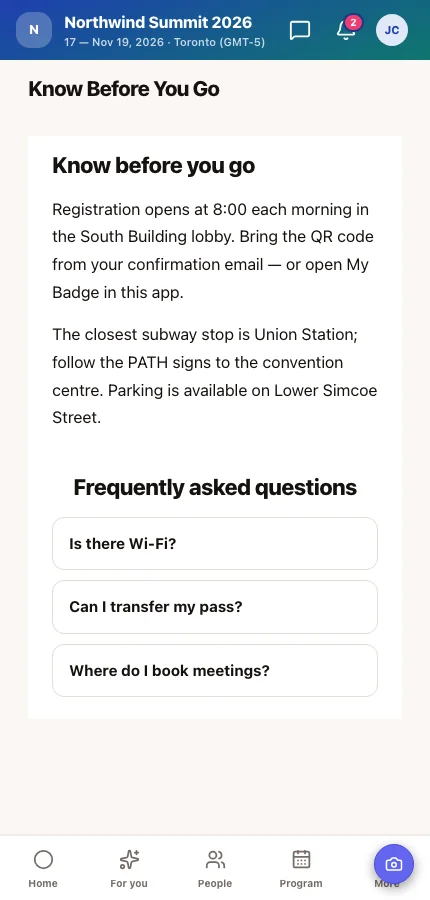
Every event has information that fits no standard screen: the dress code, shuttle times, the evening reception, where to find the quiet room. Put it on a custom page in the app menu, where attendees already are, instead of in an email they won't find again on the day. Build it from the same 20 sections as your event website, including live ones like the speaker list and schedule.
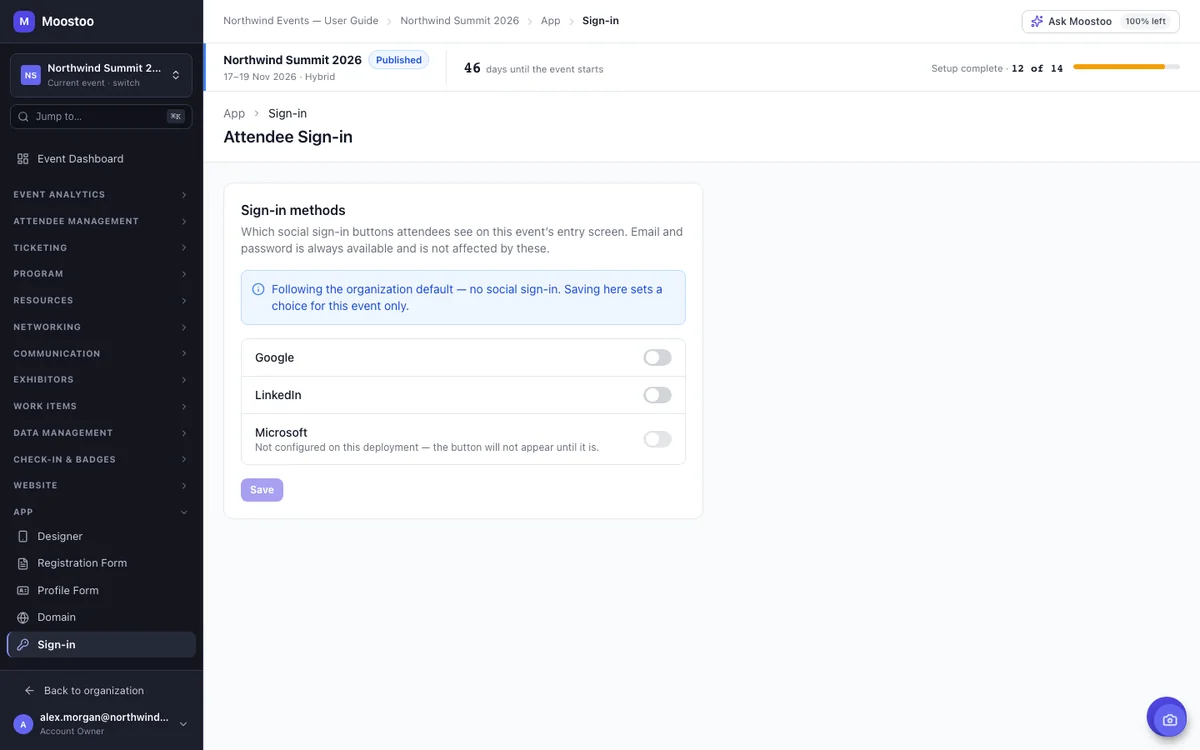
Your event has one short address, like northwind-summit.moostoo.com, with your website at the address itself and the app under /app. That's the link for every invitation, badge and slide. Attendees sign in with their email and password, and you can add Google, LinkedIn or Microsoft buttons, so a business audience doesn't need yet another password.
At online and hybrid events, attendees spend hours in one-to-one video meetings. Meeting room branding puts a sponsor's frame around the video and their badge in a corner, without ever covering a camera or the call controls. Rotate up to eight sponsors by meeting slot or by time, and offer your own branded virtual backgrounds.
For a 40-person dinner with one agenda, an email does the job, and we'd tell you so. An event app earns its place once attendees choose between sessions, need to find the right people, or the plan changes on the day.
| On the Day | Email and a PDF | Moostoo Event App |
|---|---|---|
| A session changes rooms | Resend the email or reprint the PDF | The program updates, and an announcement pushes to phones |
| Keeping track of sessions | Attendees make their own notes | A personal agenda with what's up next |
| Meeting the right people | Business cards and luck | A searchable directory, AI matches and meeting requests |
| Getting in the door | A printed or emailed ticket | A badge QR code on the home screen from the day before |
| Practical info on the day | Buried in an email thread | A know-before-you-go page in the app menu |
Meeting requests and AI matches come with the full platform. See how AI matchmaking works →
Every plan gives attendees the app. What changes is what's inside it and whether it carries your brand.
Attendees get the same app with their badge, their tickets and their order details. There's no program or networking to show, because the edition is built for ticket sales and the door.
The full app: program and agenda, the people directory, AI matchmaking and meetings, exhibitors and the venue map, with the App Designer to shape it. Corporate and Association & Portfolio add white-label branding for your app and website.
Compare the plans, fill the app with your agenda and speakers, or match it with your event website.
On the full platform, a sandbox event is a fully populated demo event where every email and push notification is captured instead of sent. Open it in the attendee app yourself, try every screen and walk your team or sponsors through it, without anyone real being contacted.
Pick Canada (Montréal) or the EU (Frankfurt) when you set up your organization. Profiles, messages, meetings and the AI matchmaking behind the app all stay in that region, backups included. That's one clear answer for your legal team.
Five steps, no code and no app store submission.
Pick a short event address and decide which sign-in buttons attendees see.
Decide which pages your event needs, name them, and choose up to four tabs for the phone's bottom bar.
Switch on the sections attendees should see first, like Up Next or People You Should Meet.
Choose what each card shows, then add a know-before-you-go page or an FAQ.
Check the app on a phone and a computer with sample data, then save. Attendees get it straight away.
An event app is the app attendees use during a conference or trade show: to see the program, build their own agenda, find people to meet, get practical information and show their badge at the door. In Moostoo, the event app is connected to the same records you use to run the event, so changes you make appear in the app straight away.
No. Attendees can open the app in any browser at your event's address. They can also use the Moostoo app for iOS and Android if they prefer an app on their phone.
Yes. In the App Designer you choose the pages, their names and icons, the menu, the phone's bottom-bar tabs, the home screen and what attendee cards show, with a live preview of the real app. No code and no design project are needed.
Yes. Saving in the App Designer is live: attendees get the new layout straight away, and apps that are already open update themselves.
Email and password are always available. You can also offer Google, LinkedIn and Microsoft sign-in buttons for each event.
You can name and arrange every page, change icons and design the attendee card on every plan that includes the App Designer. White-label branding for your app and website comes with the Corporate and Association & Portfolio plans.
Yes. Remote attendees can watch streamed sessions in the app, and one-to-one meetings at online and hybrid events run in video meeting rooms that you can brand for sponsors.
With Moostoo Tickets, attendees use the same app for their badge, their tickets and their order details. The program and networking screens come with the full platform.
Last updated October 2026. Product details are taken from the Moostoo Admin Guide.