
Single entry, multiple entry, or timed re-entry with a cooldown you set.
Stage, room, booth, meeting area, amenity and check-in, each linked to what happens there.
Door staff, session staff and exhibitors all scan with their own phones, tablets or laptops.
Eventbrite, Swoogo, Tito and Lu.ma tickets sync in and scan at your door.
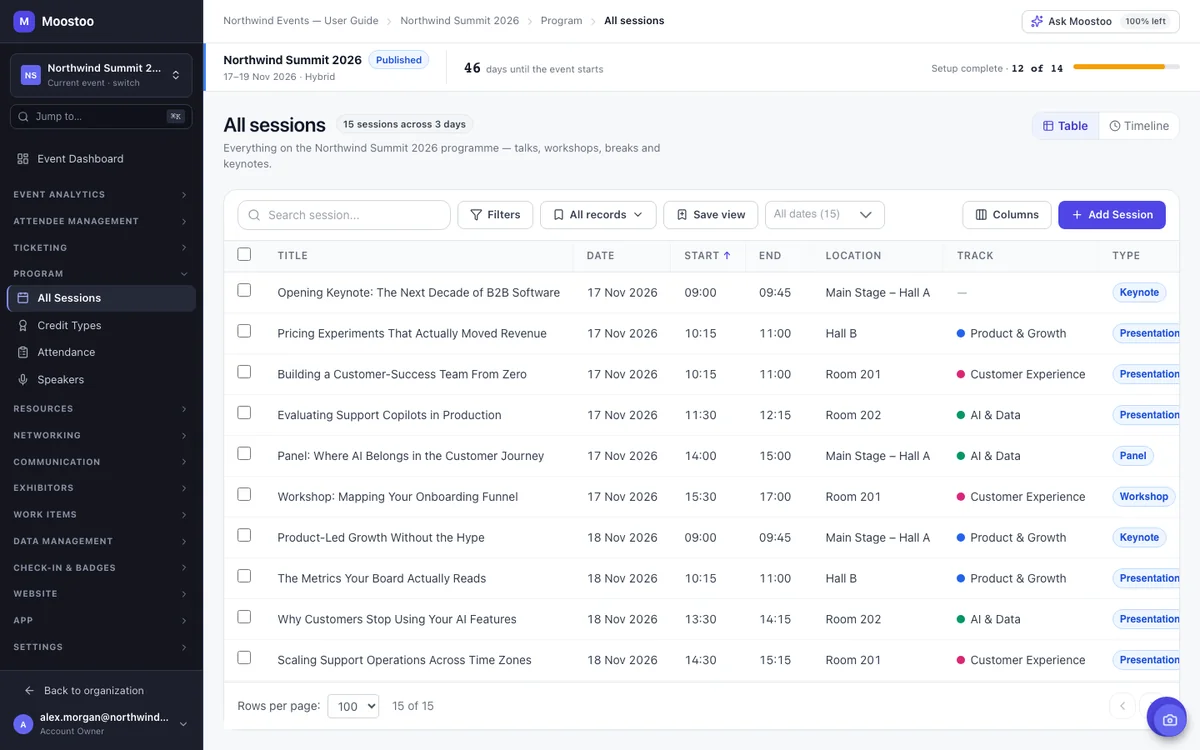
Every session and meeting session happens in a location with a capacity, and Moostoo refuses to put two sessions in one room at the same time, whether you add them by hand, by import or through Ask Moostoo. The venue map turns the same rooms into a floor plan: draw zones for stages, rooms, booths, meeting areas and the check-in desk, link each one to what happens there, and attendees see the walking time between them.
See agenda and speaker management → See how locations and the venue map work →
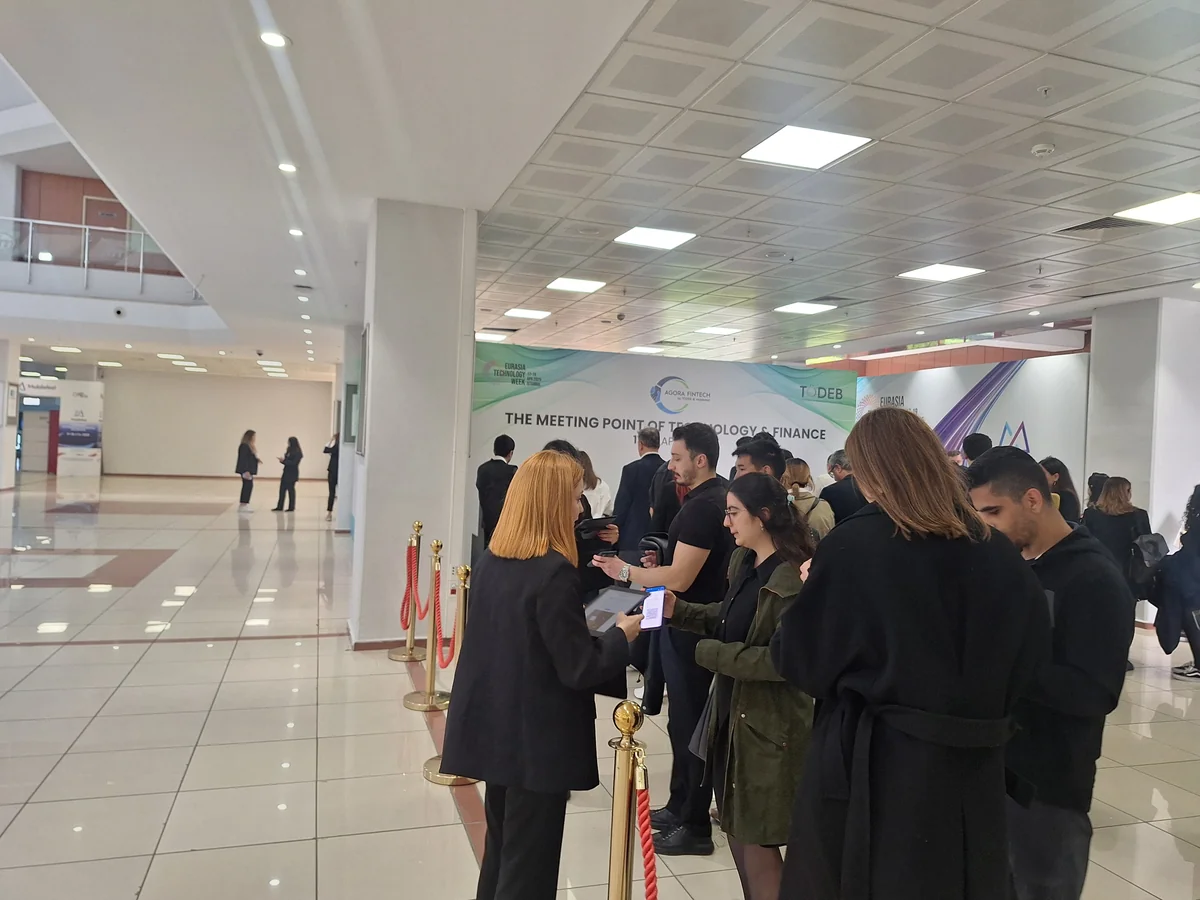
The entrance scanner lives inside the attendee app, so any phone, tablet or laptop your team already has becomes a check-in desk. A scan tells staff in a second who is standing there, whether they may come in and whether their badge still needs printing, with the attendee's photo on screen to match the face. Self-service kiosks take the rest of the queue: attendees scan their QR code or find their name, confirm the badge and collect it from the printer.
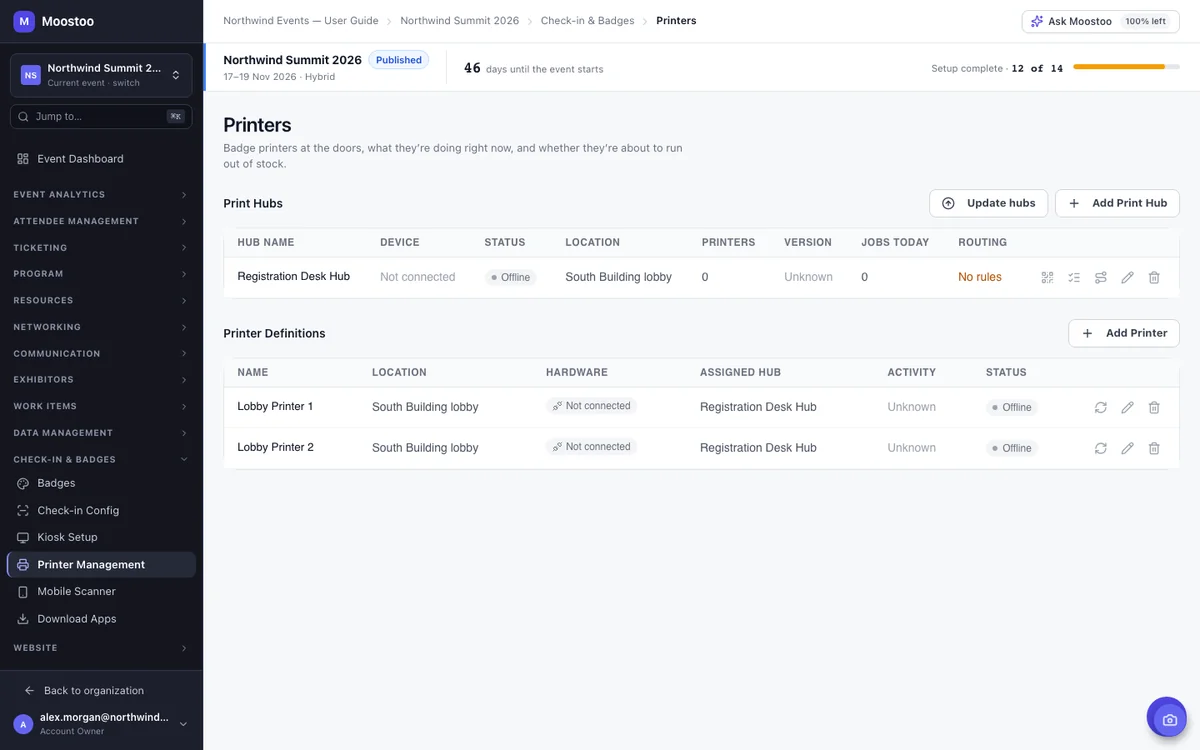
Every badge that prints on site, from a kiosk, a staff scanner or the desk, goes through a print hub: a laptop or tablet running the Print Queue Manager app with the printers attached. Routing rules decide which printer gets which badge, and from the office you can stop a hub's queue or pause one printer to change a ribbon while its badges wait.
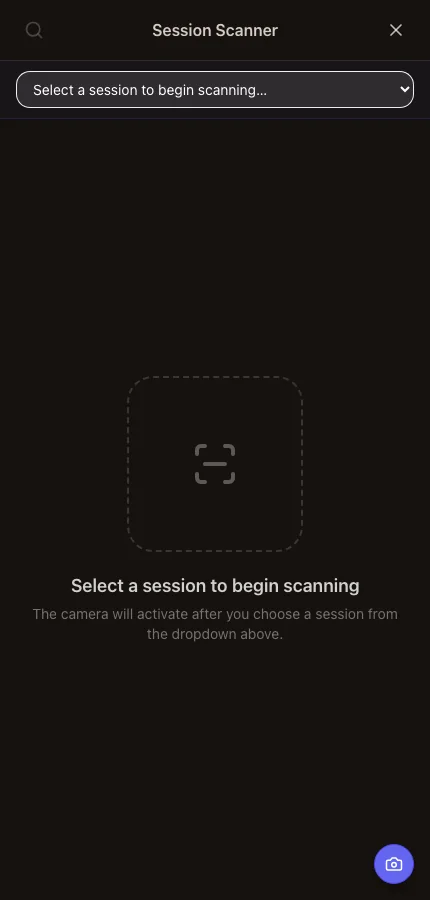
Registration only tells you who came to the event. To know who sat in each talk, staff at the session door scan badges with the same phone they used at the entrance, and a capacity bar turns amber and then red as the room fills. That record is what sponsors ask about, what continuing-education credits are awarded on, and how you find out which rooms were too small.
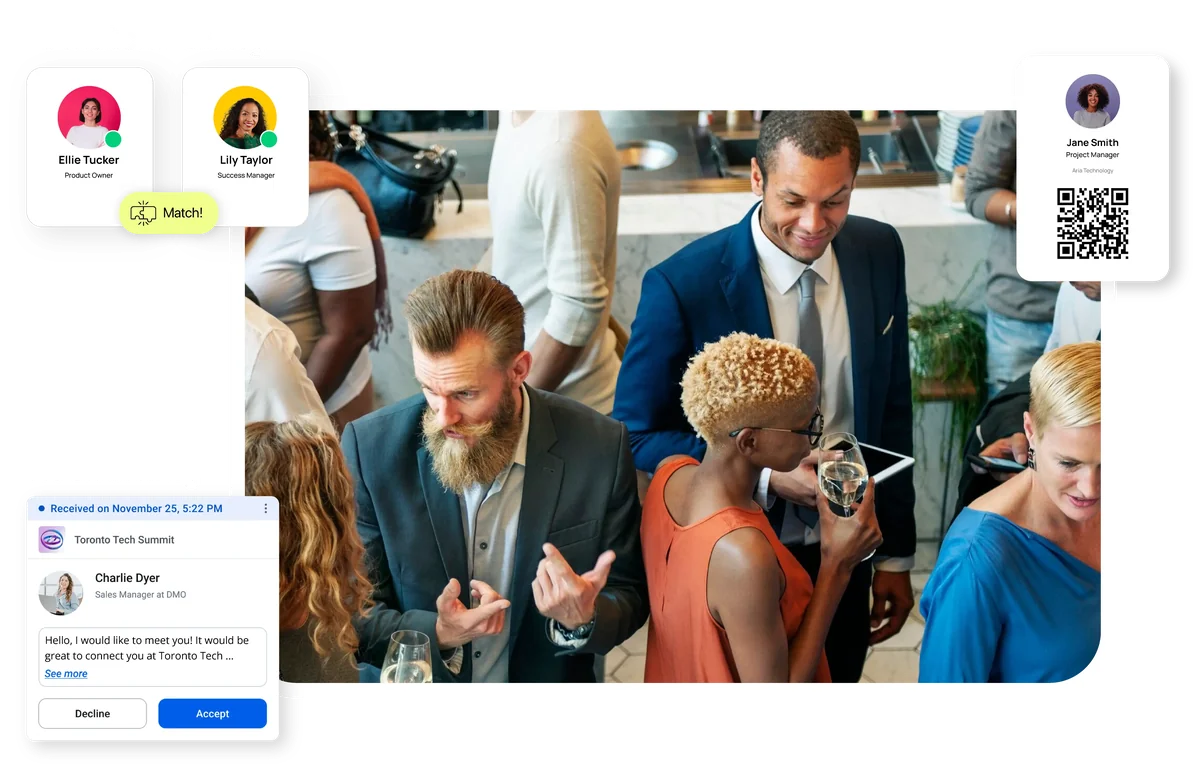
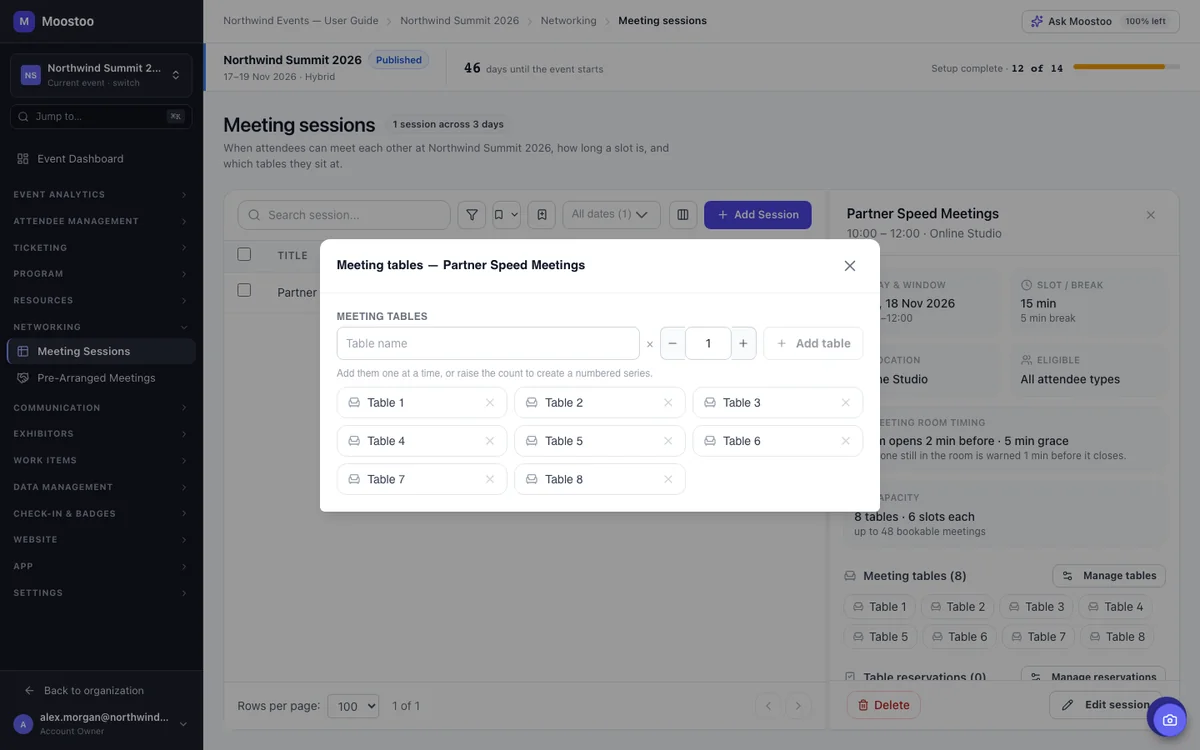
Open a meeting session for the hours people can meet, set the slot length, and add numbered tables in the same form. Moostoo's AI suggests who each attendee should meet, and every accepted request lands at a free table in a free slot. Exhibitors can run their own booth meeting sessions, and your team can pre-arrange meetings for VIPs and hosted buyers.
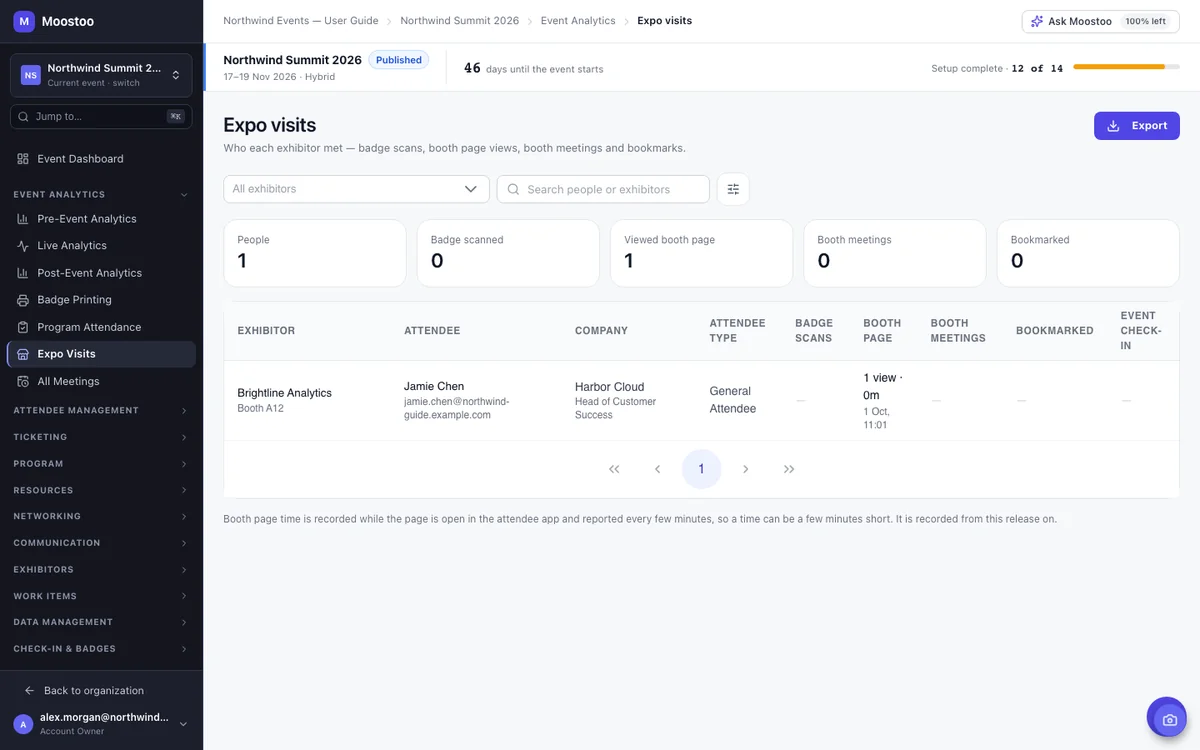
Turn on lead scanning for a booth and its team captures leads from the phone, tablet or laptop they already carry, inside the same Moostoo app. Each exhibitor writes their own booth page and manages their booth team, and the Expo Visits report lists every badge scan, booth page visit and meeting, exhibitor by exhibitor.
Record the rooms you contracted per night and attendees request them at registration, in the app or from their order. Moostoo refuses a night the moment it's full: the last room goes to one person, and the next request is told that night is full. You confirm requests, follow pickup against the attrition you promised the hotel, and export the rooming list when the hotel asks for it.
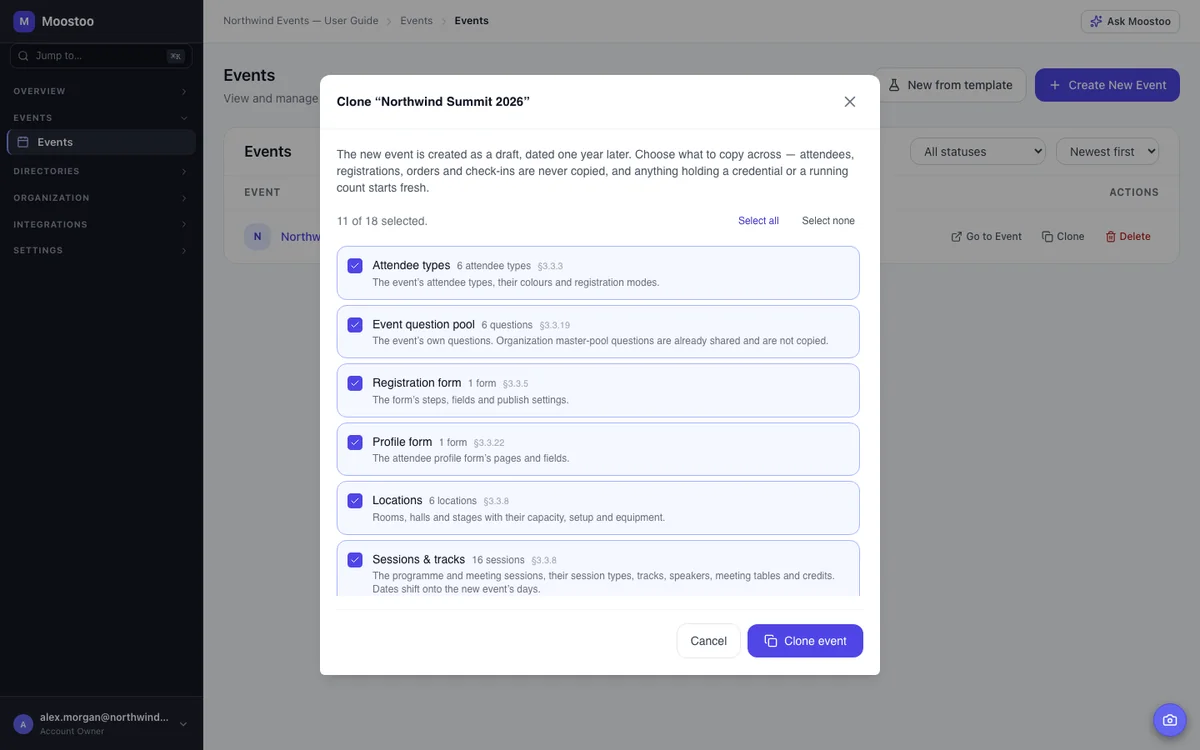
Most in-person events repeat. Clone the event and choose what comes across (attendee types, forms, rooms, the program, badge designs, printers, kiosks, the venue map, hotel deals and more), and every date moves onto the new edition's days. People and money never copy: no attendees, orders, check-ins or messages carry over.
Same platform, different weight on each part. Here's where organizers usually start.
| Format | What decides whether it went well | Parts of Moostoo you'll lean on |
|---|---|---|
| Conference or summit | Full rooms, short queues, people meeting the right people | Agenda and rooms, check-in and badges, AI matchmaking, session check-in |
| Trade show or expo | Exhibitors leaving with leads they can count | Booth pages and teams, lead retrieval, booth meetings, Expo Visits report |
| B2B matchmaking or hosted-buyer day | Every buyer meeting the sellers they came for | Meeting sessions and tables, pre-arranged meetings, experience rules |
| Association meeting or accredited training | Accurate attendance for credits, members served year after year | Session check-in, CME/CPD/CLE credits, cloning the next edition |
| Festival or ticketed public event | Selling tickets and getting a crowd through the gates | Ticketing, entrance check-in, kiosks and badge printing (Moostoo Tickets may be all you need) |
It depends on whether you need the door only, or the whole event.
For events that mainly need ticket sales and a fast door: tickets and the registration form, badge design and on-site printing, entrance check-in, kiosks and mobile scanners, plus email. There's no program on this plan, so session check-in, matchmaking and exhibitor tools aren't part of it.
Everything on this page: the program and rooms, the venue map, session check-in and credits, AI matchmaking and meeting tables, exhibitors and lead retrieval, your own attendee app (in the browser and in the Moostoo app for iOS and Android) and event website, and the post-event report with sponsor ROI.
Compare the plans. Running part of the program online too? See hybrid events or virtual events.
A sandbox event is filled with realistic fake attendees and works like any other event: check-in, badges, networking and analytics all run. Every email, text and push notification is captured instead of sent, so you can train volunteers on the scanners or walk through the run of show without messaging a real person.
When it's time to launch, the go-live checklist shows what your event still needs before you publish.
Pick Canada (Montréal) or the EU (Frankfurt) when you set up your organization. Registrations, check-ins, badge scans and everything else you store or process stay in that region, AI matchmaking and backups included.
Six steps, most of them done once and cloned for the next edition.
Set the dates, timezone and venue, then define who is coming: General Attendee, Speaker, Exhibitor, VIP, Investor. Attendee types decide who registers how, who sees whom and which badge prints.
Build ticket types and the registration form in Moostoo, or connect Eventbrite, Swoogo, Tito or Lu.ma and let tickets sync in as they sell.
Add your locations with their capacities, then sessions, tracks and speakers. Draw the venue map if attendees will need to find their way.
Design the badge, add print hubs and printers, set up kiosks and choose your re-entry policy. Add your volunteers to the event team so the scanners appear in their app.
If people are coming to meet, open meeting sessions with numbered tables and decide which attendee types can book them.
Run through event day in a sandbox, work through the go-live checklist and publish.
It's the software that runs the onsite parts of an event: registration and tickets, the program and rooms, check-in and badge printing at the door, networking and meetings, exhibitors and their leads, and the attendance numbers afterward. In Moostoo all of these work from one attendee list in one admin app, instead of a registration tool, a badge vendor and a separate event app.
Yes. The entrance scanner is part of the attendee app, so anyone on your event team as an Admin, Member or Volunteer can scan badges on a phone, tablet or laptop they already have. They sign in with their own account, and the scanner only appears for staff at that event.
Yes. A self-service kiosk runs on a laptop or a locked-down Android tablet. Attendees scan their QR code or find their name, confirm the badge on screen and it prints at the print hub the kiosk is linked to, with no staff involved.
Yes. Attendees can use the Moostoo app for iOS and Android, or open the same event app in any browser at your event's own address, with nothing to install. On the Corporate and Association & Portfolio plans the app is white-label, branded as your own.
Badge printers plus a laptop or tablet running Moostoo's Print Queue Manager app as the print hub they're attached to. You define hubs and printers in Moostoo, the staff member at the hub matches each printer name to a device it can see, and routing rules decide where each badge prints.
Yes. Connect Eventbrite, Swoogo, Tito or Lu.ma and every ticket holder comes into Moostoo with their attendee type and badge code, so check-in, badges, the app and networking all work while buyers keep buying where they always have.
Staff scan badges at each session door with the session scanner. Each confirmed scan records attendance once and awards any CME, CPD or CLE credit attached to the session, and you can export the attendance list.
Yes. Cloning copies the configuration you choose (attendee types, forms, rooms, the program, badge designs, printers, kiosks, the venue map, hotel deals and more) and moves every date onto the new edition's days. Attendees, orders and check-ins never copy.
It can be. For a small dinner or a meetup where everyone already knows each other, AI matchmaking adds little, and if you only need tickets and a door, Moostoo Tickets covers that on its own. The full platform earns its keep at conferences, trade shows and B2B programs where queues, rooms, meetings and exhibitor leads all have to work at once.
Last updated October 2026. Product details are taken from the Moostoo Admin Guide.