
Meeting sessions
Attendees can only meet inside a meeting session. It is the block of time — Partner Speed Meetings, day 2, 13:00–16:00 — that Moostoo cuts into bookable slots and seats at tables. Without one, nobody at the event can request a meeting at all: the Request Meeting buttons do not appear and AI recommendations stop pointing people at each other. Choosing the eligible attendee types is how you turn a free-for-all into a buyer–supplier or investor–founder programme.
How it works
Meeting sessions have their own home under Networking → Meeting Sessions. They are deliberately not programme content: they never appear in All Sessions, the attendee Program, the website's Schedule or the session scanner. A meeting that is actually booked shows up on the two attendees' agendas.
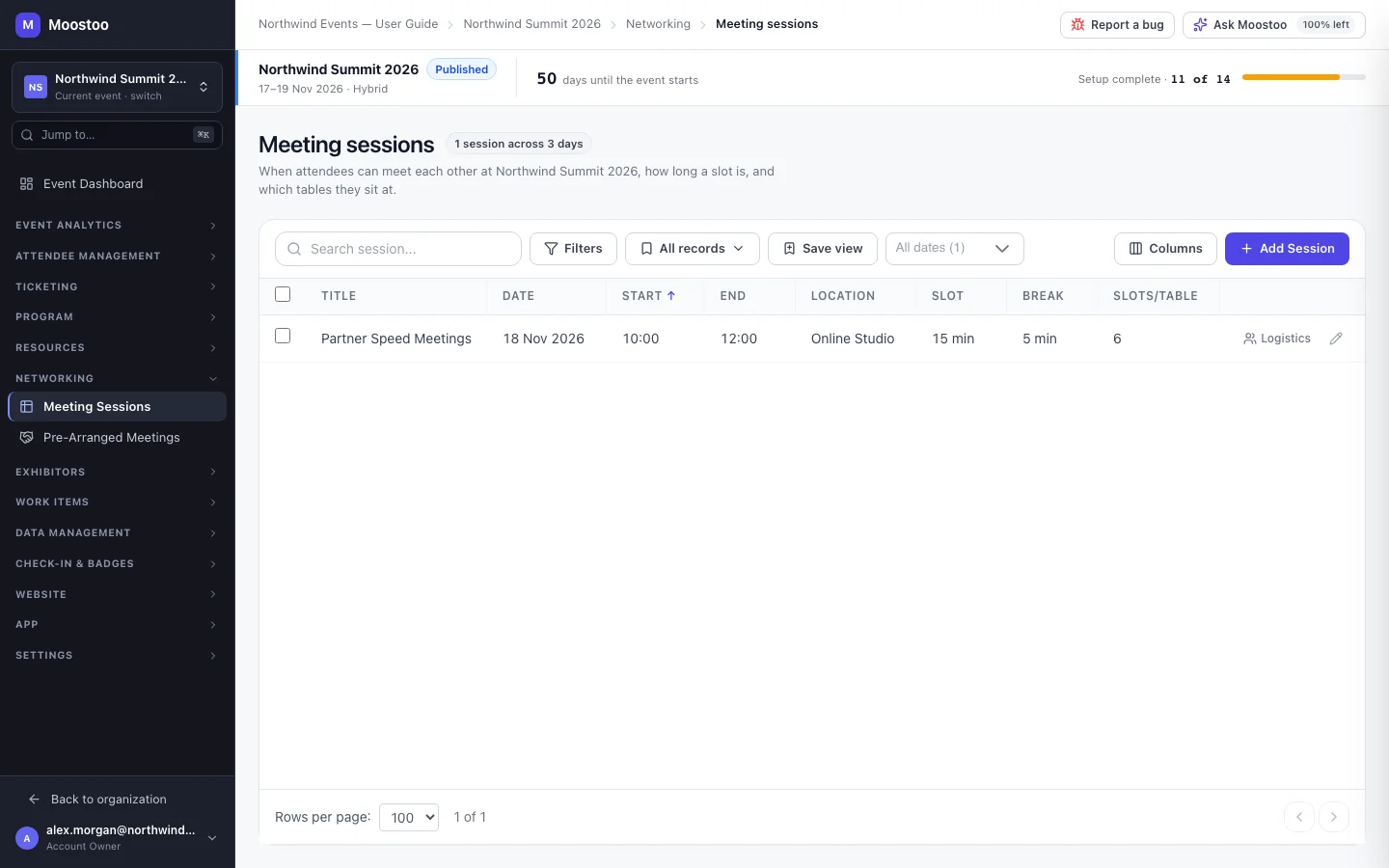
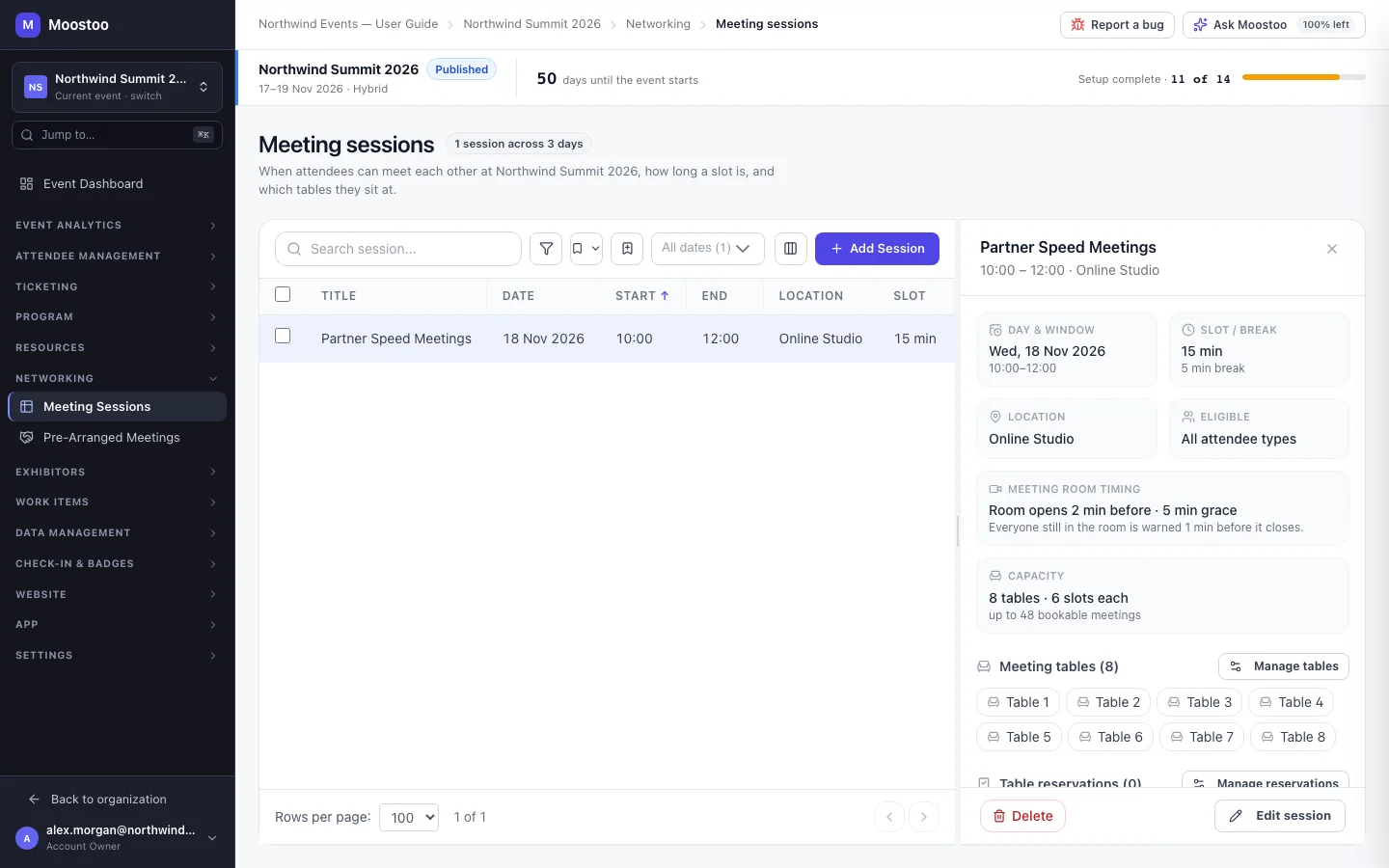
Window The day, start and end of the block, on the event's clock.
Slot duration and break How long each meeting lasts (10–60 minutes) and the gap between meetings (0–20 minutes). A 13:00–16:00 window with 20-minute slots and a 10-minute break gives six slots per table.
Eligible attendee types Who may meet in this session. Left empty, every type may. A meeting between two people is only offered this session's slots when it is open to both of their types — a Startup Founder asking an Investor never sees a session open only to VIPs. Guests added to a meeting never narrow it.
Tables Each table hosts one meeting per slot, so tables × slots is the most meetings the session can hold. See Meeting tables and logistics.
Location Where the meetings take place. Choosing a location of type Virtual Room makes every meeting in the session an online video meeting.
| Your event is | Meetings in this session are |
|---|---|
| Online | Always video meetings, each with its own room; tables are not needed. |
| Onsite or hybrid, location is a Virtual Room | Video meetings. |
| Onsite or hybrid, any other location | In person, each confirmed meeting seated at a free table. |
- A slot longer than the window is refused. The form says so and the Create session button stays disabled until you lower the slot or widen the window.
- The day stays inside the event. Only the event's days are offered.
- No session, no Request Meeting. An attendee is offered Request Meeting only when a meeting session still to come is open to both people's types — and AI recommendations rank people you cannot actually meet lower.
- Several sessions are fine. Add one per day, or separate sessions for different type pairings.
- Meeting sessions are not in the event's check-in or attendance. Who met whom is recorded per meeting, and online meetings record who joined and for how long.
- A meeting session that still holds booked meetings cannot be deleted; the refusal asks you to cancel or reassign them first. To change a session, click it and use Edit session or Delete in its panel.
Step by step
Open Networking → Meeting Sessions and click Add Meeting Session.
Give it a Title attendees will recognise, and pick the Location and Day.
Under Eligible attendee types, tick the types who may meet here — or leave it empty for everyone.
Set Start, End, Slot duration and Break between slots.
The banner below counts the slots per table and, with your tables, the most meetings the session can hold.
Add the Meeting tables — one name, or a numbered series such as Table 1 to Table 20 — in the same form.
Not needed for an online session.
On an online or hybrid event, check the meeting room timing and, if a sponsor pays for it, the meeting area frame.
Click Create session. It opens in its panel, where Manage tables and Manage reservations are one click away.
What attendees see
In the attendee app
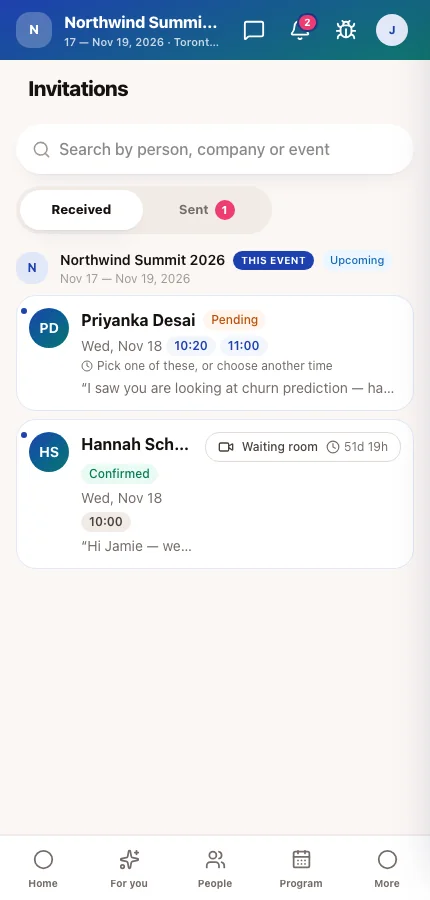
When an attendee requests or answers a meeting, the time picker offers this session's slots on their own calendar: free slots to choose from, their own clashes greyed with the reason, and slots with no free table closed. Request Meeting appears on a person's card — in the People directory and among AI recommendations — only when a session is open to both of them.
Tips
- Count before you build: tables × slots must cover the meetings you expect. If you expect 150 meetings and have 6 slots, you need 25 tables.
- Leave a 5-minute break on in-person sessions so people can find the next table.
- Name sessions for what they are for (Investor Office Hours), not when they happen — the day is already shown next to the name.
- Check the experience rules too: a type pair that may not request meetings there never gets slots here, however open the session is.
- Exhibitors can also hold meetings at their own booth, in booth meeting sessions you define on the company's page. When someone invites a booth representative (or a representative invites someone), the booth's free slots are offered first; your meeting sessions are offered only once the booth has none left.
Ask Moostoo
Create a meeting session called Investor Office Hours on 2026-11-18 from 14:00 to 17:00 with 20-minute slots and 5-minute breaks, open to Investor and Startup Founder, with 15 numbered tables.
Which meeting sessions does Northwind Summit have?