
Session check-in
Registration tells you who came to the event; session check-in tells you who came to each talk. That is what sponsors ask about, what continuing-education credits are awarded on, and how you learn which rooms were too small. Staff at a session door scan badges with the same phone they used at the entrance, and the room's attendance and capacity update live.
How it works
The session scanner lives in the attendee app — by default under Staff Tools → Session Scanner, next to the entrance scanner. The same people may use it — the organization's Account Owner and Super Users, and the event team's Admins, Members and Volunteers (see Entrance check-in). A Ticketing & Check-in Console event has no programme, so there is nothing to scan into there.
Which sessions are offered Programme sessions of one day, in start-time order: today, if the event has sessions today, otherwise its first day with sessions. "Today" is the server's calendar date (UTC), so late in the evening in the Americas the scanner may already offer the next day. Meeting sessions are never offered — nobody scans into a block of one-to-one meetings.
Capacity The session's own capacity if you set one, otherwise its room's. The bar under the session turns amber and then red as the room fills. A session with no capacity is simply counted.
Attendance One record per person per session. Scanning the same badge again shows Already checked in and creates no second record.
| Result | Meaning | Staff choice |
|---|---|---|
| Attendance confirmed for <session> | Attendance is recorded. If the session carries a credit, CE Credit: … recorded shows what was earned. | Next Scan. |
| Already checked in | This person was already recorded for this session. | Nothing to do — no duplicate is created. |
| Session at capacity | The room is full (for example 80/80). | Check In Anyway admits them past capacity; the override is recorded against the staff member. |
| Attendee not registered | This attendee is not registered for this event — the organizer removed this person from the event. | Allow Entry admits them anyway, recorded as an override. |
| Failed to record attendance | The scan did not go through — including a code no attendee carries. An unpaid ticket is refused this way too; the scanner does not yet say why. | Retry keeps the scanned person, no need to re-scan. A payment has to be recorded before an unpaid ticket is admitted — there is no override for it. |
Each confirmed scan counts towards that session's attendance in Credits and attendance, and awards any professional development credit attached to the session.
Step by step
Open the attendee app on the door device, sign in as a staff member and open Staff Tools → Session Scanner.
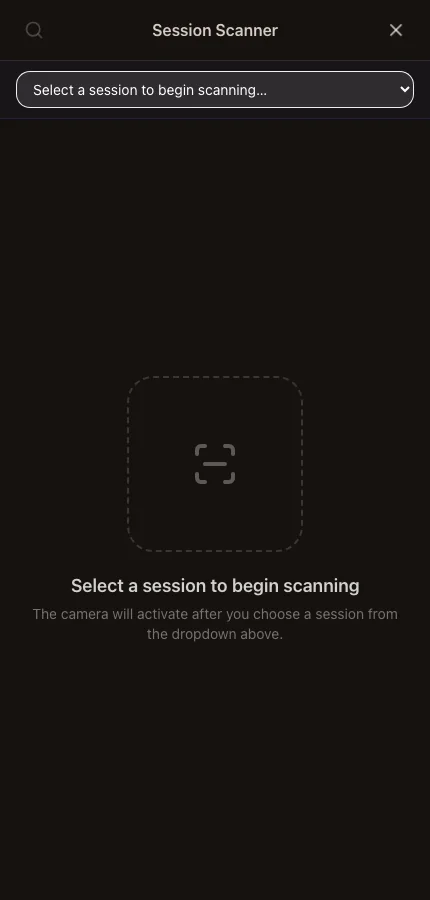
Choose the session from the list at the top.
The bar underneath shows its time, room, speakers, any credit and the live Attendance against capacity. If the session is over, a banner says so — scanning still works for stragglers.
Scan each attendee's badge. Use the search icon to find someone by name if the code will not read.
When the room is full, decide per person whether to use Check In Anyway.
Open the Attendance tab to see everyone recorded, with Override marked where staff let someone in, and tap Export CSV to download the list.
Choose the next session from the list when the room changes over.
The session-scanning settings on Check-in & Badges → Mobile Scanner (tracking scope, capacity blocking, manual entry fallback) are saved but the scanner does not yet act on them: capacity always asks staff before admitting past it, and manual search is always available.
What attendees see
In the attendee app
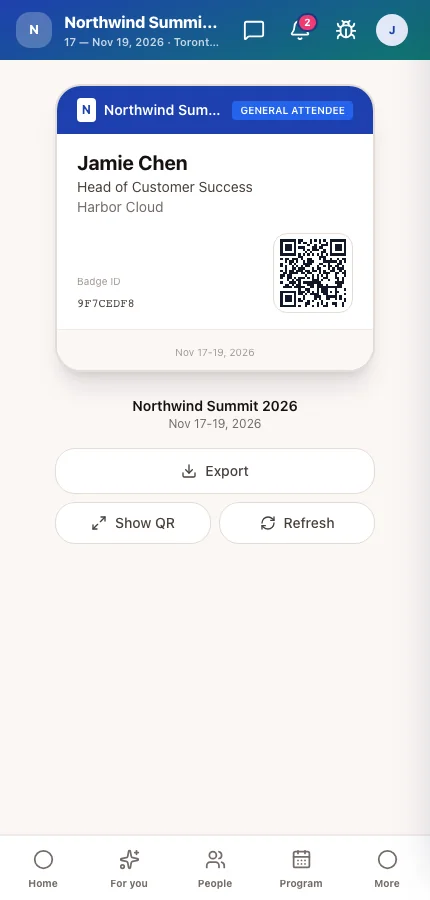
Attendees simply show the badge on their My Badge screen or around their neck. A confirmed scan is what earns any session credit they are collecting.
Tips
- Give each session door its own device and person. One phone switching between rooms is where attendance gets recorded against the wrong session.
- Set a realistic capacity on each room in Locations and venue map — the capacity bar is only as good as that number.
- The list offers one day's sessions. Scanning on the evening before day one shows day one's programme.
Ask Moostoo
Which sessions are on day 2 of Northwind Summit 2026?
Handy for assigning door staff to rooms.