
Booth teams
An exhibitor's people need their own tools at your event: a booth dashboard, lead scanning, the booth page editor and the booth's meeting calendar. They get them by being on the booth's team. The team also decides who is shown on the booth in the attendee app, who can be booked for a meeting, and who is allowed to accept those requests — so a booth with the wrong people, or nobody signed in, is a booth nobody can meet.
How it works
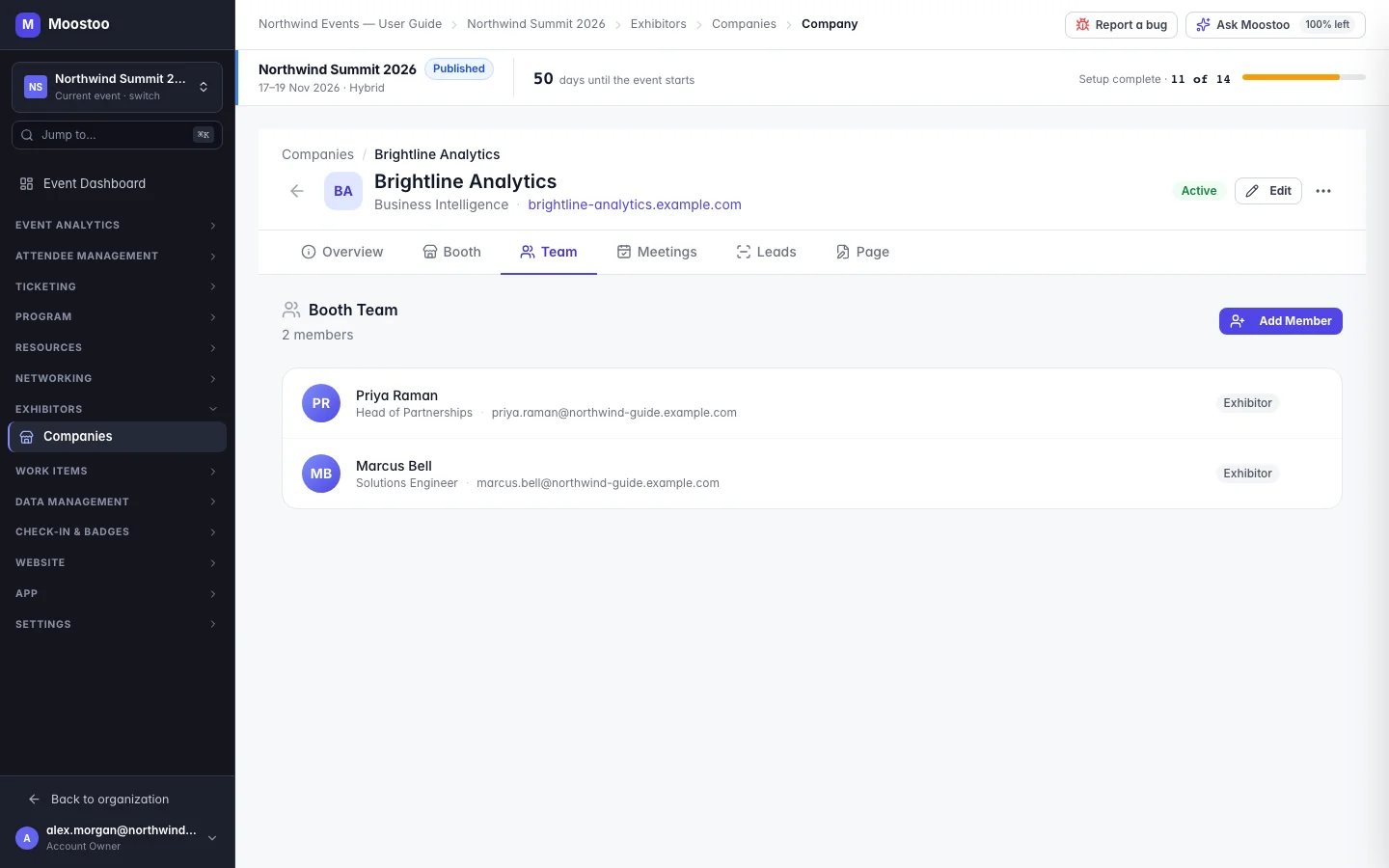
Each company's page has a Team tab listing its booth representatives, and a Meetings tab where you choose which of them are booth admins. Everyone on the team is a real participant of the event and reaches the booth's area — My Booth — from the attendee app.
Representative A person on the booth team. They see the booth dashboard, can scan leads (when lead scanning is on), edit the booth page, and always see the booth's meeting calendar.
Booth admin A representative who may manage the booth's meeting requests even when the booth is set to Admins only. Every booth must have at least one admin; Moostoo refuses to remove the last one.
Who can manage requests Admins only (the default) — only booth admins accept, assign, reassign or decline meeting requests. All members — any representative can. Either way, every member can view the booth calendar.
Access level When you add someone new, Exhibitor or Partner records what they are to the booth.
A representative must be registered and signed in to take meetings
When a booth member accepts a request, they choose which representative will hold the meeting. Everyone on the team is listed, but a representative who is not registered for this event cannot be chosen (their calendar cannot be checked), and neither can one who hasn't signed in to the app yet (the meeting could not be assigned to them or joined). Someone already busy at that time is also greyed out. Add representatives from the attendee list, or make sure they register and sign in before the event.
Step by step
Add people to a booth
Open Exhibitors → Companies, click the company and open the Team tab.
Click Add Member. On From Attendees, search the event's attendees by name or email and click the person — they are added at once (people already on the team are greyed out).
This is the best route: the person is already registered, so they can be booked for meetings.
Or, on Add New, enter their name, title, email and access level, then click Add Member.
The email is what lets them sign in and reach the booth. Without it they are listed on the booth but cannot use its tools.
Moostoo emails each new member a Booth Invitation, a Booth Welcome the first time they open the booth, and one Booth Reminder a day later if they still have not — each can be switched off in Automated emails.
Choose booth admins and who manages requests
On the company's Meetings tab, find Booth Admins & Manage Toggle.
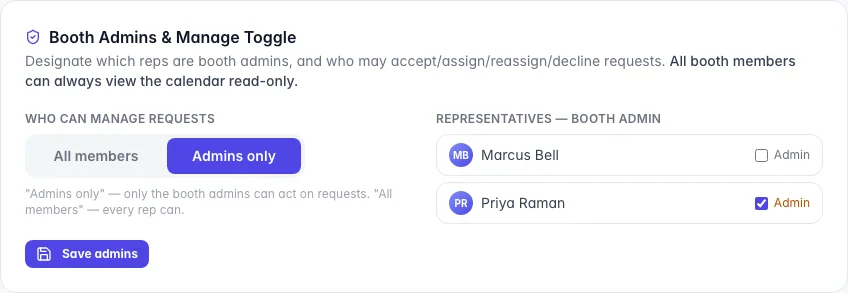
Under Who can manage requests, choose Admins only or All members.
Tick Admin beside each representative who should be a booth admin, and click Save admins — it saves the Who can manage requests choice too.
Unticking the only admin is refused — designate another admin first.
What attendees see
In the attendee app
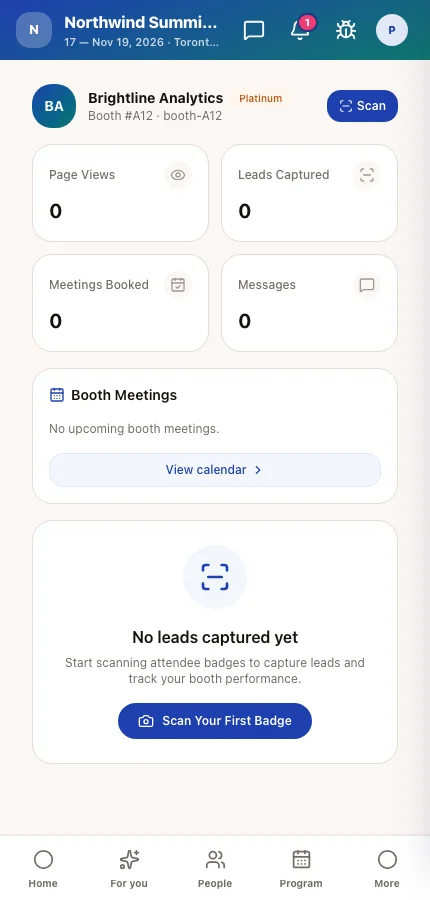
Representatives get a My Booth area in the attendee app with a Dashboard, Booth Page, Leads, Meetings, Team and Analytics. Other attendees see the team on the company's card and in its details, and can ask for a meeting with the booth or with one named representative.
Tips
- Make at least two people booth admins so requests are still answered when one of them is on stage or at lunch.
- Use All members at busy booths where every rep books their own meetings; keep Admins only where a manager hands out meetings.
- Removing someone from the team takes away their booth tools at once. Reassign any meetings they hold for the booth first, from the booth's meeting calendar.
Ask Moostoo
Add Priya Raman (priya.raman@brightline.example.com, Head of Partnerships) to the Brightline Analytics booth.