
Question pool
The question pool is the single library every form draws from. Because a question is defined once and referenced by the same identity everywhere, an attendee answers it only once: an answer given at registration is pre-filled on their profile, shows up in their record, can be imported and exported, and can be used in emails and badges. Keeping questions here rather than typing them into each form is what keeps your data clean — one "Dietary requirements" column, not three slightly different ones.
How it works
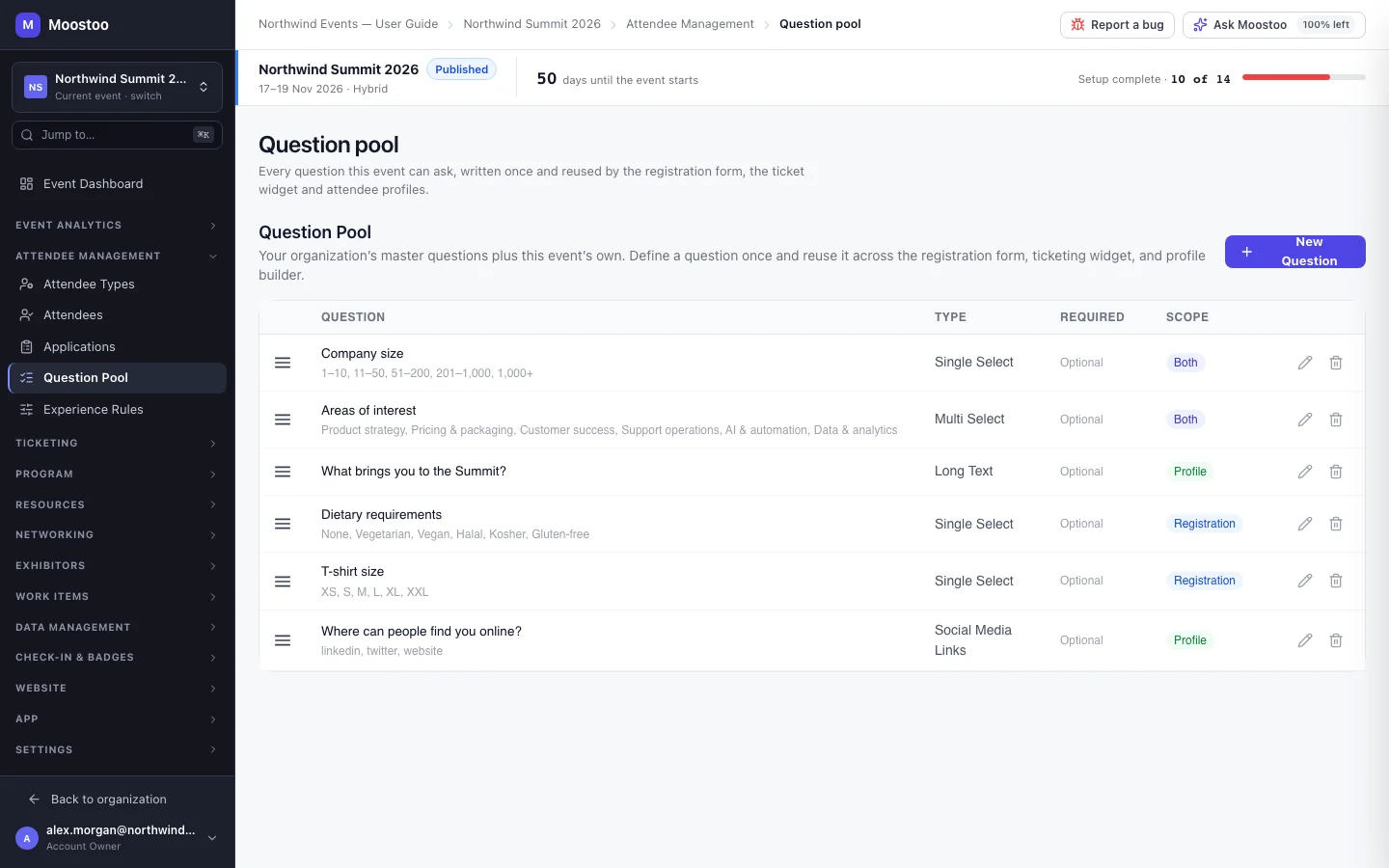
There are two pools. The Master Question Pool (Organization → Master Question Pool) holds questions every event of your organization can ask. Each event's Question Pool (Attendee Management → Question Pool) holds that event's own questions and lists the master questions, so you see everything the event can ask in one place. A master question carries an Organization badge and is read-only inside an event — editing it there would silently change every other event — with a link to manage it at organization level and a move action that, after you confirm Move into this event, makes it the event's own — it then disappears from other events' forms, though their collected answers are kept.
| Type | Use it for |
|---|---|
| Short Text | A name, a role, a short answer. |
| Long Text | Free-form answers such as "What do you want to get out of this event?". |
| Single Select | One choice from a list you define — dietary requirement, T-shirt size. |
| Multi Select | Several choices from a list — topics of interest. |
| Date | A date, such as arrival day. |
| Number | A count, such as years of experience. |
| File Upload | A document or image the attendee attaches. |
| Social Media Links | Links to the platforms you tick — LinkedIn, X, Facebook, Instagram, YouTube, TikTok, GitHub, Threads, Bluesky, Mastodon, Website. Each link must be on that platform's own domain; LinkedIn, X and Website answers also fill the person's contact record. |
Form Scope Where the question may be placed: Registration only (the registration form and ticketing widget), Profile only (the attendee profile), or Both. Narrowing the scope later drops the question from a form that no longer allows it on that form's next save; answers already collected are kept.
Required The attendee must answer before moving on in a form. It is a rule of the forms: an organizer editing an attendee, or an import, is never refused over an unanswered question.
Add to the organization’s master pool Offered when you create or edit a question inside an event. On, the question joins the master pool and every event can use it; off, it stays in this event. The question keeps its identity either way, so forms and collected answers follow it.
- A question has no attendee types. Who is asked a question is decided where you place it: each field on the registration form and the profile form has its own Visible to setting.
- The order of a choice question's options is the order attendees see, on every form it is placed on — reorder them with the arrows beside each option.
- Drag questions in the list to put them in the order you want to find them in; where a question appears on a form is decided in that form's builder.
- Editing a question updates it on every form that uses it; answers already collected are not changed.
- Deleting a question removes it from every form that uses it. Collected answers stay on the attendee records. Deleting a master question removes it from every event.
Step by step
Add a question
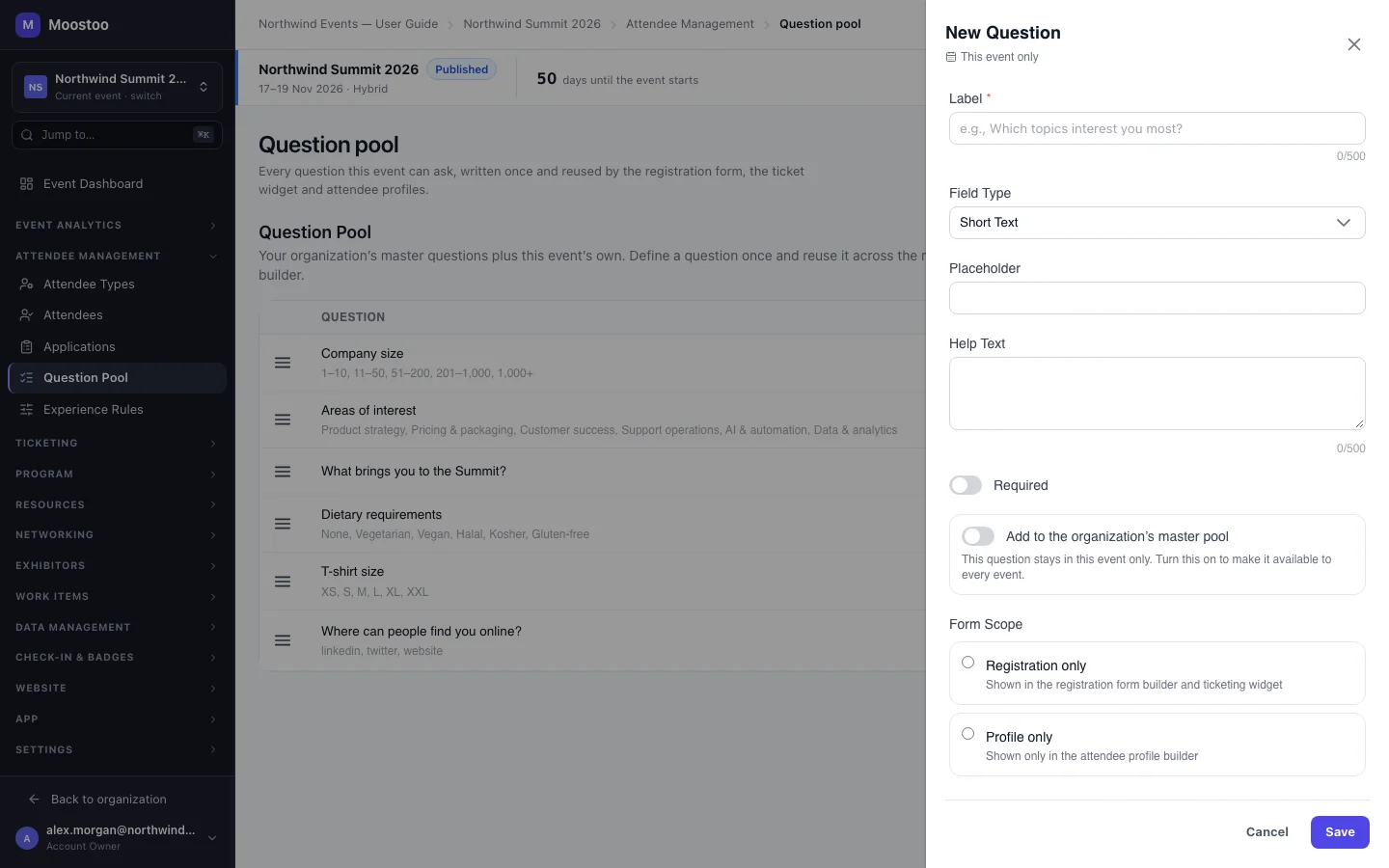
Open Attendee Management → Question Pool and click New Question.
An empty event offers Add suggested questions (Dietary requirements and "What do you want to get out of this event?") as a starting point.
Enter the question's Label exactly as attendees should read it, and choose the Field Type.
For a select question, add the Options and order them with the up and down arrows. For Social Media Links, tick the Platforms attendees can choose from.
Optionally add a Placeholder and Help Text, and turn on Required.
Choose the Form Scope.
Turn on Add to the organization’s master pool if every event should be able to ask it.
Click Save. The question is now available in the form builders' palettes.
You can also create a question without leaving a form builder — its New question action opens this same editor.
What attendees see
In the attendee app
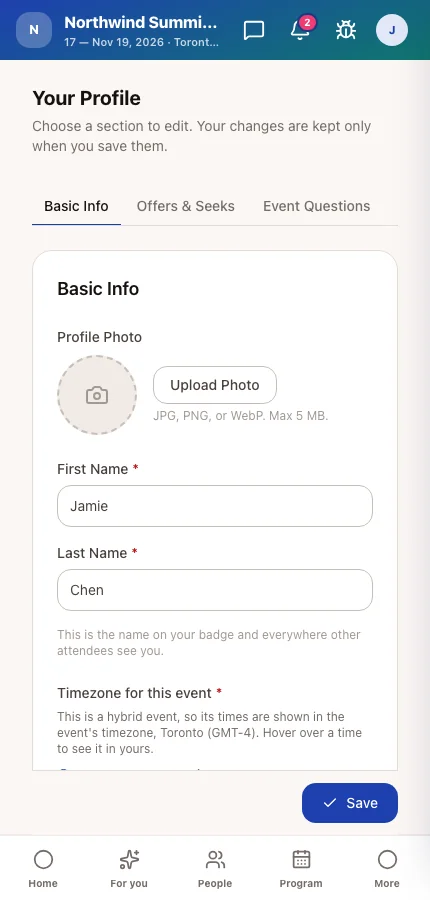
Attendees meet your questions where you placed them — on the registration form and on their profile. A question they already answered is pre-filled when it appears again, and a Social Media Links question shows one ready-to-fill row per platform you offered, with that platform's logo.
Tips
- Put questions you ask at every event — dietary needs, accessibility, company size — in the master pool once, instead of re-creating them each year.
- Write options people will recognise in a spreadsheet: import and export match an answer to an option by its text.
- Choice questions placed on the attendee card can become filters in the attendee directory — see Directory card.
- Questions are an entity of the Import/Export Hub, so a pool can be lifted from one event to another from a file.
Ask Moostoo
Add a required single-select question 'Dietary requirements' with options None, Vegetarian, Vegan, Halal, Gluten-free for registration.
Add a Social Media Links question for the profile offering LinkedIn and Website, and save it to the organization's master pool.
What questions does this event ask?