
The API, webhooks and Google Sheets.
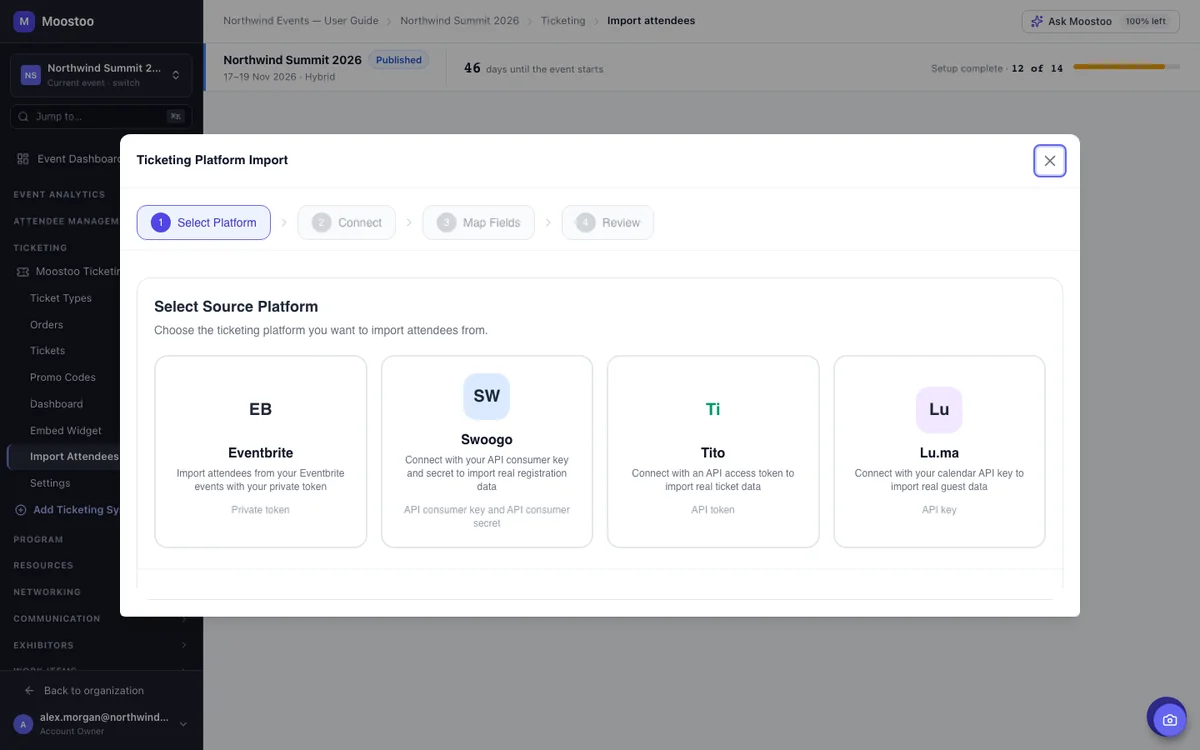
Eventbrite, Swoogo, Tito and Lu.ma.
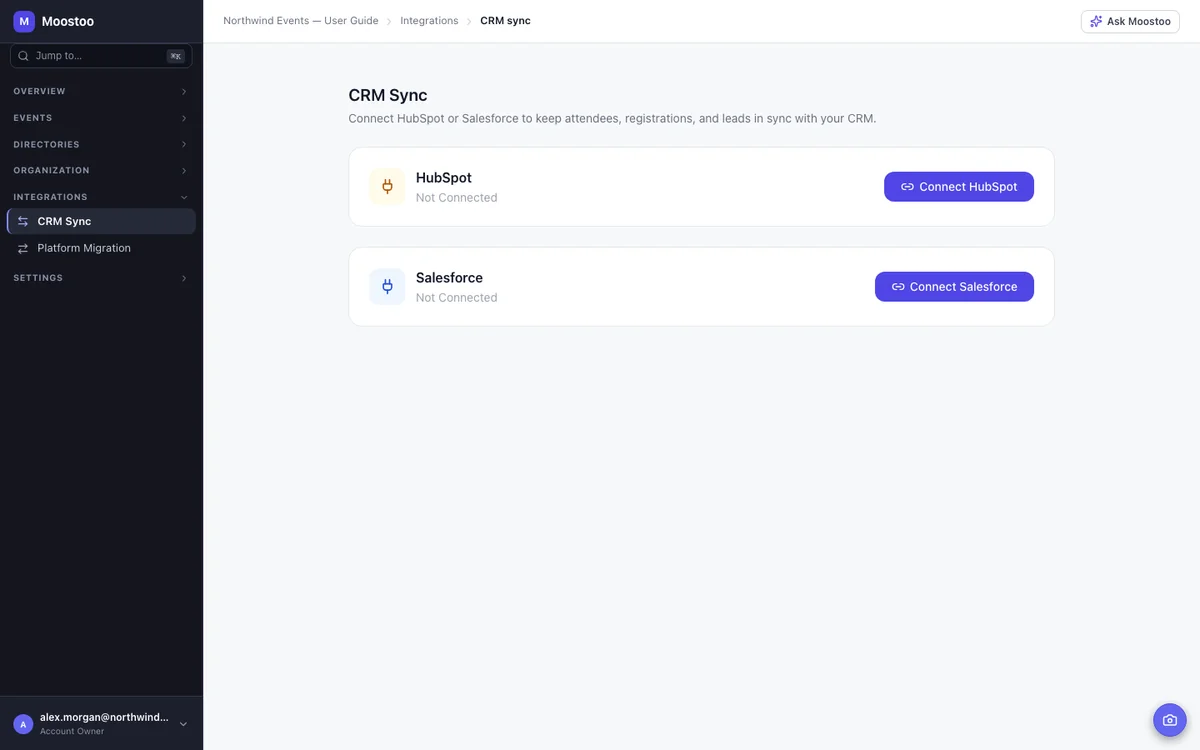
HubSpot and Salesforce.
Every connector, on every plan.
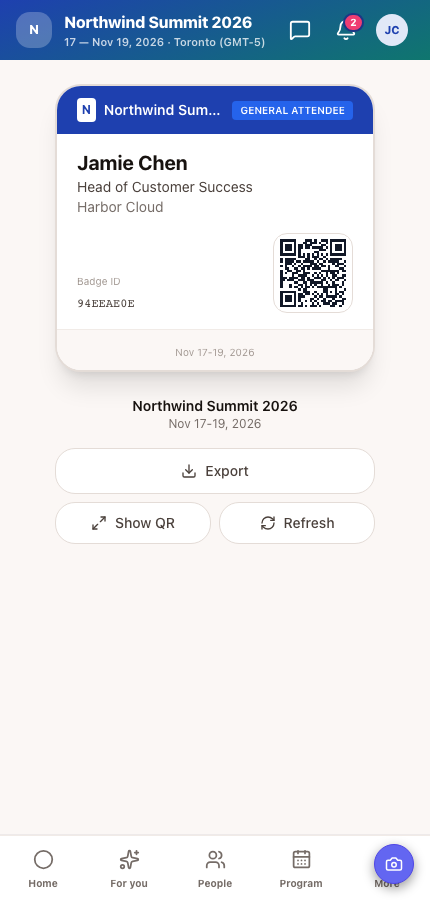
Moostoo Ticketing can sell your passes, but you don't have to switch. If your audience buys on Eventbrite, Swoogo, Tito or Lu.ma, connect that account, pick the event and match its ticket types to your attendee types. Every ticket holder comes into Moostoo with their answers and the code on their ticket, and live sync keeps up as new sales come in.
Moostoo keeps a contact and company record for everyone who attends, speaks or exhibits, but it isn't trying to be your CRM. Connect HubSpot or Salesforce once for your organization and event data flows into the system your sales team already works in. In HubSpot, registrations, check-ins, session attendance and completed meetings land on each contact's timeline. In Salesforce, each event becomes a campaign, and exhibitor leads arrive as leads.
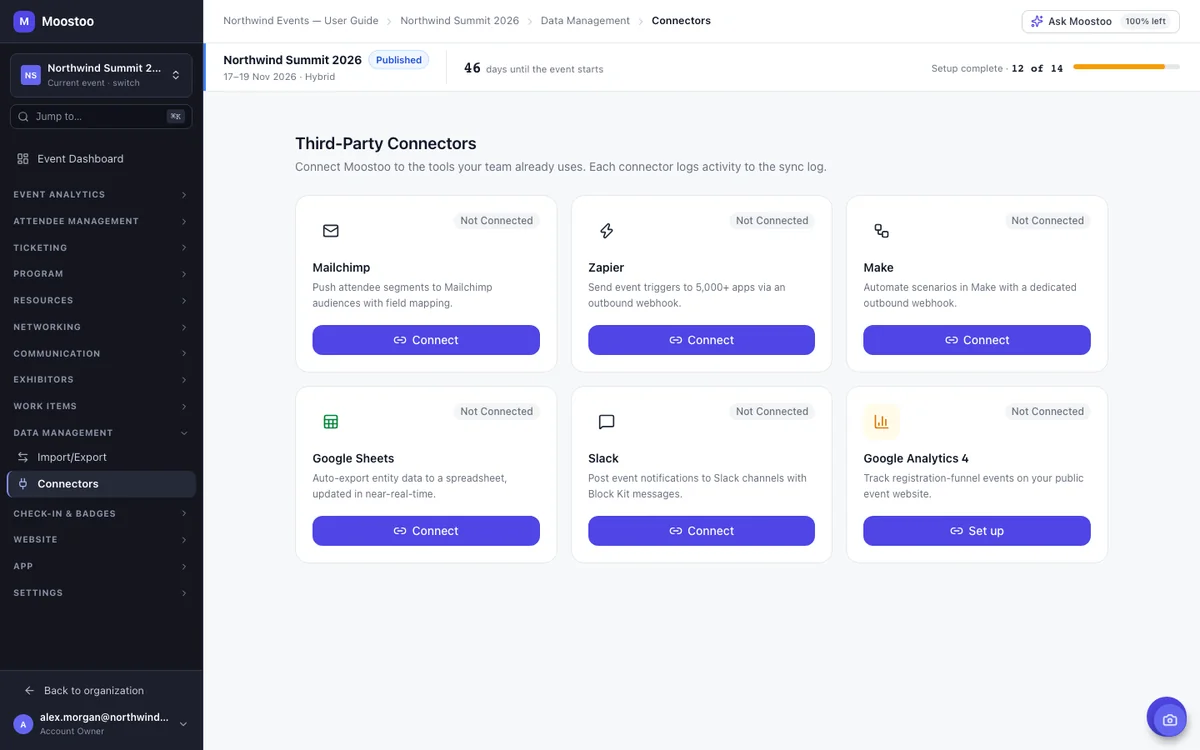
Moostoo has automated emails, campaigns and announcements built in. If your newsletters already go out from Mailchimp and your team lives in Slack, connect those instead, event by event. Mailchimp sync rules push the attendees you choose to an audience. Slack posts to a channel when someone registers, checks in, pays or a booth captures a lead, worded the way you like.
If your tool isn't on the list, there are three ways in. Webhooks send attendee, meeting, session, company and lead, and payment events to Zapier or Make the moment they happen, so you can pass them on to the other apps you use. Google Sheets export rules keep a spreadsheet updated as records change, which is often all a finance or ops team needs. And the API and webhook access come with every plan, for anything your developers want to build.
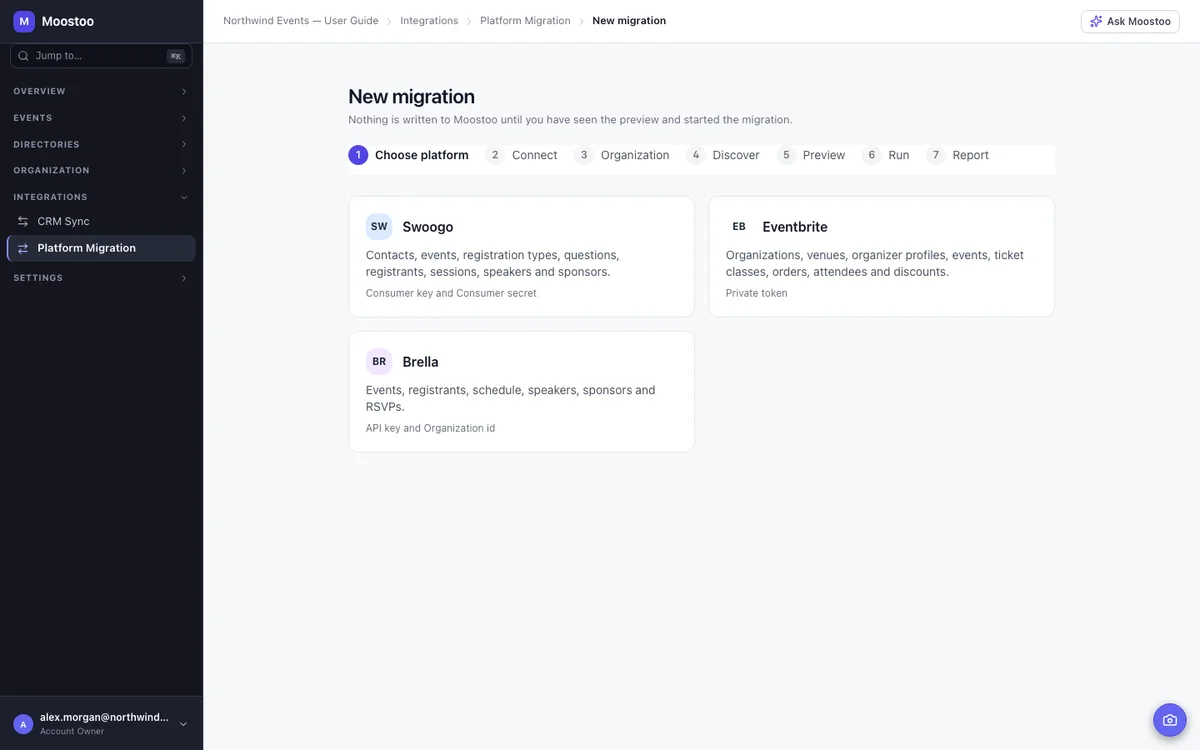
If you'd rather switch fully, platform migration reads your Swoogo, Eventbrite or Brella account through its own API and brings every event it holds into Moostoo: past, live and upcoming, with contacts, companies, sessions, speakers, orders and attendance. It's built to be safe to press.
For each job, here's what Moostoo already does and how it connects if you'd rather keep your own tool. Most teams end up with a mix.
| The Job | Built Into Moostoo | Keep Your Tool |
|---|---|---|
| Ticket sales | Moostoo Ticketing | Eventbrite, Swoogo, Tito or Lu.ma, synced live |
| Email to attendees | Automated emails and campaigns | Mailchimp, through a sync rule |
| Contacts and companies | Contact and company directories | HubSpot or Salesforce, through CRM sync |
| Team updates | Inbox and messages | Slack, through notification rules |
| Reports and lists | Analytics and exports | Google Sheets, kept up to date |
| Anything else | – | The API and webhooks, directly or through Zapier and Make |
Selling tickets with Moostoo? There's no Moostoo fee on ticket sales when you use your own payment gateway, such as Stripe. See how registration and ticketing work →
All of them. Some event platforms charge per connector. Moostoo doesn't.
API and webhook access, CSV and Excel import and export, CRM sync with HubSpot or Salesforce, the six connectors, ticketing platform sync and platform migration.
You can only sync what a plan includes. Sessions, speakers, meetings and exhibitor leads are part of the full platform, so that activity only exists to sync there. On Moostoo Tickets, the data is your ticket holders, their check-ins and their orders.
Compare the plans, see how Moostoo's own email works, or how check-ins reach your CRM.
When you connect HubSpot or Salesforce, you sign in on the CRM's own screen, and Moostoo never sees your CRM password. Every sync, export and webhook delivery is written to a log your team can check, and only your account owners and super users can start a platform migration.
Pick Canada (Montréal) or the EU (Frankfurt) when you set up your organization. Everything Moostoo stores, sync logs included, stays in that region along with its backups, and you decide which outside tools receive what.
Five steps, and most of them happen once for your whole organization.
Decide which jobs stay with your current tools and which move to Moostoo.
Connect HubSpot or Salesforce once for your organization, and set the direction, field mapping and sync frequency.
If you sell elsewhere, connect the account, pick the event and match its ticket types.
Turn on Mailchimp, Slack, Google Sheets, Zapier, Make or GA4 where the event needs them, and send a test.
See what went out, and retry anything that failed.
No. Moostoo has its own ticketing, email campaigns and contact records, but you can keep the tools you already use for any of those jobs. Ticketing platforms, CRMs, Mailchimp, Slack and Google Sheets connect directly, and the API and webhooks cover the rest.
HubSpot and Salesforce through CRM sync; Eventbrite, Swoogo, Tito and Lu.ma for ticketing; Mailchimp, Zapier, Make, Google Sheets, Slack and Google Analytics 4 as connectors; and Stripe or another payment gateway for Moostoo Ticketing. Events from Swoogo, Eventbrite and Brella can also be migrated in.
Use a webhook. Moostoo sends attendee, meeting, session, company and lead, and payment events to Zapier or Make, which can pass them on to other apps, and the API and webhook access come with every plan. For simple reporting, a Google Sheet that Moostoo keeps updated is often enough.
Yes. Connect your Eventbrite account, pick the event, and every ticket holder comes into Moostoo and stays in sync while sales continue. Eventbrite barcodes keep scanning at the door, and the connection is read-only, so nothing changes in Eventbrite.
Connect your CRM once for your organization. HubSpot receives attendees as contacts, companies as company records, and registration, check-in, session attendance and completed meetings on each contact's timeline. Salesforce receives attendees as contacts and campaign members, one campaign per event, and exhibitor leads as leads.
Yes. A Mailchimp sync rule pushes the attendees you choose to a Mailchimp audience. Moostoo can still send the emails that depend on the event, like confirmations and meeting invitations, or you can switch those off.
No. CRM sync, the connectors, the API and webhooks, and import and export are included on every plan, with no charge per integration.
Yes, from Swoogo, Eventbrite or Brella. Migration brings over past, live and upcoming events with their people and history, without emailing anyone or creating duplicates.
Last updated October 2026. Product details are taken from the Moostoo Admin Guide.