
Meeting room timing
An online one-to-one meeting has a video room, and that room needs a clock: open it too late and people miss the first minutes, keep it open forever and back-to-back meetings collide and you pay for idle video. The three intervals on a meeting session set that clock for every meeting booked in it — so a 20-minute speed-networking block can run tight, while an investor office-hours block can leave room for a proper goodbye.
How it works
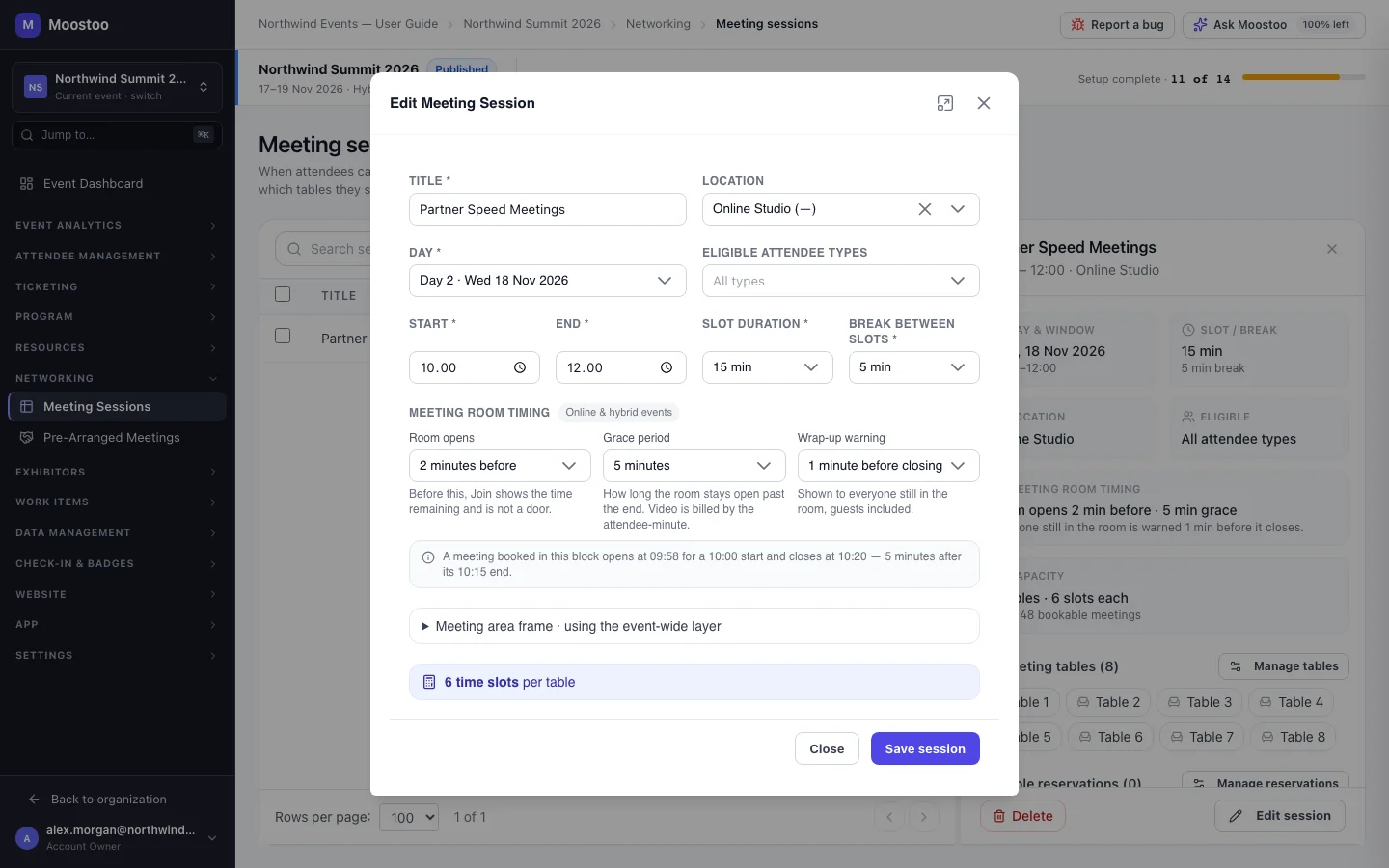
The timing belongs to the meeting session, not to each meeting: every meeting booked in Partner Speed Meetings follows the same rules. The block (marked Online & hybrid events) is offered only on online and hybrid events. On an onsite event it is hidden; a meeting held there in a Virtual Room location still gets a video room, using the default timing (2 / 5 / 1 minutes) or whatever was set before the format changed. Changing an event's format hides the settings but never deletes them — they come back as they were.
Room opens How long before a meeting's start the waiting room's Join unlocks: At the start time, or 2 minutes before (default), 5 or 15. Attendees can enter the waiting room and check their camera at any time; this only decides when they can step into the call. Moostoo checks it on the server, so a wrong clock on someone's device cannot open the room early.
Grace period How long the room stays open after the scheduled end: None — close at the scheduled end, 5 minutes (default), 10 or 15. When it runs out the room closes for everyone. Video is billed by the attendee-minute, so a long grace period has a cost.
Wrap-up warning How long before the room closes everyone still in it — guests included — is warned: 1 minute before closing (default), 2 or 5. It must be shorter than the grace period, and is switched off when there is no grace period, because the room then closes exactly at the end.
| Time | What happens |
|---|---|
| Any time before | The attendee can open the waiting room, test microphone and camera, and choose a background. Join shows the time left. |
| 13:58 | Join unlocks (room opens 2 minutes before). |
| 14:00–14:20 | The meeting; the room shows how long is left. |
| 14:24 | Everyone still inside is warned (1 minute before closing). |
| 14:25 | The room closes (grace period 5 minutes) and cameras and microphones are released. |
- If the room opens more minutes before a meeting than one slot lasts, someone may be able to join their next meeting before this one has ended. Moostoo points this out under the fields but saves what you chose.
- A wrap-up warning that is not shorter than the grace period is refused, and the session cannot be saved until you fix it.
- Exhibitors' booth meeting sessions have the same three settings, set by you on the company's page.
Step by step
Open Networking → Meeting Sessions, click the session and click Edit session — or set the timing while adding a new session.
Under Meeting room timing, choose Room opens, Grace period and Wrap-up warning.
Read any hint under the row, then click Save session. Meetings already booked in the session follow the new timing from then on.
What attendees see
In the attendee app
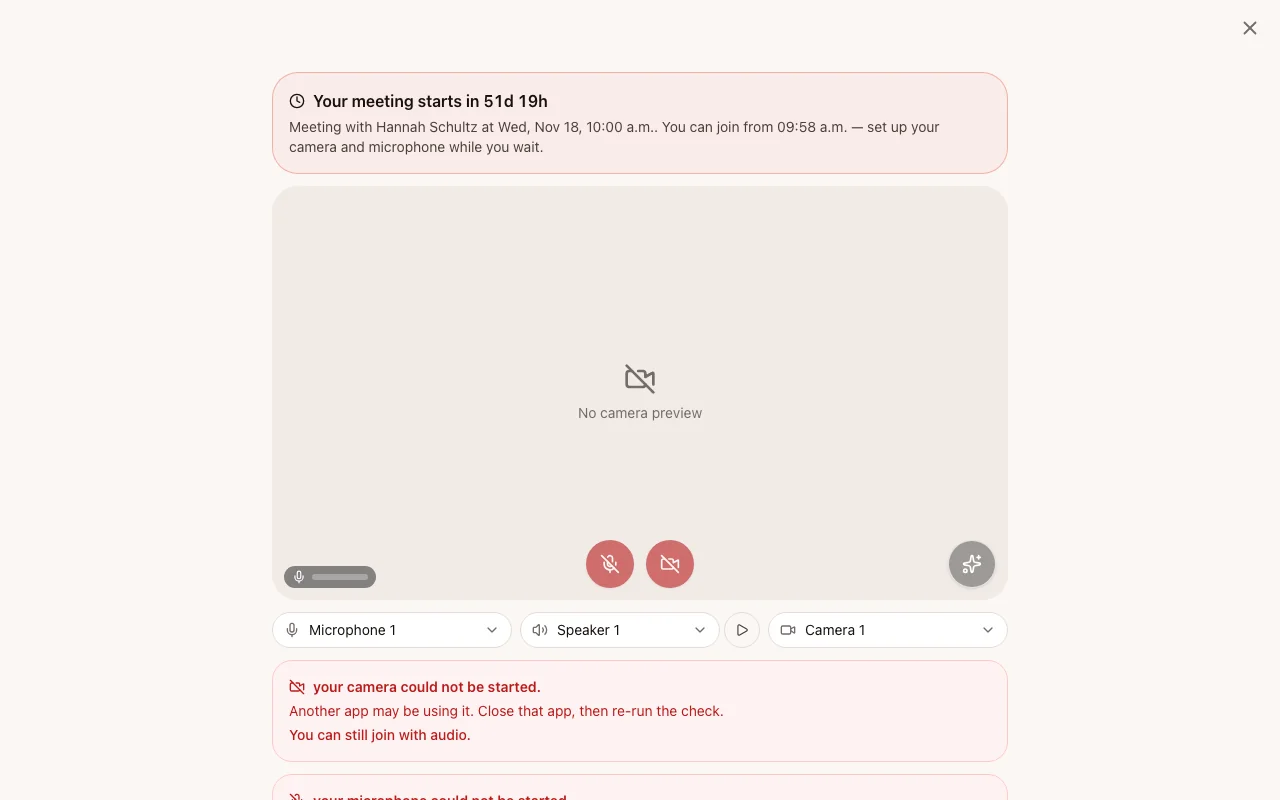
Every Join leads to the waiting room, which counts down to the meeting's start and unlocks its own Join when the room opens. Inside the call a countdown shows when it starts, when it ends, and when the room closes; the wrap-up warning appears for everyone still there, and when the room closes the call ends by itself.
Tips
- For back-to-back speed meetings, keep the room opening at or under the break between slots, and the grace period short.
- For fewer, longer meetings, a 10–15 minute grace period lets a good conversation finish without anyone rebooking.
- The sponsor frame drawn around the video is set next to these fields — see Meeting room branding.
- Everything the attendee experiences inside the call is described on Video meeting rooms.