
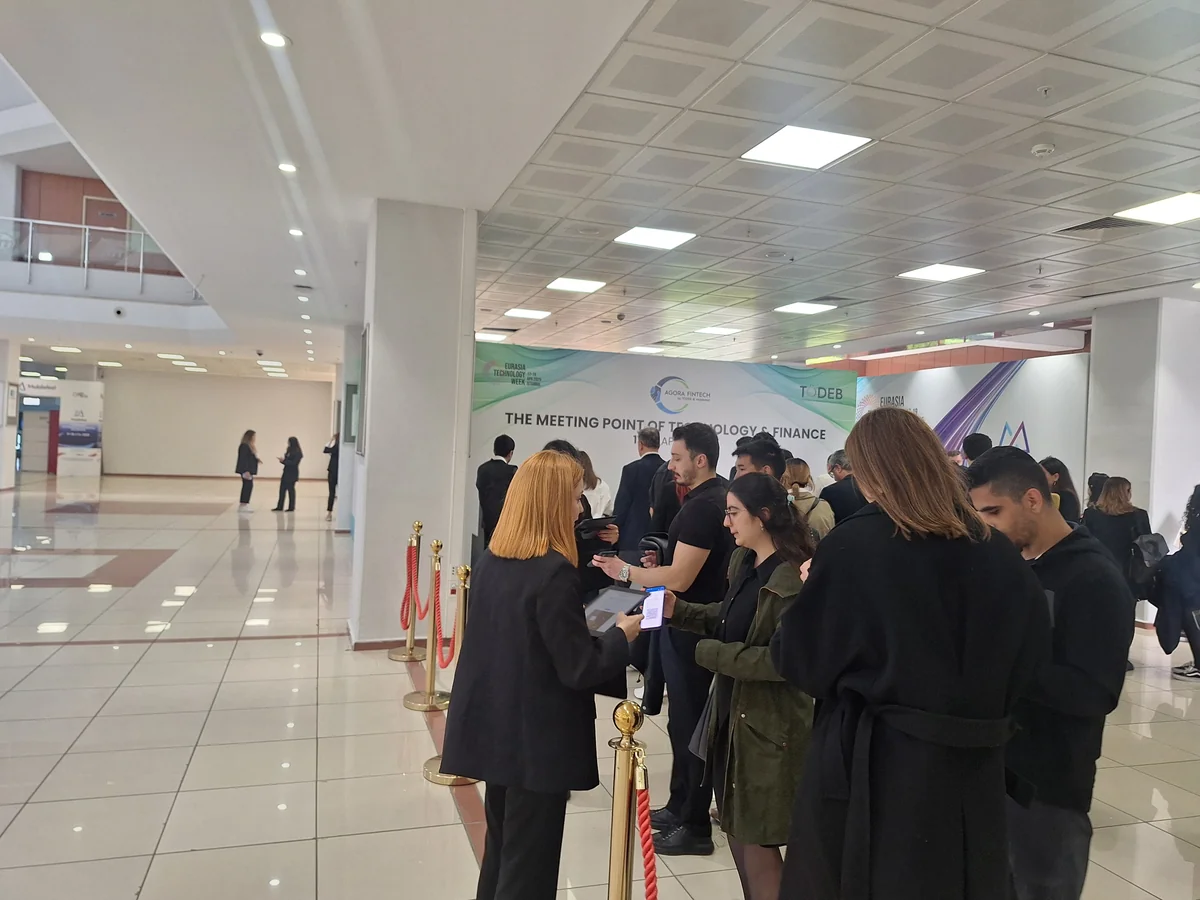
The same code on the badge, the phone and every scanner.
Staff scanners, self-service kiosks and a name search.
An order with money outstanding is stopped at the door.
Canada or the EU, with check-in data kept in that region.
Door staff open the scanner inside the Moostoo app on their own phone, point the camera at a badge or ticket, and see the attendee's name, photo, company, attendee type and ticket type, with VIP, speaker and sponsor flags. From there it's one tap to print the badge or send it to the attendee's phone, and one more for the next person. Someone forgot their code? Search their name instead. Check-in and badge printing happen in the same app, at the same desk.
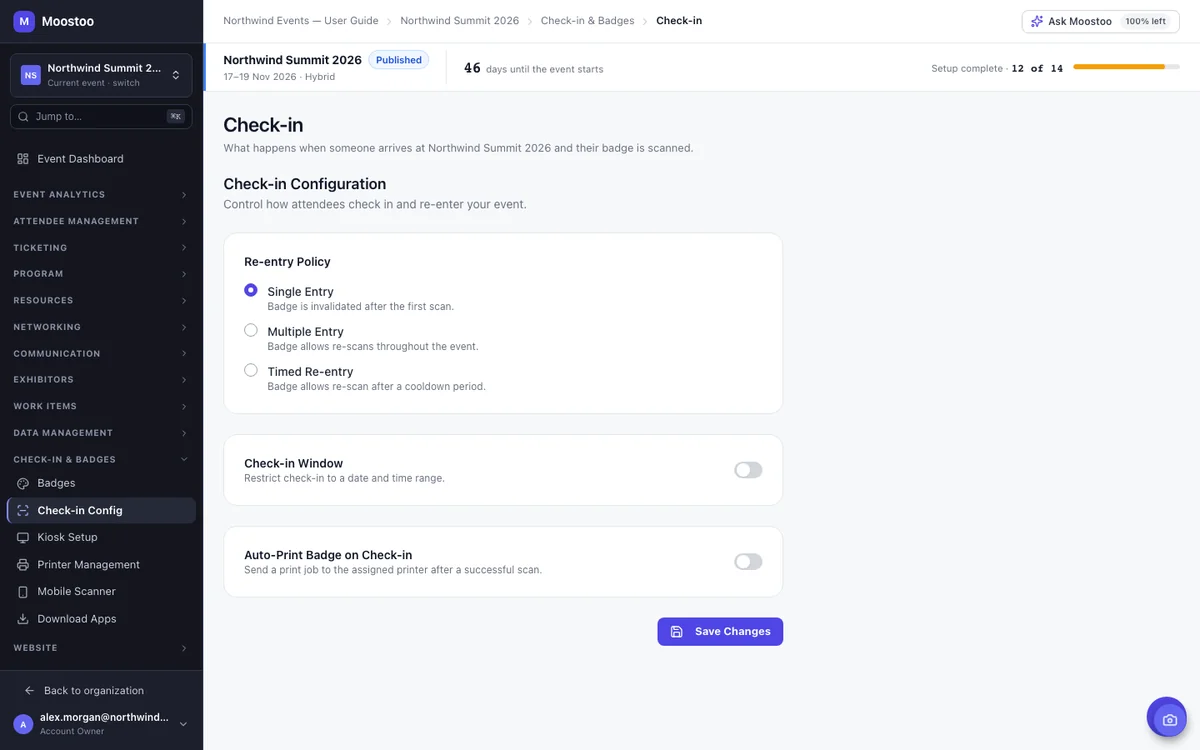
Set your rules once, before the first attendee arrives, and every scanner follows them. Single entry for a ticketed gala, unlimited re-entry for a trade show people come and go from all day, or re-entry after a cooldown, so someone back from lunch gets in but a badge passed back over the barrier doesn't.
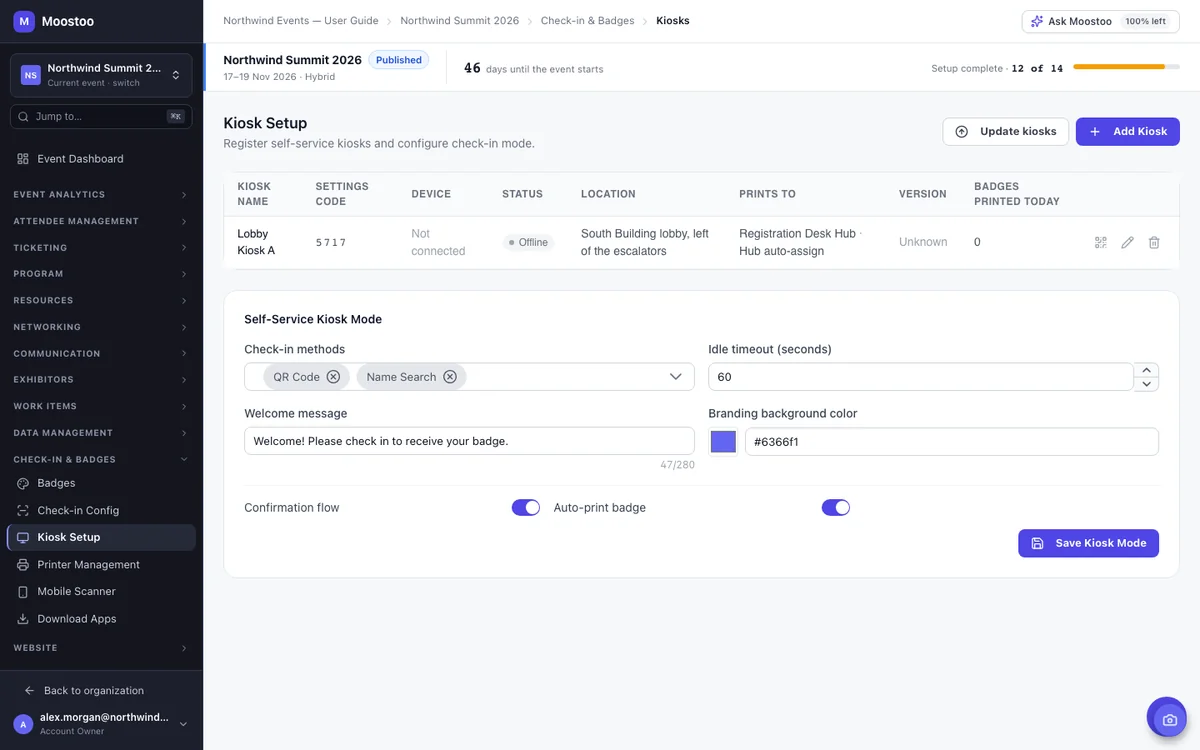
Kiosks take the queue away from the registration desk. Attendees walk up, scan their QR code or search their name, see the badge about to print, confirm it and collect it. The last screen tells them where to pick it up. Your staff only step in for the exceptions, and the kiosk goes back to its welcome screen on its own, so the next person never sees the last one's details.
A bank transfer that never arrived, an invoice still open: those tickets don't get in. Moostoo refuses a ticket from an order with money outstanding at entrance check-in, session doors, kiosks and badge printing, and its badge won't print. At a kiosk the attendee sees the order number and amount owed. Once your team records the payment, the same badge scans straight through. Nothing to reissue.
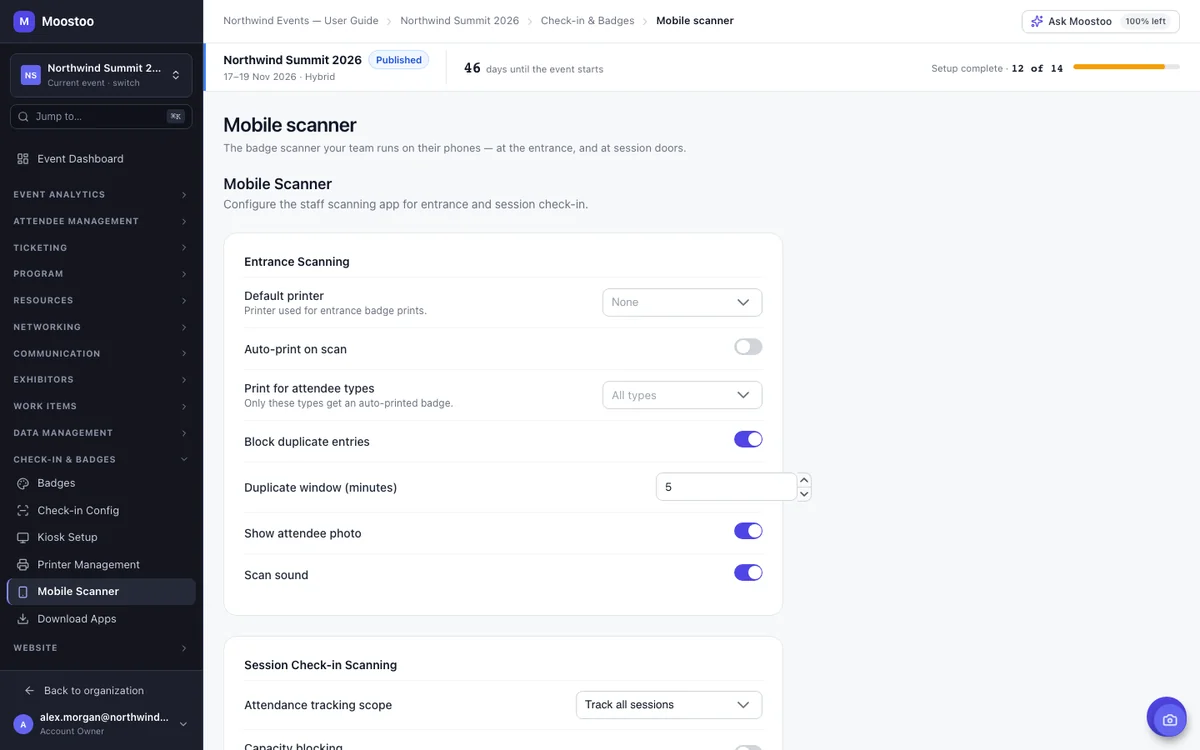
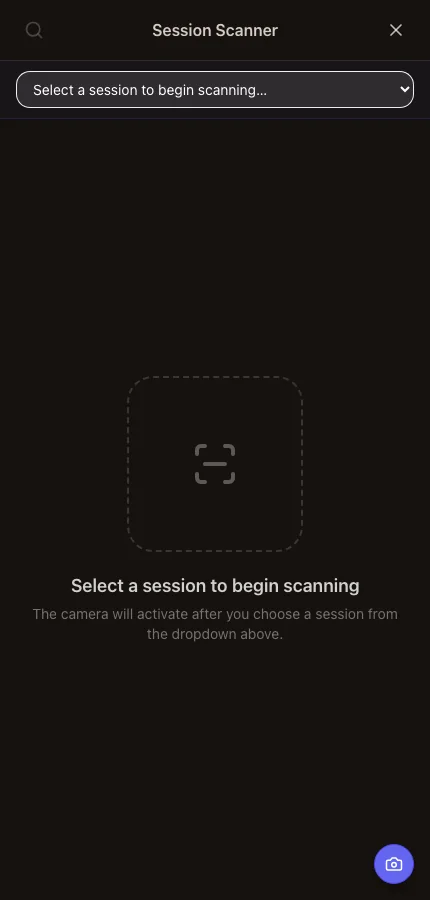
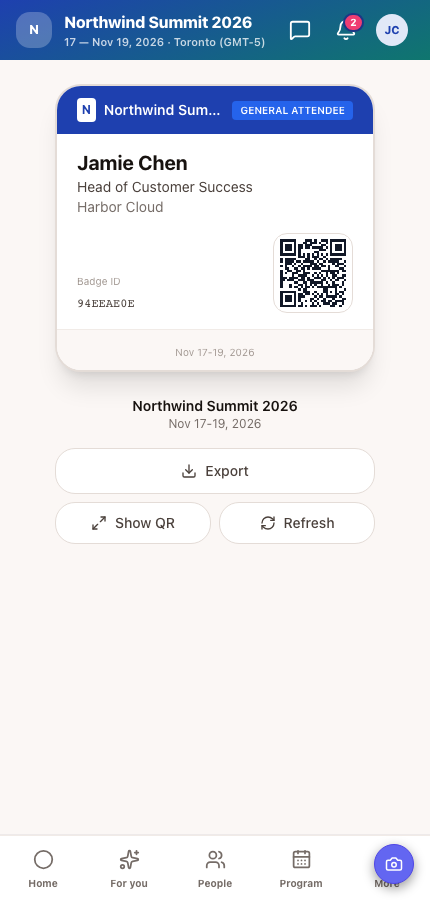
Registration tells you who came to the event. Session check-in tells you who came to each talk, which is what sponsors ask about, what continuing-education credits depend on and how you learn which rooms were too small. Staff at a session door pick the session and scan badges with the same phone they used at the entrance, and the room's attendance updates live.
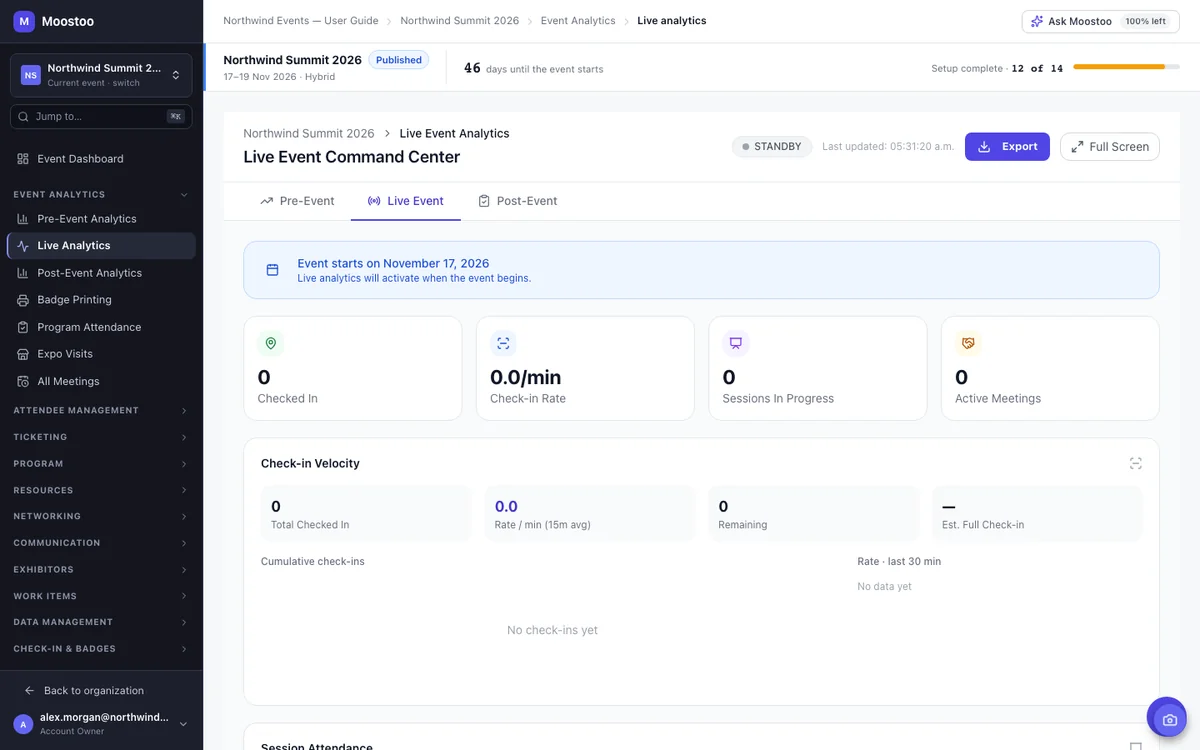
On event day, you want to see problems before attendees feel them: a queue building at the door, a printer that stopped, a room overflowing while the one next door sits empty. The live command center shows how many have checked in, the check-in rate per minute, how many are still to come with an estimated time until everyone is in, and every printer's status.
Most events use both. Staff scanners are flexible and need nothing but a phone. Kiosks take the pressure off when hundreds of people arrive at once. Plan for a few staff with scanners next to the kiosks for anyone who needs help.
| Way In | Best When | Good For |
|---|---|---|
| Staff phone scanners | Every attendee walks past a staffed door | Staff are already at the door, and you need to check paid status, VIP flags and print badges |
| Self-service kiosks | Most attendees arrive in one big wave | Large arrival peaks, like the first morning of a conference |
| Name search | Someone has no code with them | As a fallback at any scanner or kiosk |
| Session scanners | You need attendance per session | Accredited events, sponsor reporting and room planning |
Kiosks need the Self-Service Kiosk app on a laptop or Android tablet and a print hub for badges. See how printers and print hubs work →
Entrance check-in, kiosks and mobile scanners come with every plan, including Moostoo Tickets. Session check-in comes with the plans that include your program.
Ticketing and the door, without anything else in the way: entrance scanners, kiosks, badges, printers and print hubs, live arrivals and badge printing reports. Use Moostoo Ticketing, or keep selling on Eventbrite, Swoogo, Tito or Lu.ma and check those tickets in with Moostoo.
Everything in Moostoo Tickets, plus session check-in, credits and attendance, and the full event app with your program, networking and exhibitors.
Compare the plans, see how registration and ticketing feed the door, set up onsite badge printing, or the event app attendees carry their badge in.
Keep it. Connect Eventbrite, Swoogo, Tito or Lu.ma, and Moostoo brings in every ticket holder with the code on their ticket, Eventbrite's barcode and Lu.ma's check-in QR included. Live sync keeps the list current while sales continue, so late buyers scan in like everyone else.
Pick Canada (Montréal) or the EU (Frankfurt) when you set up your organization. Registrations, badges, check-ins and attendance stay in that region, backups included. That's one clear answer for your legal team.
Five steps, and most of them happen the day before the doors open.
Put everyone who will work a door on the event team as an admin, member or volunteer.
Choose single entry, unlimited re-entry or re-entry after a cooldown, and the printer scanners start on.
Install the kiosk and print hub apps, connect them by scanning a QR code, and test a badge.
Staff sign in to the Moostoo app on their phones and open the event. The scanner is under Staff Tools.
Scan, print and watch arrivals on the live command center as the day starts.
An event check-in app lets staff confirm who is arriving at an event, usually by scanning a QR code on the attendee's badge or ticket, and records the check-in. In Moostoo the scanner lives inside the Moostoo app on your team's own phones, works from the same records as registration, and can print the badge on the spot.
Moostoo does. Every attendee has one QR code, on their printed badge, their phone and their ticket, and every scanner and kiosk reads the same code. Tickets imported from Eventbrite, Swoogo, Tito or Lu.ma keep scanning with the code the attendee already has.
No. Staff scan with the camera of their own phone, tablet or laptop in the Moostoo app. Self-service kiosks run on a laptop or an Android tablet, and badges print through a print hub on a laptop or tablet.
Yes. At a self-service kiosk, attendees scan their QR code or search their name, confirm the badge about to print and collect it. The kiosk tells them where to pick it up.
A ticket from an order with money still owed is refused at every scanner and kiosk, and its badge won't print. Once your team records the payment, the same badge scans through without anything being reissued.
Yes, with the full platform. Staff scan badges at session doors, each person is recorded once per session, and any continuing-education credits the session carries are recorded with the scan.
With HubSpot, yes: check-ins and session attendance appear on each contact's timeline. Salesforce receives attendees as contacts and campaign members. A Slack connector can also post to a channel whenever someone checks in.
No. Moostoo Tickets is the lightest edition, built for ticket sales, badges and check-in. Book a demo and we'll recommend the plan that fits your event.
Last updated October 2026. Product details are taken from the Moostoo Admin Guide.