
Exhibitor, Sponsor or Partner, set per event.
Platinum to Bronze, plus any custom tier you name.
Kept once for your organization and reused every year.
Canada or the EU, with exhibitor data kept in that region.
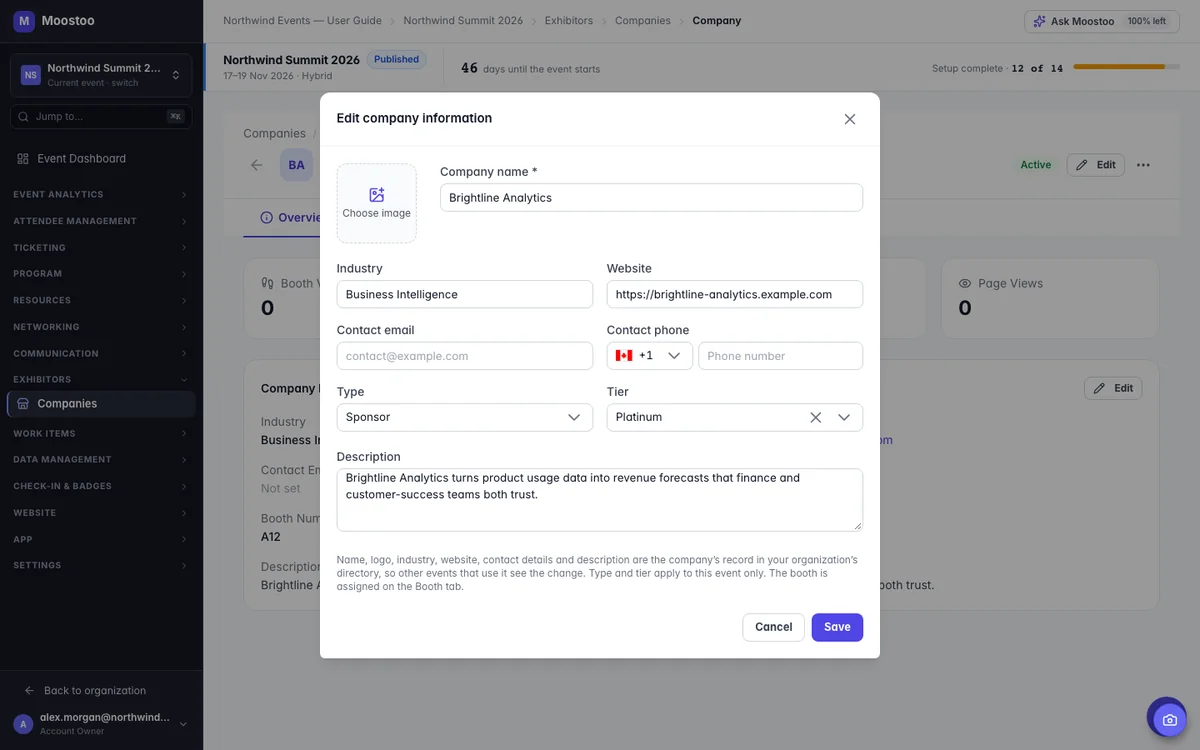
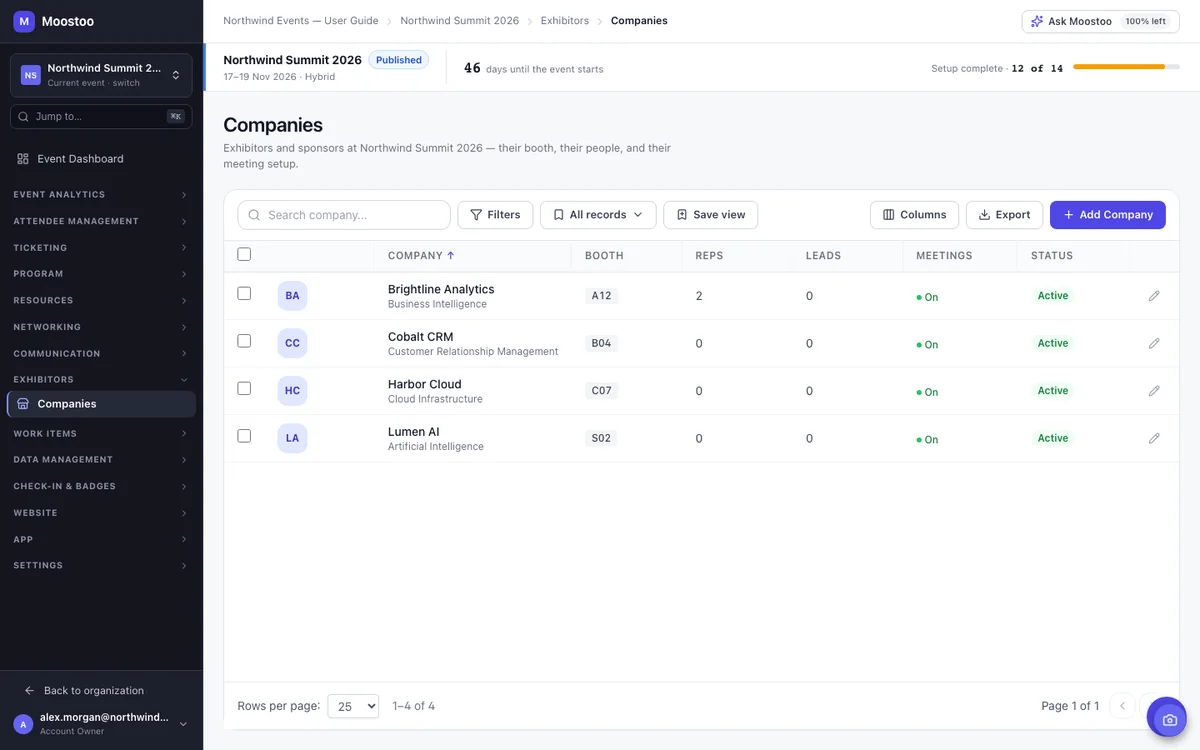
Every company you work with is kept once in your organization's company directory, so adding last year's sponsor to this year's show is a search, not a retyped profile. Add it to the event, set whether it's an exhibitor, sponsor or partner, pick its tier and booth, and you're done. Add a new company with a website, and Moostoo fills in its logo, description and industry for you.
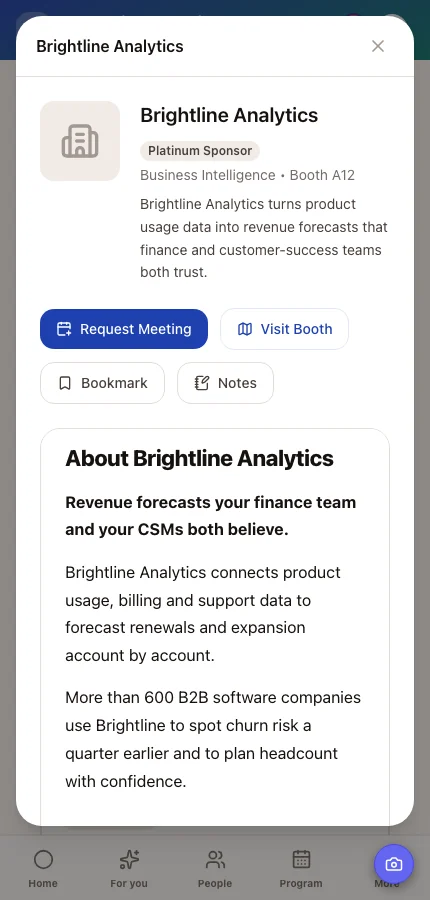
A booth page is the exhibitor's shop window inside your event: who they are, their team, their products, brochures and a button to book a meeting. Exhibitors write it themselves from the app, and you can step in for the sponsor who sent their copy by email. You both edit the same page, so there's never a second version to reconcile, and drafts stay private until someone presses Publish.
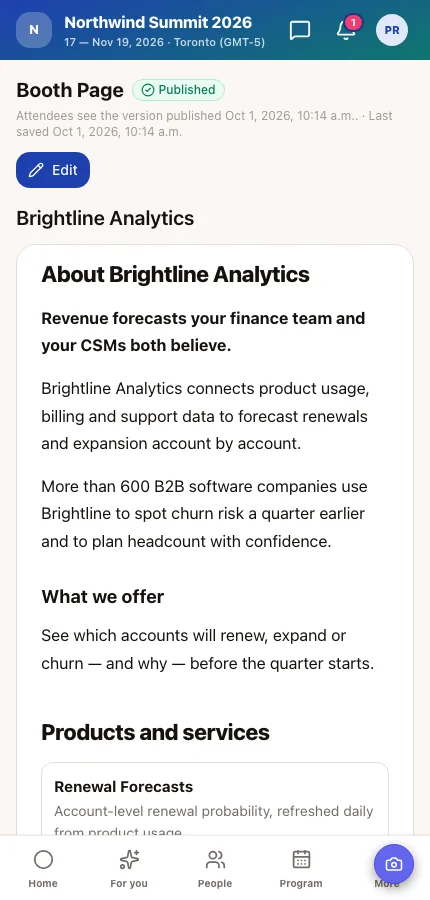
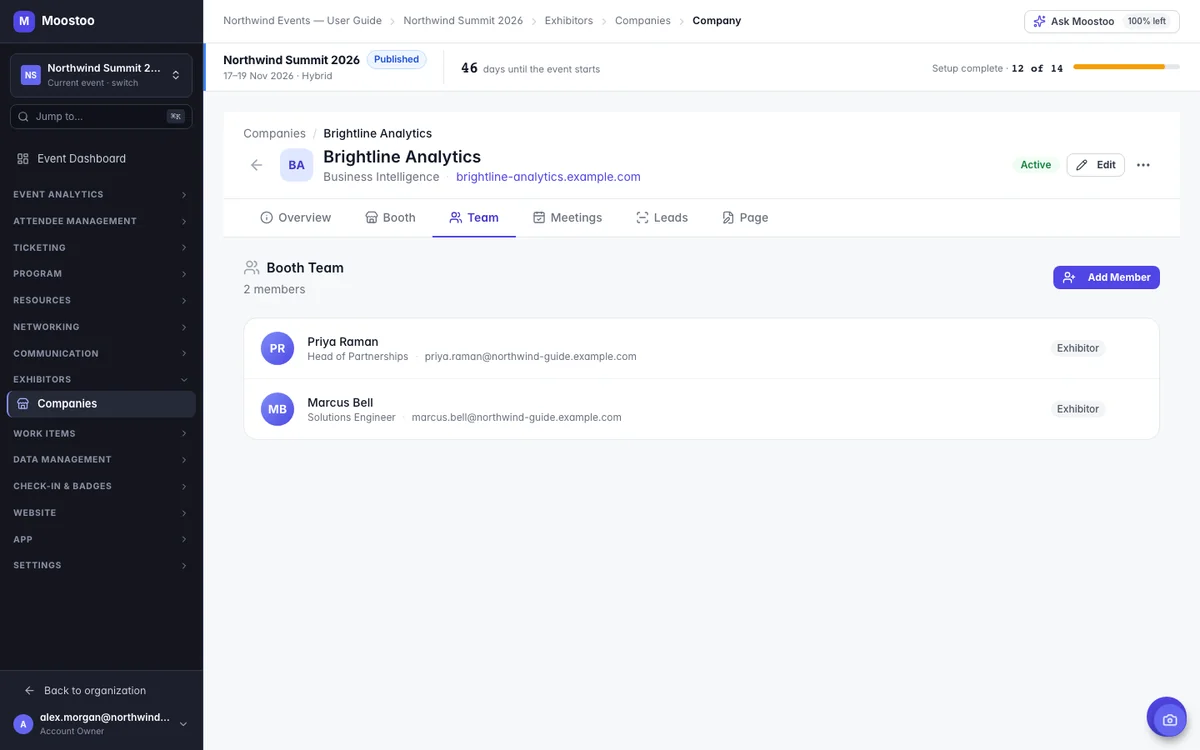
Exhibitor staff don't need another login or another app. Everyone on a booth team reaches their booth's own area in the Moostoo event app, with a booth dashboard, lead scanning when you turn it on, the booth page editor and the booth's meeting calendar. You decide who is on each team, who the booth admins are, and whether only admins or every member can accept meeting requests.
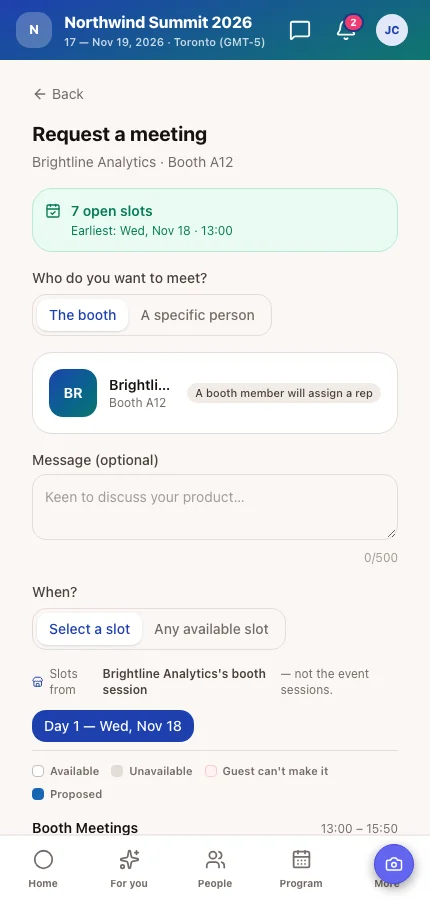
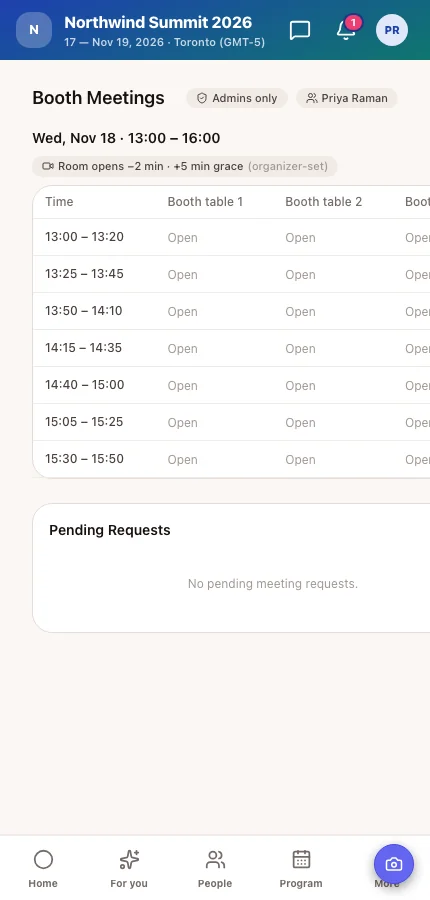
Exhibitors come to talk to the right people. Booth meeting sessions let attendees book a time at a booth, in slots and at tables you define. The booth team accepts, assigns a rep and a table, and the meeting lands on everyone's agenda. You set when each booth takes meetings and who may book them, so a VIP-only block stays VIP-only.
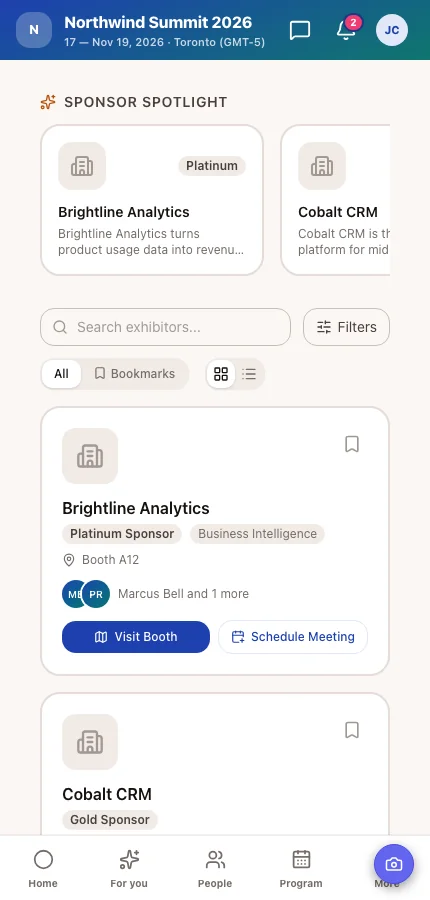
At an event with forty exhibitors, one alphabetical list buries your headline sponsor next to the smallest startup table. Group the app's Exhibitors page by tier, zone or hall, as tabs or sections, and a sponsor you add later lands in the right group by itself. Show sponsors and exhibitors on your event website from the same records, and link booths to the venue map so attendees can find them.
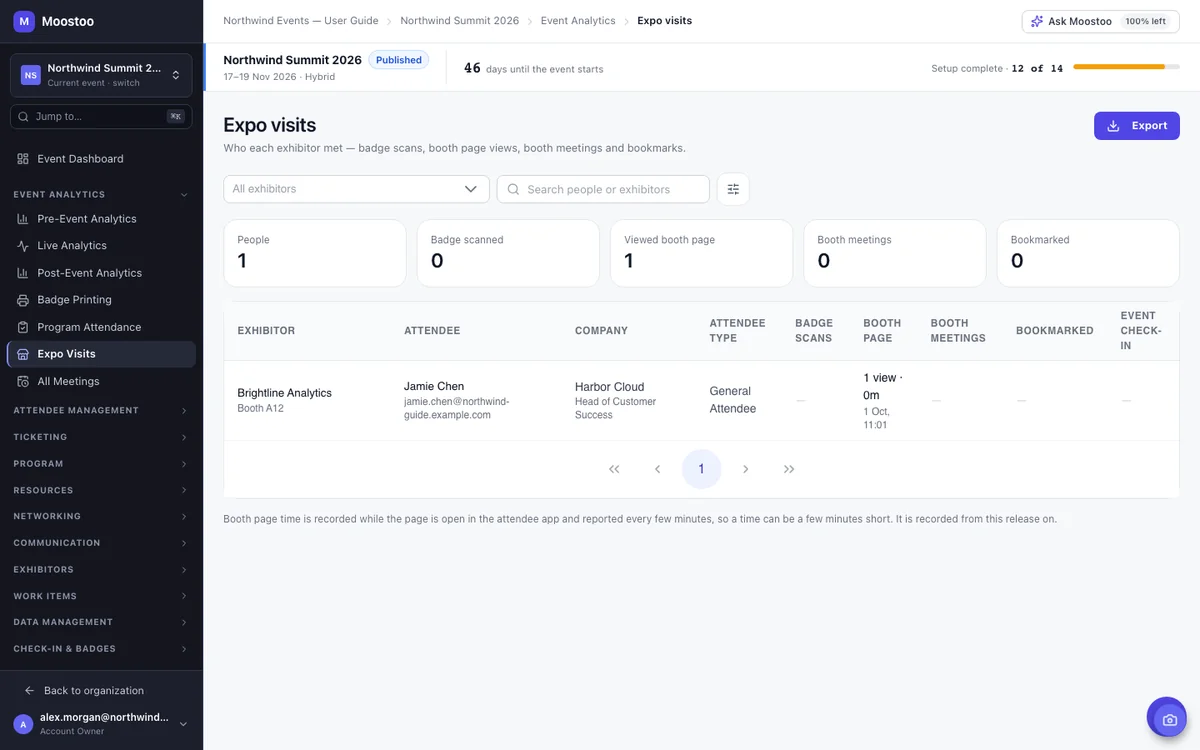
Sponsors renew when they can see the return. Expo Visits puts every contact between an attendee and an exhibitor side by side: badge scans at the booth, booth page views and time spent, booth meetings and bookmarks. After the event, the post-event report adds an ROI summary per company, comparing what they invested with the estimated value of their leads.
Moostoo starts once a company has signed up to exhibit or sponsor, and runs everything from there to the numbers after the show. Selling the booth or the package itself happens in your own sales process, so if you're looking for full trade show management software that also sells floor space, plan for that piece separately.
| Task | In Moostoo |
|---|---|
| Exhibitor and sponsor profiles, types and tiers | Built in |
| Booth pages, booth teams and booth meetings | Built in |
| Lead scanning and exports for exhibitors | Built in |
| Expo visits and a sponsor ROI summary | Built in |
| Selling booth space and sponsorship packages | Not part of Moostoo today. Keep using your sales process and CRM. |
| Floor plan design (CAD) | Not part of Moostoo. Upload the finished plan as your venue map. |
Sponsor leads can flow straight into Salesforce as leads on the event's campaign. See the CRM sync →
Exhibitors and sponsors come with every plan that runs your full event. They aren't part of Moostoo Tickets, which is built for ticket sales and the door.
Exhibitor, sponsor and partner companies with tiers, booth pages, booth teams and booth meetings, exhibitor lead capture, expo visits and the post-event report with sponsor ROI.
Everything in Corporate, plus benchmarking across all the events you run. Compare how each show performed for exhibitors before your next sponsorship sales cycle.
Compare the plans, see how booths appear in the event app, or how badges are scanned at event check-in.
Companies live in your organization's directory, not in one event, with their full event history. When this year's exhibitors come back, adding them to next year's show is a search, and their logo, description and links are already there.
Pick Canada (Montréal) or the EU (Frankfurt) when you set up your organization. Exhibitor records, booth pages, meetings and leads stay in that region, backups included. That's one clear answer for your sponsors' legal teams as well as yours.
Five steps from a signed contract to a sponsor who wants to come back.
Pick exhibitors and sponsors from your company directory, or add new ones, and set each one's type, tier and booth.
Add each booth's reps and choose at least one booth admin.
Set the time windows and tables each booth takes meetings at, and who may book them.
Booth teams finish their own pages in the app. Fix or write the ones that need help.
After the show, export each exhibitor's expo visits and leads, and send the ROI summary.
Exhibitor management software, sometimes called expo management software or sponsor management software, helps event organizers run the companies that exhibit at or sponsor an event: their profiles and tiers, booth pages, booth staff, meetings and the leads and results they get. In Moostoo it is part of the same platform attendees use, so exhibitors work inside the event app instead of a separate portal.
Yes, inside the Moostoo event app. Everyone on a booth team reaches their booth's own area, with a booth dashboard, lead scanning, the booth page editor and the booth's meeting calendar. There's no separate login.
Yes. Booth teams edit their page from the app, and you can edit the same page from the admin app. Changes stay in draft until someone publishes them.
Yes. Set up booth meeting sessions with time windows and tables, and attendees request a slot at the booth. The booth team accepts, assigns a rep and a table, and the meeting goes on both agendas.
Expo Visits shows every attendee who scanned at, viewed, met or bookmarked each exhibitor, and the post-event report adds an ROI summary per company. Both can be exported to send to the sponsor.
Yes. Each company has a tier, shown as a badge in the app, and you can group the Exhibitors page by tier, type or industry. Your event website's sponsor section reads the same records.
No. Moostoo doesn't include booth sales or sponsorship contracts today. It takes over once a company has signed up, and runs its booth, team, meetings, leads and results.
Event App, Corporate and Association & Portfolio. Moostoo Tickets, the edition built for ticket sales and the door, doesn't include exhibitors.
Last updated October 2026. Product details are taken from the Moostoo Admin Guide.