
Reps scan from the phone, tablet or laptop they already carry.
Overview, Booth, Team, Meetings, Leads and Page, in one place.
Export, Expo Visits, the live dashboard, your CRM and the ROI report.
The post-event ROI value, editable to match your market.
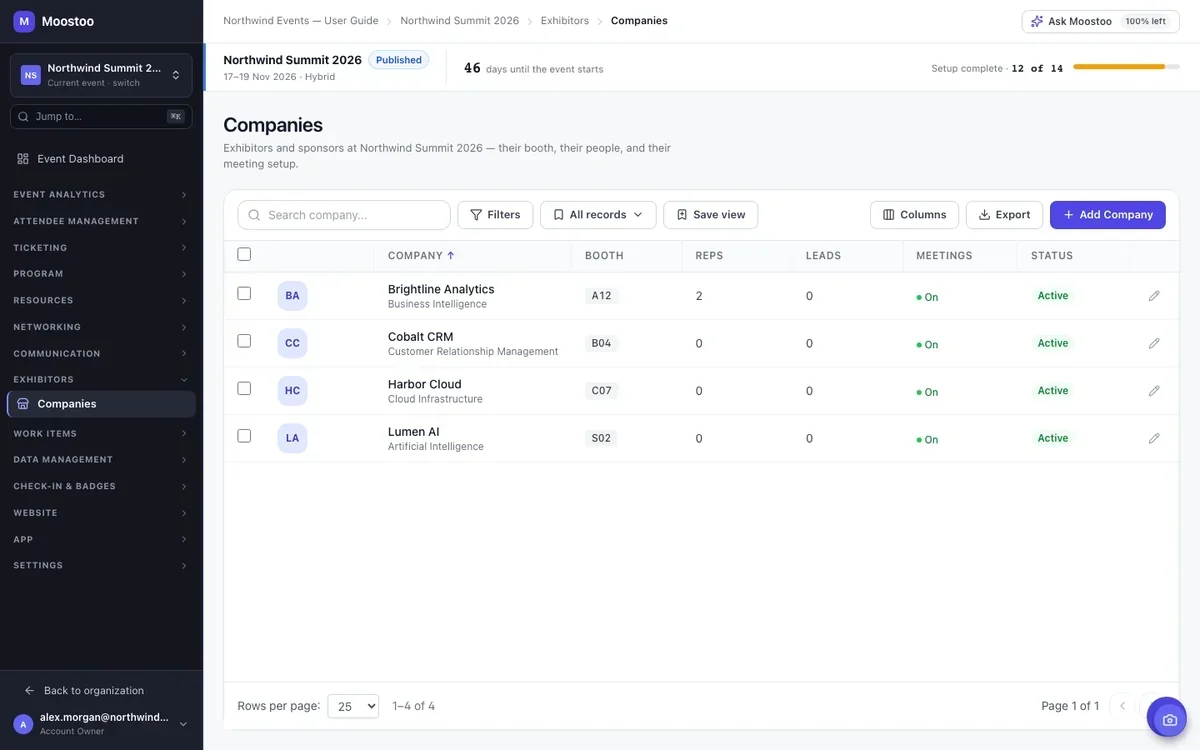
Add the company to your event as an Exhibitor, Sponsor or Partner, then flip on lead scanning from its page, or select several companies in the list at once and enable it for all of them together. The same list shows booth, reps, leads captured, meeting availability and status for every company, so you can spot a booth with scanning still off before the floor opens.
Add representatives from your attendee list, which registers them in one step, or invite someone by email who isn’t on the roster yet. Every representative is a real participant of the event and reaches My Booth from the attendee app, with its dashboard, lead scanning and the booth’s meeting calendar; booth admins additionally manage the booth’s meeting requests. Get your exhibitors’ teams added and signed in before the doors open, since that’s what lets them into the app at all.
Open any company’s Leads tab and export its badge scans as CSV or Excel, ready to hand over or import into whatever the exhibitor already uses. Need to send several exhibitors their lists at once? Select them in the Companies list and Export Selected does the same for all of them in one file.
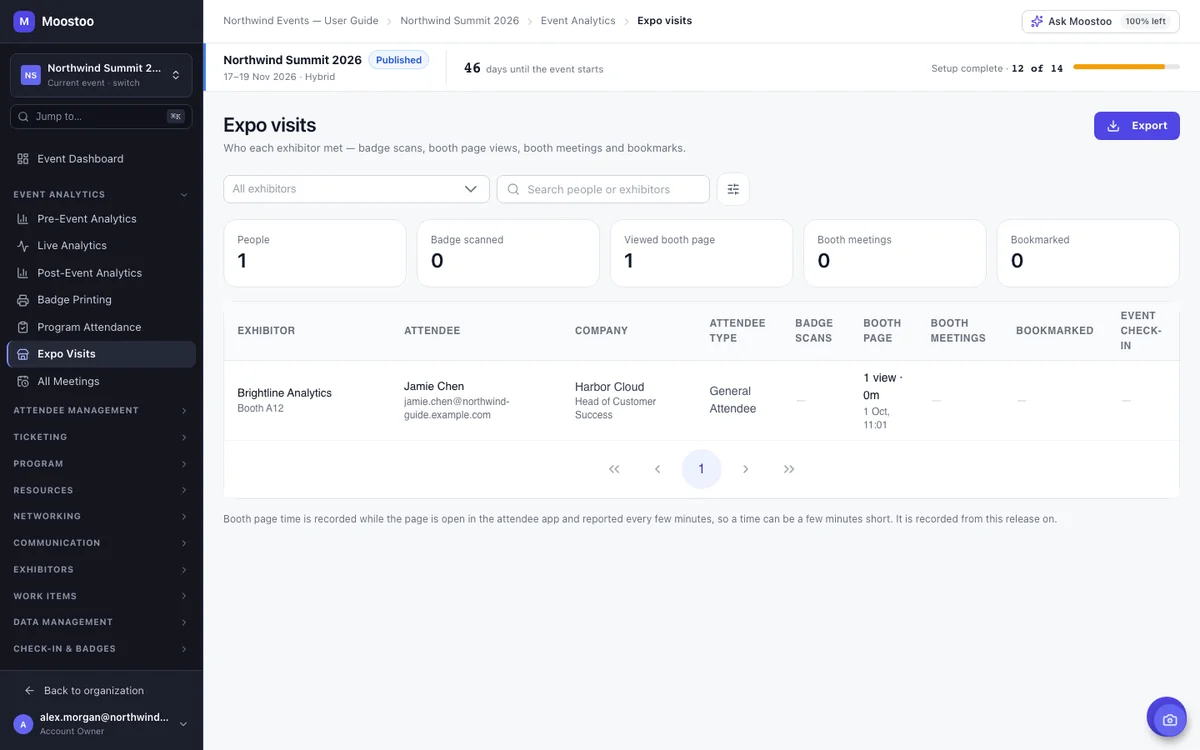
A badge scan is one signal among several. Expo Visits lines up badge scans, booth page views and time spent, confirmed booth meetings, and bookmarks, one row per attendee and exhibitor, filterable by attendee type or a profile answer. That’s the list you hand a sponsor who wants to know who reached their booth, not only who they personally scanned.
The event-day dashboard’s Exhibitor Lead Capture panel ranks exhibitors by leads captured and shows when each one’s latest scan happened, next to check-in velocity, room fill and the rest of the floor’s live numbers. Put it on the control-room screen and you’ll notice a quiet booth before its sponsor does.
The Exhibitors & Sponsors tab of the post-event report lines up booth visits, leads, meetings, page views and engagement per company, next to an ROI Summary that compares each company’s investment with the estimated value of the leads it captured. Set the Lead Value Multiplier to whatever a lead is worth in your market (150 by default) before you send it, and export it on its own or inside the full report.
A captured lead is created as a Salesforce Lead linked to the event’s campaign, or synced into HubSpot by email. Zapier, Make, Slack and Google Sheets can all react the moment a lead is scanned, with your own message or mapping.
Moostoo doesn’t run an automatic score that pretends to know which lead will buy. What you get instead is the real signal: scan counts and timing, booth page views and time spent, confirmed meetings and bookmarks, plus an ROI value you set yourself rather than one a model guessed at.
Five steps from adding the company to handing over a report.
Open Exhibitors → Companies, add the company from your directory or create it new, and set its type and tier.
Add representatives from your attendee list, or invite someone new by email, on the company’s Team tab.
Switch it on for the company, or select several companies and enable it for all of them at once.
A rep opens My Booth → Leads in the attendee app and points their phone’s camera at a visitor’s badge.
Download the leads, let them flow to your CRM or Slack, and hand over the post-event ROI numbers.
No. Lead scanning lives in My Booth inside the Moostoo attendee app, so a representative scans from the phone, tablet or laptop they already carry to the event. There’s no separate unit to order, charge or return.
On the exhibitor’s own Leads tab (exportable as CSV or Excel), in the Expo Visits report alongside booth page views and meetings, on the live event-day dashboard, in your CRM or Slack if you’ve connected one, and in the post-event ROI report.
No. There’s no automatic lead-scoring or qualification model. Instead you get the underlying signal, scan counts and timing, booth-page engagement, confirmed meetings, and an ROI value you set yourself in the post-event report.
Yes. The live analytics dashboard has an Exhibitor Lead Capture panel that ranks exhibitors by leads captured and shows when each one’s latest scan happened, updating on its own through the day.
Yes. Salesforce receives captured leads linked to the event’s campaign, HubSpot syncs by email, and Zapier, Make, Slack and Google Sheets can all react to a captured lead through connectors.
Event App, Corporate and Association & Portfolio all include exhibitor and sponsor booths with lead capture. Moostoo Tickets doesn’t include exhibitor tools, since it’s built for ticket sales and the door.
Last updated October 2026. Product details are taken from the Moostoo Admin Guide.