
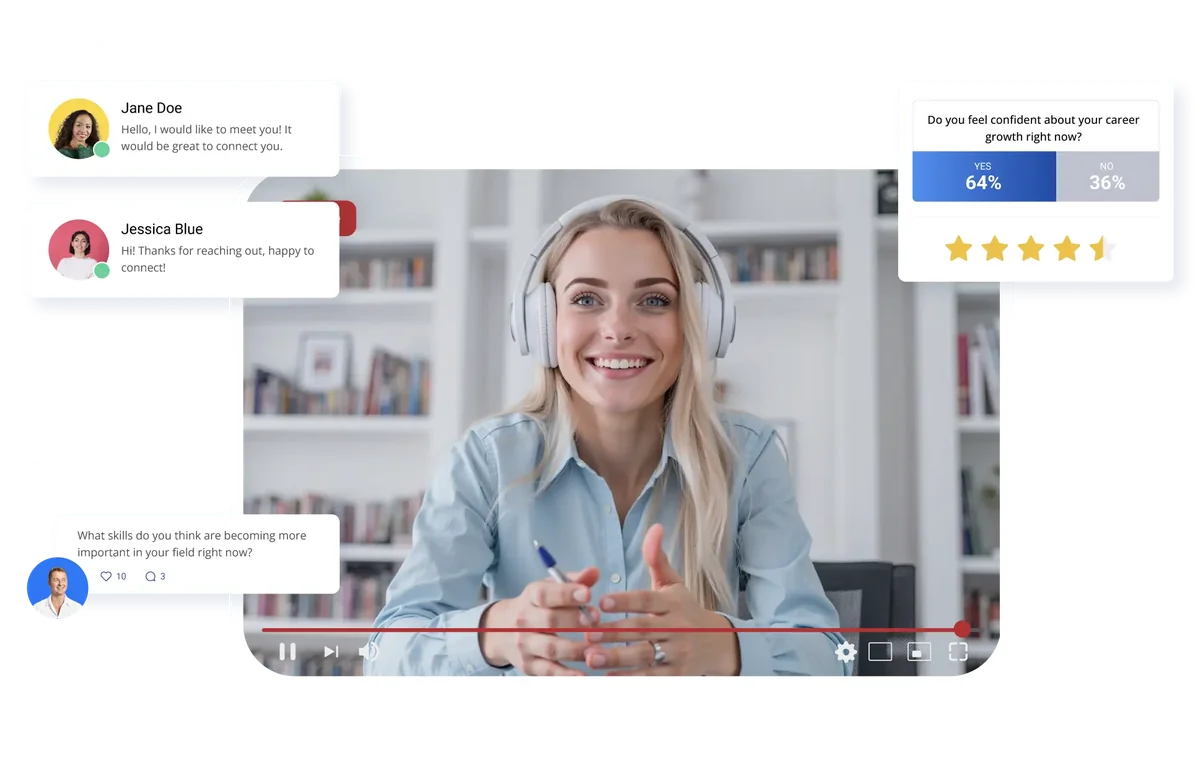
Vimeo, YouTube, Zoom, or RTMP straight from your production. Stages can stream in parallel.
Created when a meeting is confirmed. Nobody sends a link.
A founder brings their CTO, a buyer brings procurement, all in the same video room.
Rotate up to eight sponsor layers around online meetings, by meeting slot or by time.
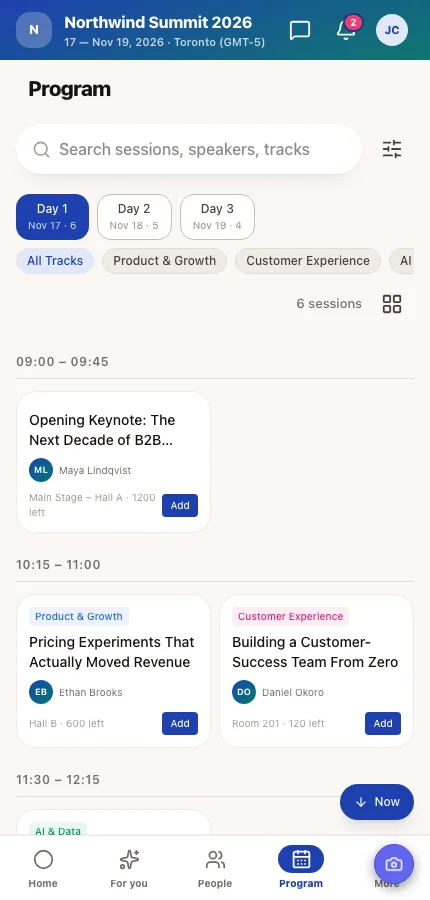
Connect each stage to Vimeo, YouTube or Zoom, or send an RTMP feed straight from your production, and attendees watch the session from the program in the event app. Run several stages at once and people move between them the way they would between rooms. A streamed session someone saved shows up on their Online meetings screen next to their meetings.
At an online event every confirmed meeting runs on video, and Moostoo creates the room itself, so nobody pastes Zoom links into emails. Every Join leads first to a waiting room, open at any time, where attendees test their camera, microphone and speaker and choose a background. In the call they get chat, screen sharing and a countdown to the end, and the room opens and closes on the timing you set for each meeting session.
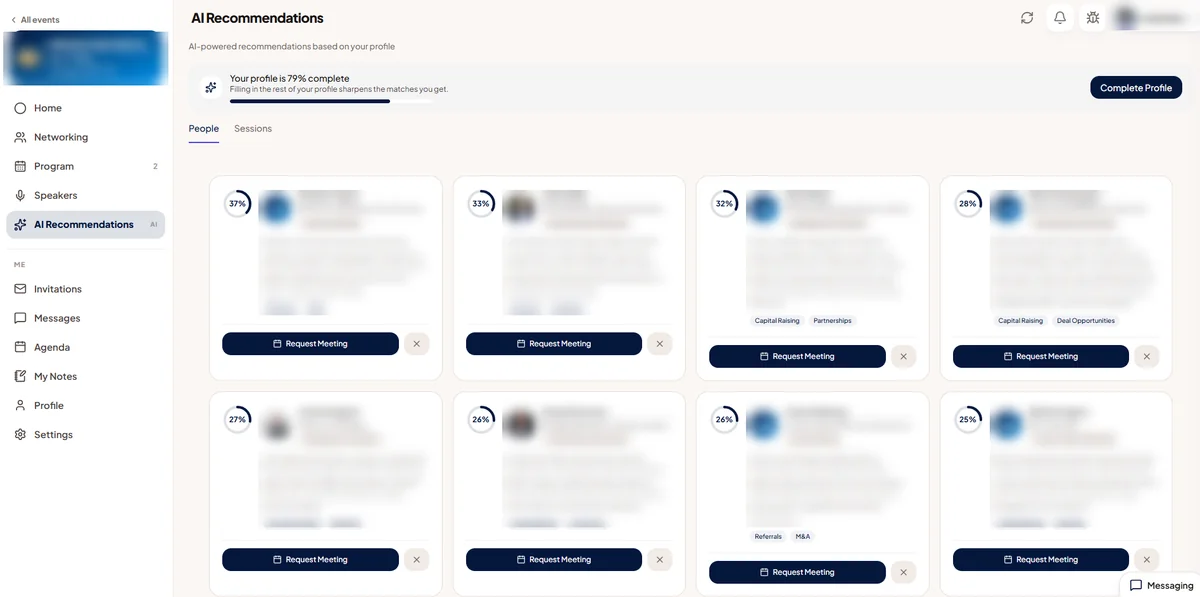
Online there's no coffee queue and no hallway, so who meets whom has to be arranged. Moostoo's AI reads what each attendee offers and what they're looking for, then suggests people, sessions and exhibitor booths worth their time, each with a short reason. Colleagues are never suggested to each other, and a good match can be booked on the spot.
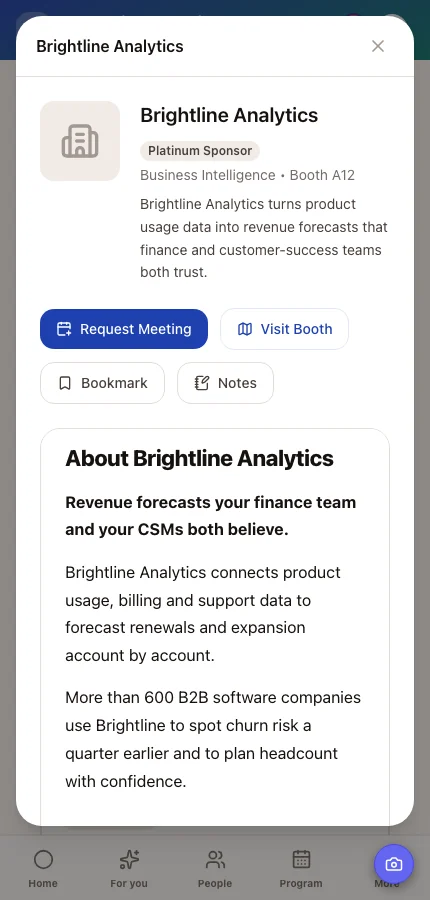
For a virtual trade show or expo, every exhibitor and sponsor gets a booth page their own team writes, a booth team, and booth meeting sessions attendees can book on video. Group exhibitors on the Exhibitors page, for example a Sponsor Spotlight for your top tier, and frame every online meeting with a rotating sponsor layer. The Expo Visits report then lists each booth's page visits and meetings, exhibitor by exhibitor.
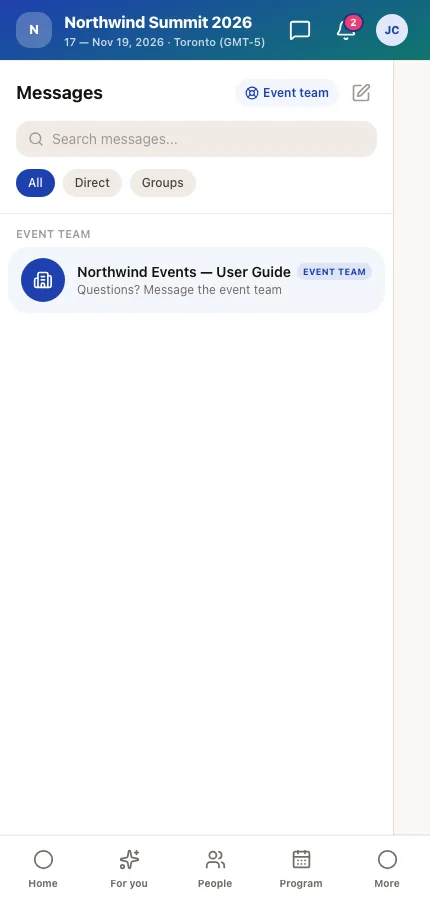
Attendees message each other directly, as far as your experience rules allow, and start group chats, which can be open to everyone or set so only admins post. Every attendee also has a conversation with your team pinned at the top of their messages. Push an announcement to everyone or a targeted group, run a poll and watch the answers come in, and keep the emails before and after the event in the same place.
An online event has no venue, so Moostoo shows every session, meeting and slot on the attendee's own time zone, taken from their device the first time they use the app. A keynote at 15:00 in Toronto shows as 04:00 the next morning for someone in Singapore, so nobody does the math, and anyone can pick a different time zone for this event in their profile. Emails that name a time state the zone, too.
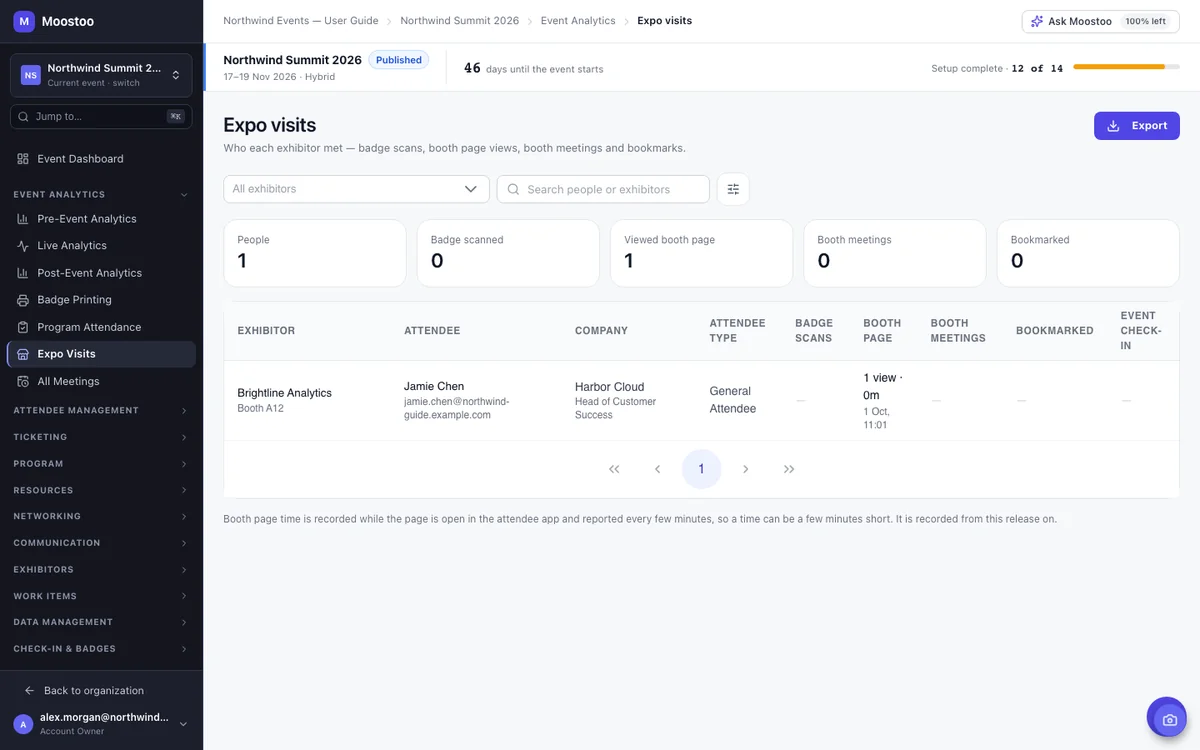
Program Attendance lists, session by session, who saved it to their agenda, who watched the stream and for how long. Online meetings record who joined and for how long, and Expo Visits covers every booth. Filter any report by profile answers, export it, or hand leadership and sponsors the post-event report as PDF, Excel or CSV.
Same platform, different weight on each part.
| Format | What decides whether it went well | Parts of Moostoo you'll lean on |
|---|---|---|
| Virtual conference or summit | People staying for the afternoon, and meeting someone useful | Parallel streamed stages, AI matchmaking, video meetings, polls |
| Virtual trade show or expo | Exhibitors leaving with conversations they can follow up | Booth pages and teams, booth meetings on video, sponsor frames, Expo Visits |
| Online B2B matchmaking program | Every buyer meeting the sellers they signed up for | Meeting sessions, pre-arranged meetings, experience rules, guests |
| Association or member event online | Members turning up, and proof of who attended what | Restricted sessions, watch time, attendance export, group chats |
| Webinar series with no networking | Sign-ups, reminders and a good stream | Registration, emails and a streamed session work, but a dedicated webinar tool may be all you need |
A virtual event needs a program, so it lives on the full platform.
Ticket sales, the registration form, badges, check-in and email. There's no program on this plan, so streamed sessions, matchmaking and video meeting rooms aren't part of it.
Everything on this page: streamed stages, AI matchmaking with video meetings, virtual booths and sponsor frames, chat, polls and announcements, your own event app and website, and attendance with watch time.
Compare the plans. Part of your audience in the room? See hybrid events. Everyone onsite? See in-person events.
A sandbox event is filled with realistic fake attendees and runs like any other event, so you can walk your team through the program, the matchmaking and the reports before the day. Every email, text and push notification is captured instead of sent, so no real attendee gets a test message.
Pick Canada (Montréal) or the EU (Frankfurt) when you set up your organization. Registrations, messages, watch time and everything else you store or process stay in that region, AI matchmaking and backups included.
Six steps from an empty event to opening the doors online.
In event settings, choose Online. Times then follow each attendee's own clock, and every meeting runs on video.
Build ticket types and the registration form, or connect the ticketing platform you already use, and publish an event website from one of eight templates.
Add sessions and tracks, then connect each streamed stage to Vimeo, YouTube or Zoom, or to the RTMP feed from your production.
Put Offers and Seeks on the profile form so matchmaking has something to work with, and open the meeting sessions when people can meet. Set the room timing and sponsor frames.
Add companies with their tiers, invite each booth team to write its page and open booth meeting sessions.
Walk through the event in a sandbox, ask attendees to open their waiting room once before the day, and work through the go-live checklist.
Software that runs an event entirely online: registration, the program with streamed sessions, networking and 1:1 meetings, exhibitors and sponsors, communication with attendees and attendance reporting. Moostoo does all of that in one app, with video meetings built in rather than handed off to a separate meeting tool.
Set the event's format to Online, open registration and publish the event website, build the program and connect each stage's stream, ask attendees for what they offer and seek so matchmaking can work, open meeting sessions, set up exhibitors, rehearse in a sandbox and go live.
Vimeo, YouTube and Zoom, or an RTMP feed straight from your production. Several stages can stream at the same time. Your production team or streaming provider produces the stream, and Moostoo shows it inside the session in the event app.
No. One-to-one meetings run on Moostoo's own video conferencing in the browser: in their own tab on a computer and in the mobile browser on a phone. The event app opens in any browser, or in the Moostoo app for iOS and Android.
Yes. Each exhibitor gets a booth page their team writes, a booth team and booth meeting sessions attendees book on video. You can group exhibitors by tier, frame online meetings with sponsor branding, and see each booth's page visits and meetings in the Expo Visits report.
Their own. At an online event every time is shown on the attendee's own clock, taken from their device, and they can choose a different time zone for the event in their profile. Emails that mention a time state the zone.
Yes. Attendees chat one to one where your experience rules allow it and create group chats, which can be open or set so only admins post. Meetings are one to one, and each side can bring up to three guests into the same video room.
If you run a webinar series where people only watch and never meet anyone, a dedicated webinar tool may be all you need. Moostoo earns its place when attendees should network, book meetings and visit sponsors as well as watch the stream.
Last updated October 2026. Product details are taken from the Moostoo Admin Guide.