
Clashes are refused before they reach the program.
Plus any you add, like Keynote or Fireside Chat.
Bios and headshots follow them from event to event.
Canada or the EU, with your program kept in that region.
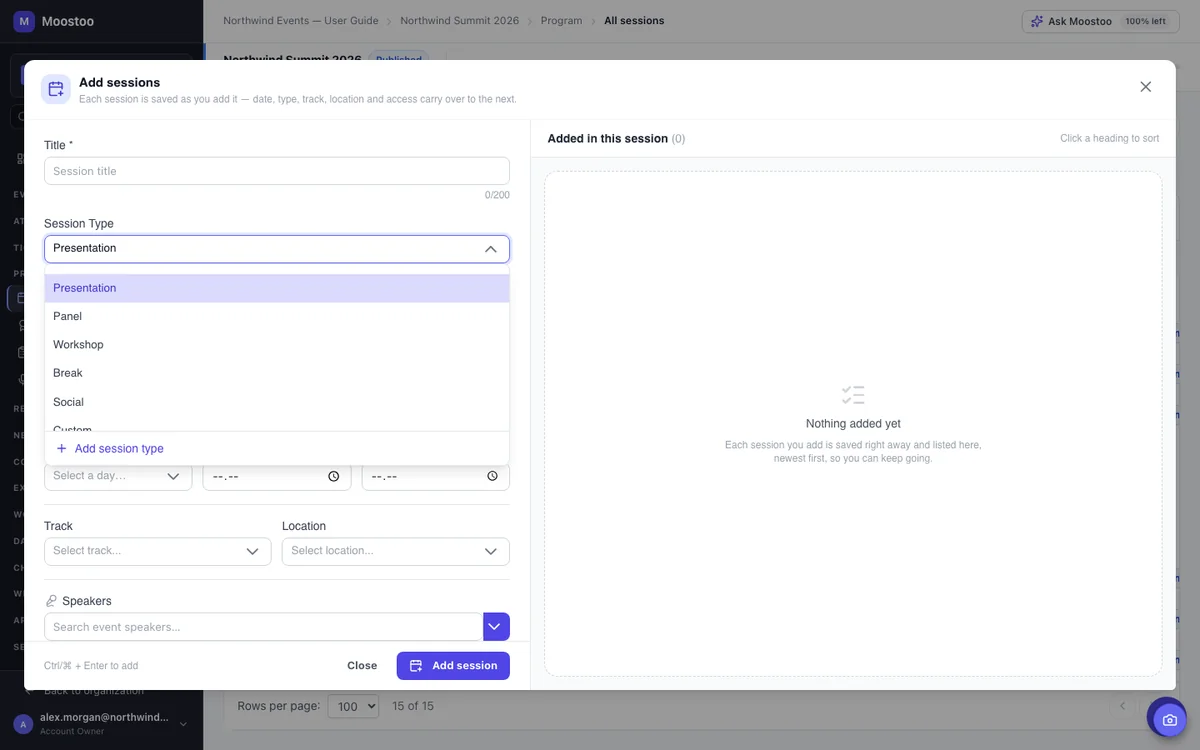
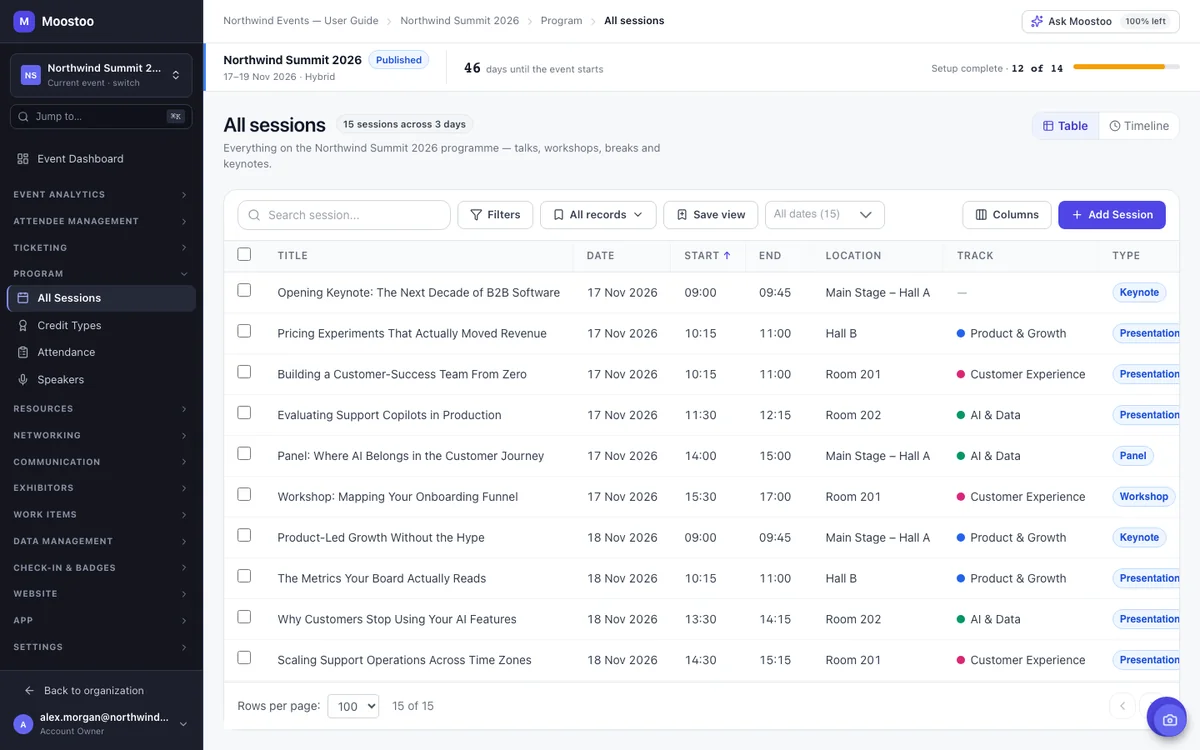
Use the event agenda builder to add sessions one by one, or bring in the program you drafted in Excel. Each session gets its day, time, room, track, type and speakers, and Moostoo checks it as you go. Try to put the same speaker in two overlapping sessions, or two talks in one room at once, and it won't save. The timeline view lays out each day with a column per room, colored by track, so gaps and clashes stand out.
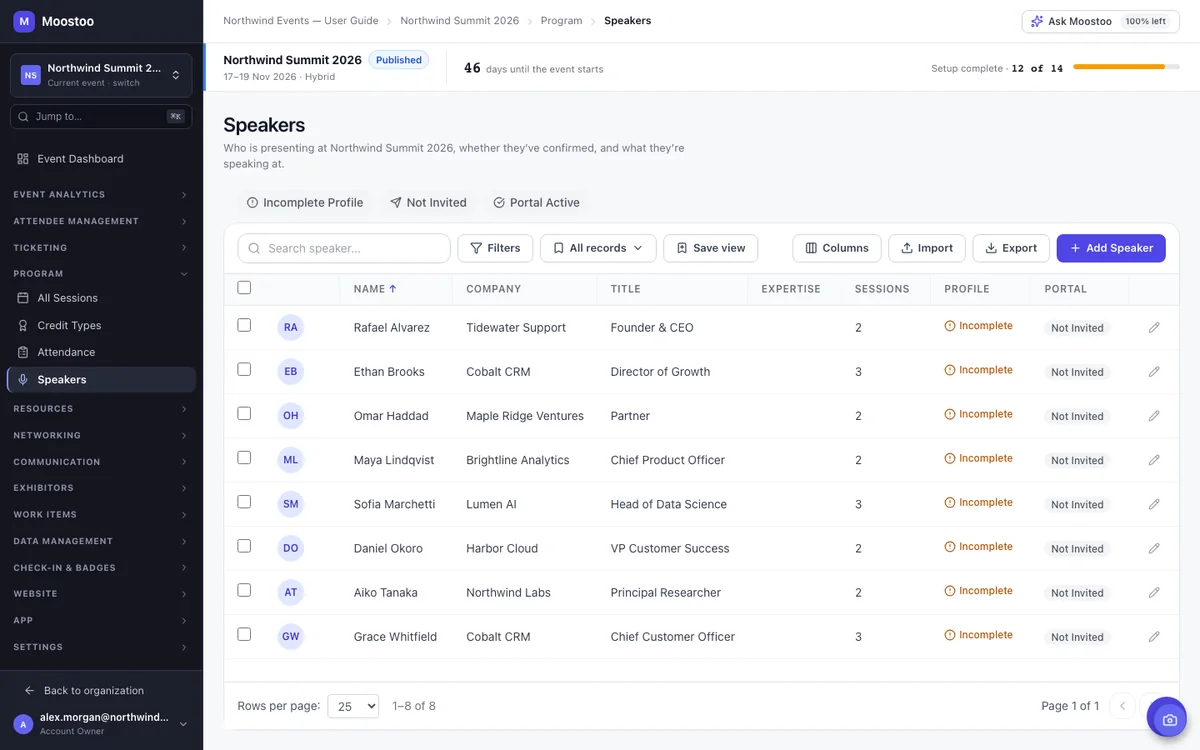
Every organizer knows the week before launch: half the headshots are missing and the slides are in someone's inbox. In Moostoo, each speaker gets an invitation to their own portal, where they keep their profile up to date, see their sessions, upload slides and handouts, sign your speaker agreement and share their travel and AV needs. Quick filters show you who still has an incomplete profile or hasn't been invited yet.
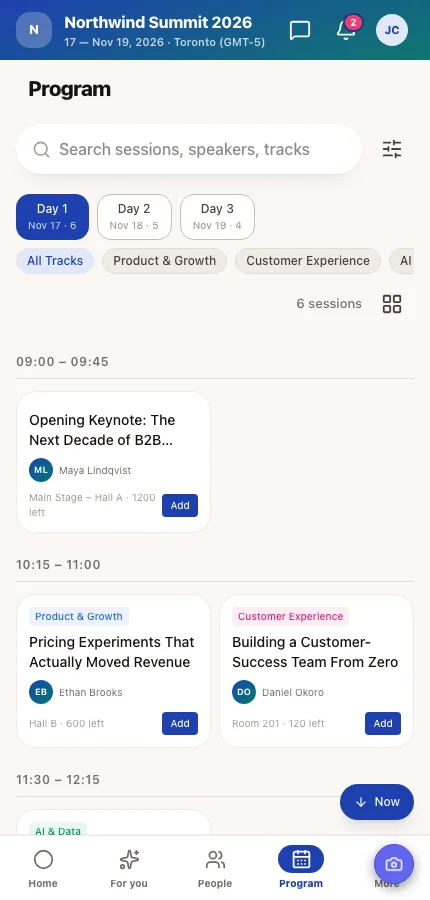
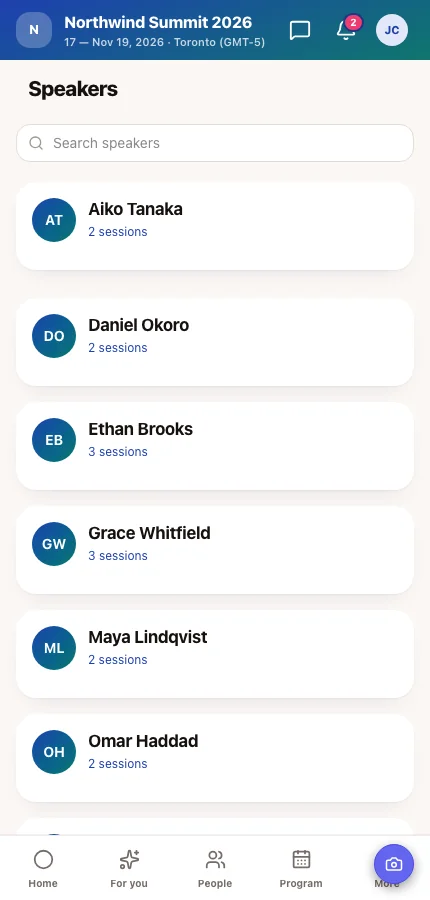
Attendees browse the agenda by day, track and session type, open a talk to read about it and its speakers, and add it to their own agenda in a tap. The same program appears on your event website's schedule and speaker pages, so there's only one version to keep up to date. Change a room in the admin app and everyone sees the new one.
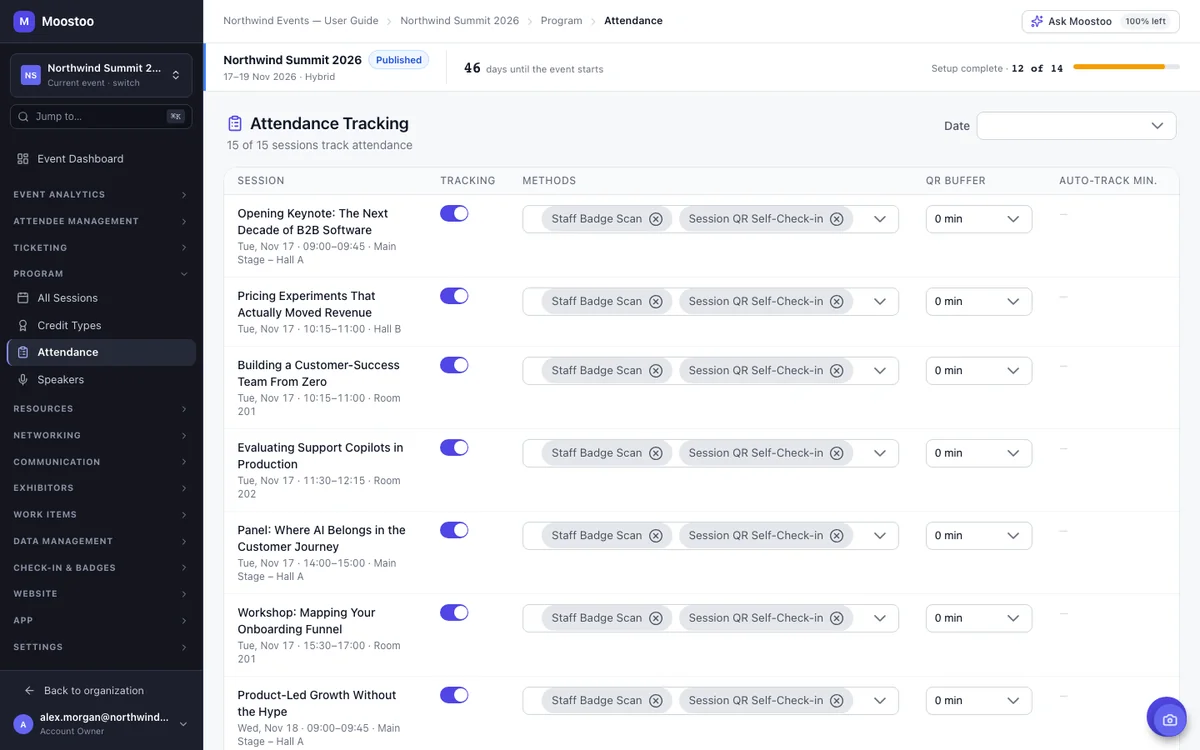
For accredited events in medicine, law, accounting or engineering, the credits are the reason people come, and you have to show who sat in which session. Define your credit types once, attach them to sessions (1.5 CME, 2 CPD) and have staff scan badges at the session door. Each scan records the person once and confirms the credits that session carries. Even without credits, attendance shows you which sessions packed the room.
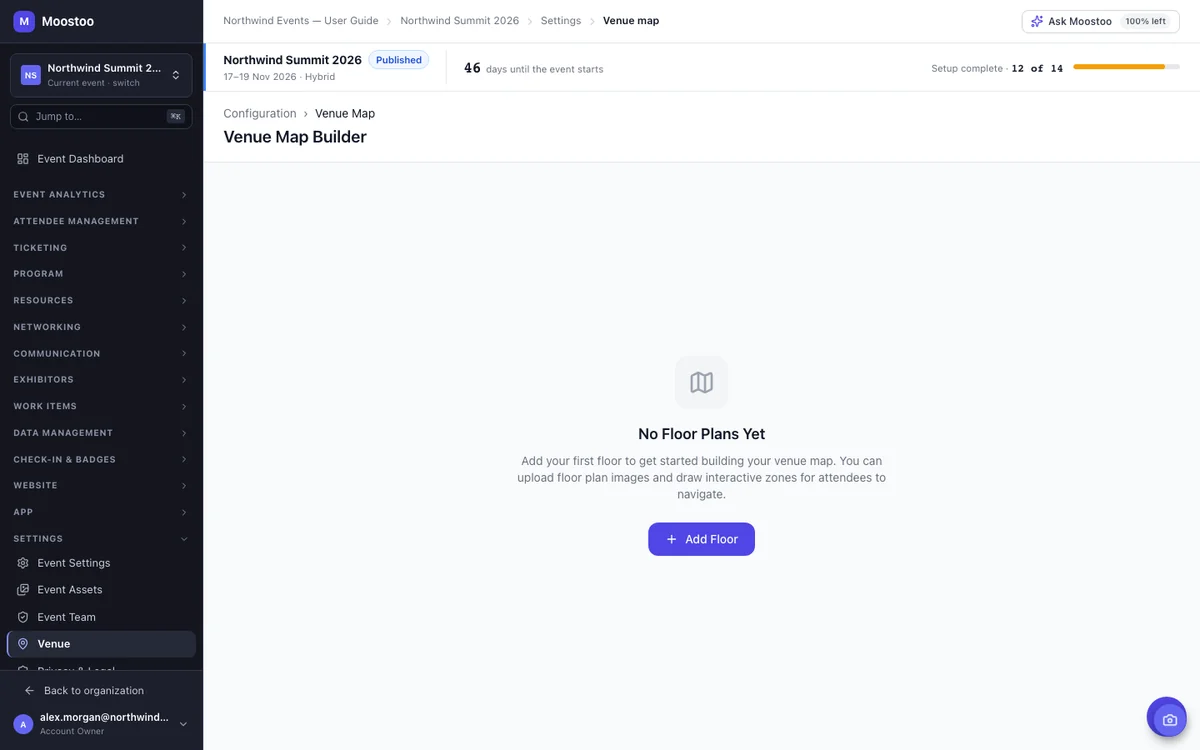
Set up your rooms, stages and virtual rooms once, with their capacity and setup, and every session books them from there. Then upload your floor plan and draw it into a map attendees can pan, search and tap: what's on in a room now and next, which exhibitor is at a booth, and how long it takes to walk there.
Moostoo starts once you know who's speaking. It doesn't run a call for speakers or review abstracts, so if you collect and score proposals, keep the tool you use for that. When your line-up is set, import the accepted speakers and sessions from a spreadsheet and run everything from there.
| Task | Moostoo | Call-for-Speakers Tool |
|---|---|---|
| Collecting talk proposals (call for speakers) | Not available. Collect proposals in your call-for-speakers tool. | Built for this |
| Reviewing and scoring submissions | Not available | Built for this |
| Speaker profiles, slides and agreements | Speaker portal | Varies by tool |
| Agenda in your attendee app and on your website | Built in, one version everywhere | Usually exported or embedded |
| Room and speaker clash checks | Refused on save | Varies by tool |
| Session check-in and credits | Badge scans at the session door | Usually a separate tool |
Importing is matched on each speaker's email and each session's title, day and start time, so you can re-import an updated file without creating duplicates. See how importing works →
The agenda, speakers and session check-in come with every plan that runs your full event. They aren't part of Moostoo Tickets, which is built for ticket sales and the door.
Sessions, tracks, rooms and the venue map, the speaker roster and portal, credits and session check-in, with the program in your attendee app and on your event website.
Everything in Event App, with white-label branding for your app and website. Association & Portfolio adds benchmarking across all the events you run, so you can compare your events side by side.
Compare the plans, publish the program on your event website, or tell attendees about changes with announcements and email.
Running the same conference again? Clone the event and your rooms, sessions, tracks and venue map come along, with every session moved to the same day and time of the new dates. You update what changed instead of rebuilding the agenda.
Pick Canada (Montréal) or the EU (Frankfurt) when you set up your organization. Sessions, speakers, attendance and the AI that recommends sessions all stay in that region, backups included. That's one clear answer for your legal team.
Five steps from an empty event to a published program.
Add your stages, rooms and virtual rooms with their capacity, so sessions can book them.
Decide your themes and, for accredited events, the credits you award.
Add sessions or import them from a spreadsheet, then check the timeline for gaps.
Assign speakers to their sessions and send portal invitations so they can finish their own profiles.
Your program appears in the attendee app, and on your website wherever you add a Schedule or Speakers section.
Speaker management software keeps track of the people presenting at an event: their profiles, the sessions they give, their slides and their logistics. In Moostoo it sits next to the session management software that builds your agenda, so a speaker's profile appears on every session they present, in the attendee app and on your event website.
Yes. Each speaker can be invited to a self-service portal where they edit their profile, see their sessions, upload slides and handouts, sign your speaker agreement and share travel and AV details.
Yes. Import rooms, speakers and sessions from a spreadsheet. Sessions are matched on title, day and start time, and speakers on email, so importing an updated file never creates duplicates. You choose whether matching rows are skipped or updated.
Yes. A speaker can't be saved into two overlapping sessions, and two sessions can't be saved in the same room at the same time, whether you add them by hand, by import or through Ask Moostoo.
Yes. Attendees add sessions to a personal agenda in the app while seats remain. When a session reaches its capacity it shows as full, and attendees confirm before adding two sessions that clash.
Yes. Restrict a session to the attendee types you choose, such as VIP. It is hidden from everyone else's program, and nobody outside those types can add it to their agenda.
Yes. Define your credit types, attach credit values to sessions and scan badges at the session door. Each scan records attendance and the credits that session carries. Moostoo doesn't issue certificates, so export the attendance data for your certificate process.
No. Moostoo doesn't collect or review talk proposals. Use your call-for-speakers tool for that, then import the accepted speakers and sessions into Moostoo.
Last updated October 2026. Product details are taken from the Moostoo Admin Guide.