
Company and contact directories
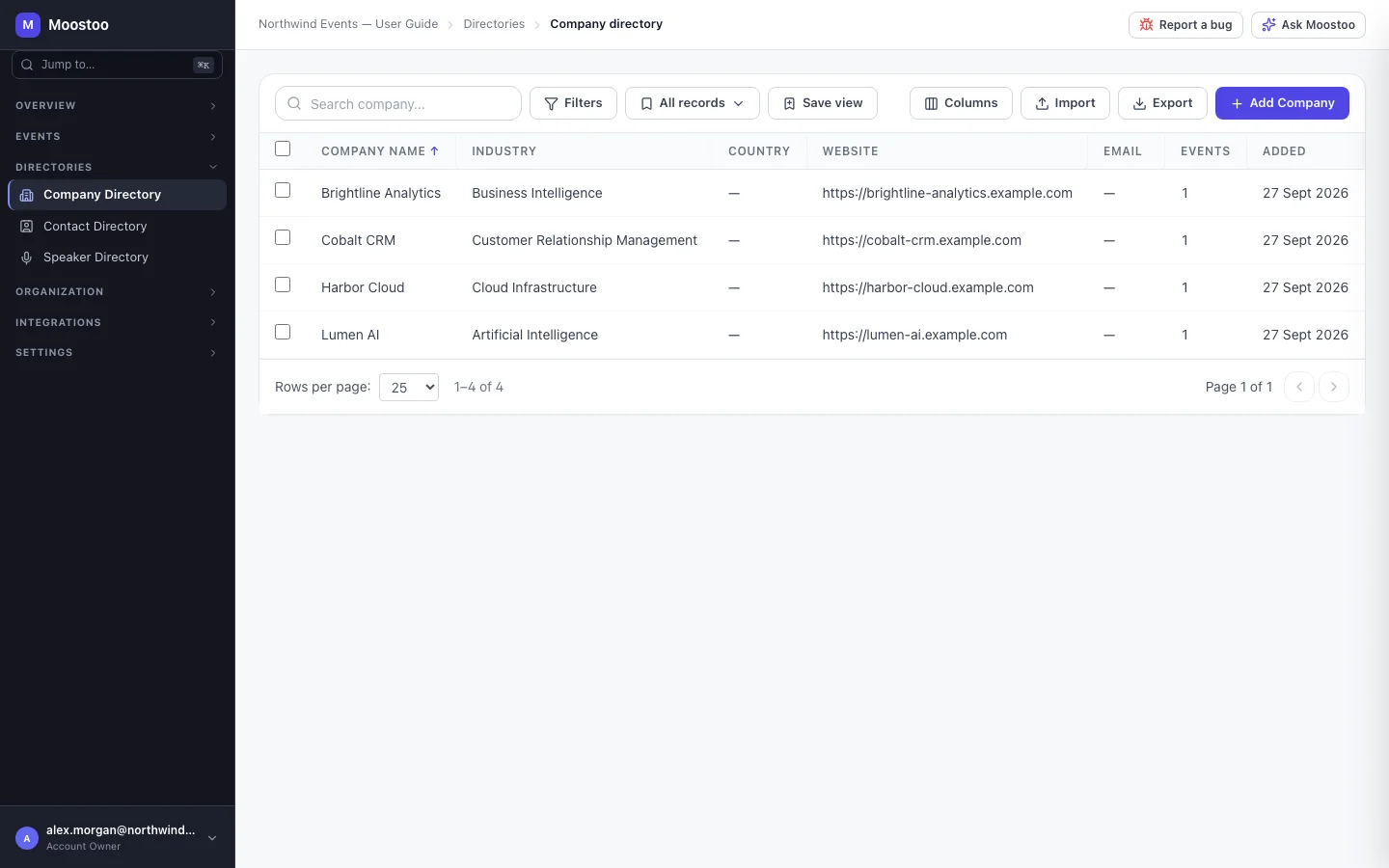
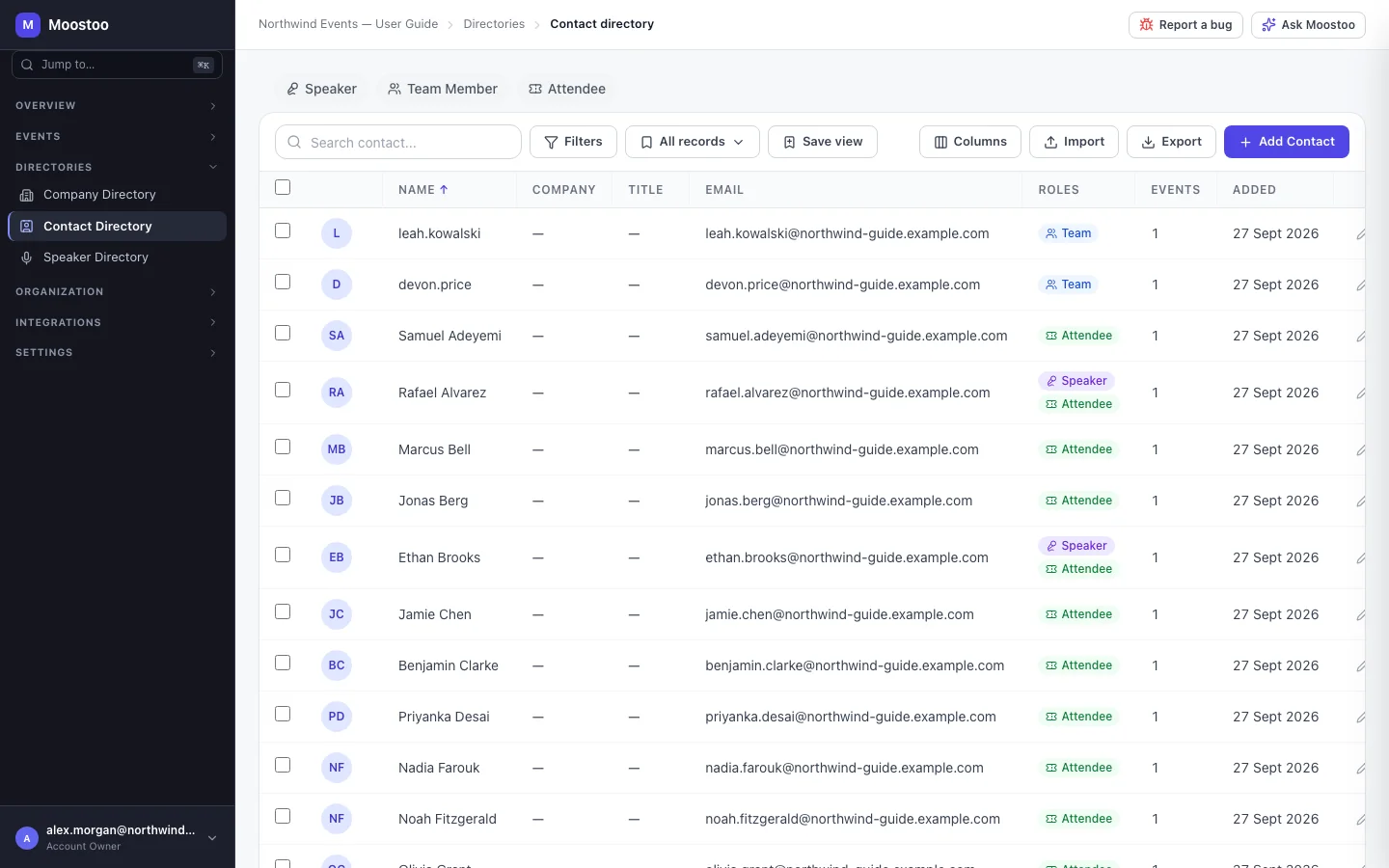
Exhibitors, sponsors and partners come back year after year. The Company Directory holds each of them once, for your whole organization, so adding Brightline Analytics to next year's summit is a search rather than retyping a profile. The Contact Directory does the same for people: one record per person, however many events they have attended, spoken at or exhibited at. Keeping these directories clean is what stops duplicates from creeping into your events.
How it works
The two directories live in the organization sidebar under Directories: Company Directory and Contact Directory (with the Speaker Directory beside them). They are not tied to any event. An event borrows from them: when you add a company to an event it is picked from, or created in, the Company Directory, and every attendee, speaker and booth representative is a contact underneath.
Company A business you work with: name, industry, description, website, contact email and phone, address, LinkedIn and X links, and tags. The name must be unique in your organization — a second company with the same name is refused so the directory never holds two Cobalt CRMs.
Event history The company's Event History tab lists every event it took part in. It is read-only: participation is managed from each event's Companies screen.
Contact A person, identified by email address. The Contact Directory shows their company, title, roles (attendee, speaker, exhibitor…) and how many of your events they have been part of. See People and identity for how a contact relates to an account and to an event's attendee. Unlike the Company Directory, the Contact Directory is also part of the Ticketing & Check-in Console.
- A company created inside an event is added here too. You never have to create it twice.
- Editing a company here changes the shared record. Events that read it live — the exhibitor list of an upcoming event, for example — see the change.
- A company in an active event cannot be deleted. The delete dialog names the events it is still in; remove it from those first. Deleting keeps historical event data.
- Import matches by company name. When a row names a company you already have, choose Skip to leave it untouched or Merge to fill its blank fields from the file.
Step by step
Add a company to the directory
In the organization sidebar, open Directories → Company Directory and click Add Company.
Enter the company name and, if you have them, the industry, description, website, email, phone, address, social links and tags.
Click Add Company. If the name is already taken, Moostoo warns you and nothing is created — open the existing record instead.
Click any row to open the company: Details to edit it, Event History to see where it has taken part.
Clean up or bring in many at once
Select rows and use Export Selected to download them, or Delete to remove companies that are not in any active event.
Use the import action to upload a spreadsheet. Map its columns, choose Skip or Merge for companies that already exist, and start the import.
Save a filtered and sorted view (for example Technology companies, most events first) so your team can reopen it.
What attendees see
Attendees never see the directories themselves. What they see is a company once you add it to an event — its name, logo and description appear in the attendee app's Exhibitors page and on your website's sponsor and exhibitor sections. That is why a well-kept directory record pays off: it becomes every event's starting point.
Tips
- Search before you add. Most duplicates are the same company typed slightly differently (Harbor Cloud and Harbor Cloud Inc.).
- Tags are yours to define — use them for things like returning sponsor or prospect 2027 and filter the directory by them.
- To stop a company appearing at one event, remove it from that event rather than deleting it here; its history is kept either way.
Brand logos and descriptions can also arrive automatically from Moostoo's company database when a company is added to an event — see Event companies.