
Meeting guests
Business meetings are rarely strictly one-to-one: a founder brings their CTO, a buyer brings a colleague from procurement. Guests let a meeting grow without turning it into a group negotiation over the calendar. The rule that keeps this workable is simple — the meeting belongs to its two parties; guests are invited, not consulted — and knowing it helps you answer the questions attendees will ask you on the day.
How it works
Parties The two people the meeting is between — the one who asked and the one who accepted. Only they can reschedule or cancel it.
Guest Anyone else at the event invited to join, up to three per meeting. A guest can be added when the meeting is requested, while it is being answered, or after it is confirmed.
Guest answer Each guest replies Going, Maybe or Not going. It changes nothing about the meeting itself — it goes ahead either way.
| Answer | The guest's own calendar | Their agenda |
|---|---|---|
| Going (the default) | The slot is taken — they can't be booked elsewhere at that time. | The meeting is on it. |
| Maybe | The slot stays free for other meetings. | The meeting is on it, marked as maybe. |
| Not going | The slot stays free. | The meeting is removed from it. |
- A guest never blocks a time. When the parties pick a slot, a guest who is busy then is shown as unable to make it — but the slot can still be booked. Only the two parties' calendars and a free table decide.
- Moving a meeting doesn't ask the guests. When a party reschedules, the new times are chosen on the two parties' calendars; the guests' own calendars are not consulted.
- Whoever invited a guest can take them off. A guest someone else invited can't be removed by the other party. Removing a guest frees their slot immediately.
- Guests see the meeting, not the negotiation. They see who invited them and who else is in it, but not the private note the two parties exchanged to set it up.
- Guests don't change eligibility. Which meeting sessions a meeting may use depends only on the two parties' attendee types.
- Guests join online meetings too. They get into the same video room and appear in its attendance record.
- Once a meeting has ended, guests can no longer change their answer, and the app stops offering to add or remove guests.
Step by step
Attendees add their own guests in the app. As an organizer you add guests when you set a meeting up for someone:
Open Networking → Pre-Arranged Meetings and click Arrange Meetings or Send Invitations.
Pick the two attendees, then search and add up to three people under Guests.
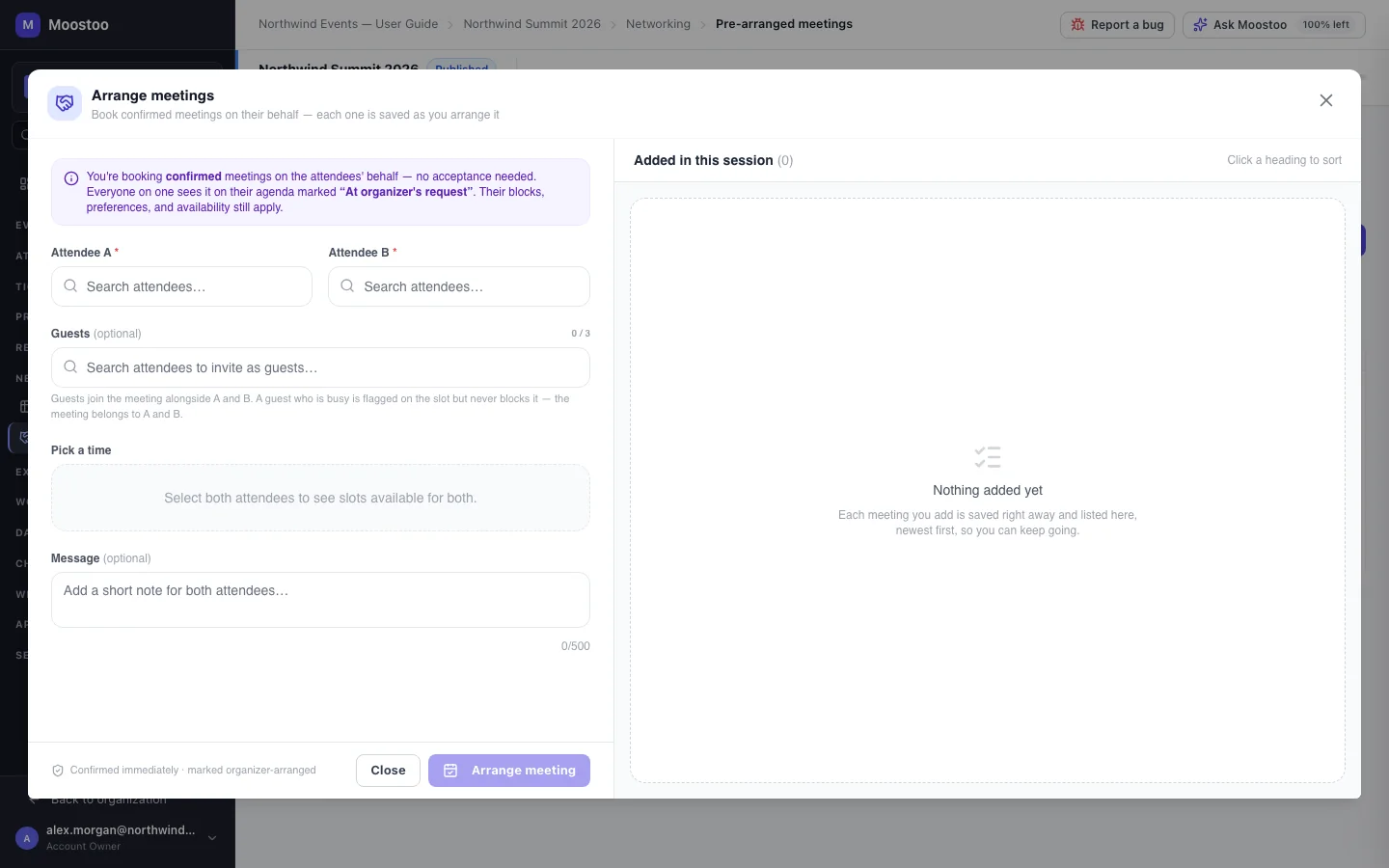
Finish the meeting as usual. Each guest is notified and appears in the list's Guests column.
What attendees see
In the attendee app
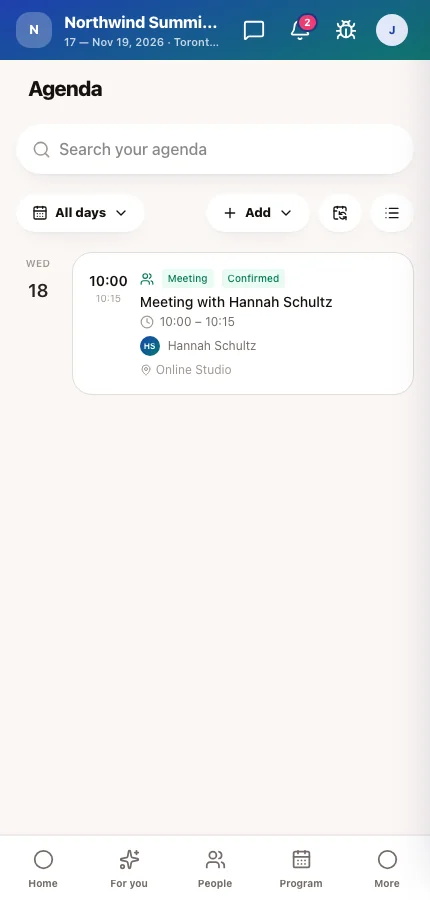
A guest sees the meeting on their invitations and agenda marked Guest, headed You were invited by the person who added them, with the other party shown beside. They answer with Going, Maybe or Not going. The parties see each guest's answer in the meeting's guest list.
Tips
- When an attendee asks why their colleague can't block a time, this is by design: otherwise one busy guest would make a meeting impossible to book.
- If a team always attends together, suggest the lead books the meeting and adds the others as guests, rather than each person booking separately.
- Attendees pick guests from the people they may see in the Attendees directory, so experience rules also limit who they can invite, and someone who made their profile invisible can't be added by another attendee. When you set a meeting up yourself, you search the whole roster.
Ask Moostoo
Arrange a meeting between jamie.chen@example.com and priya.raman@brightline.io on 2026-11-18 at 14:30, and add alex.kim@brightline.io as a guest.
Send an invitation from priya.raman@brightline.io to jamie.chen@example.com with dan.wu@brightline.io as a guest.