
At 50 or higher, a match is badged Recommended in the directory.
About me, what I offer, what I'm seeking, and topics I want to discuss.
A founder brings their CTO, a buyer brings a colleague. The meeting still goes ahead.
Canada or the EU. The matching itself stays in that region too.
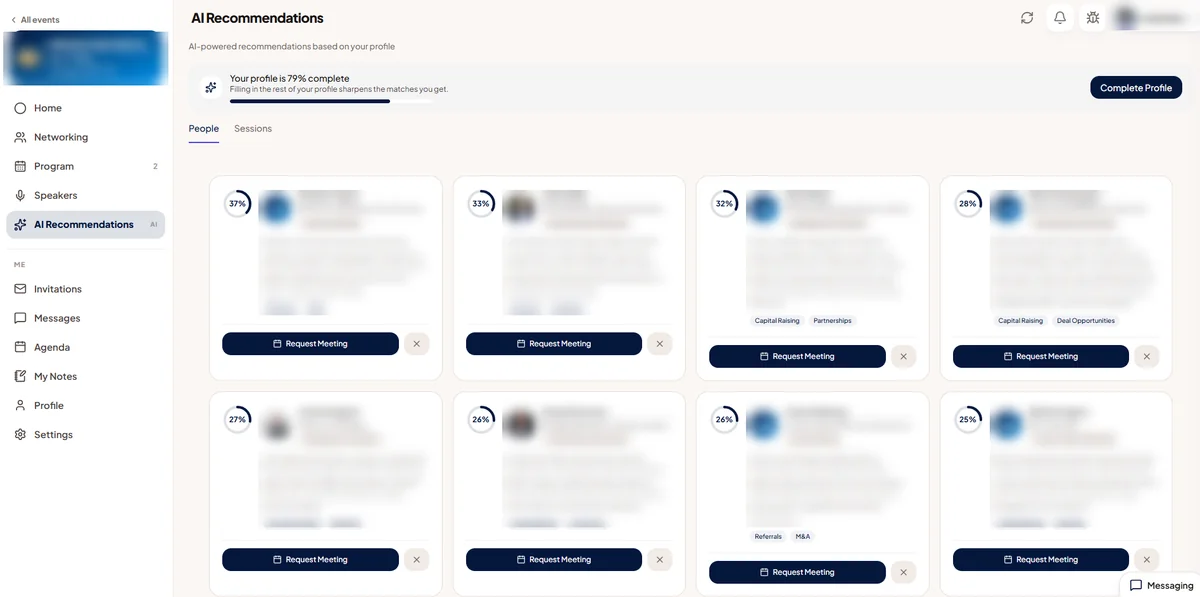
Every attendee gets a ranked list of people, sessions and exhibitor booths worth their time, each with a short reason, the moment they open Discover. The AI reads what someone offers and what they're seeking, pairs one person's Seeks against another's Offers in both directions, then checks the rest of their profile and company. Two people who both offer the same thing are never paired; they're competitors, not a match. Colleagues never show up either: Moostoo rules out anyone who shares a company, a booth or even a company web domain.
Most attendees type a vague Offers line and move on. At the end of the profile form, Moostoo's AI drafts four short sections from everything they've answered: about me and my company, what I offer, what I'm looking for, and topics and sessions I'm interested in. The attendee reads it, asks for a revision or edits it by hand, and confirms it. From that point on, matching reads the summary instead of the raw fields, and it stays private: no other attendee ever sees it, even though it is driving who gets suggested to them.
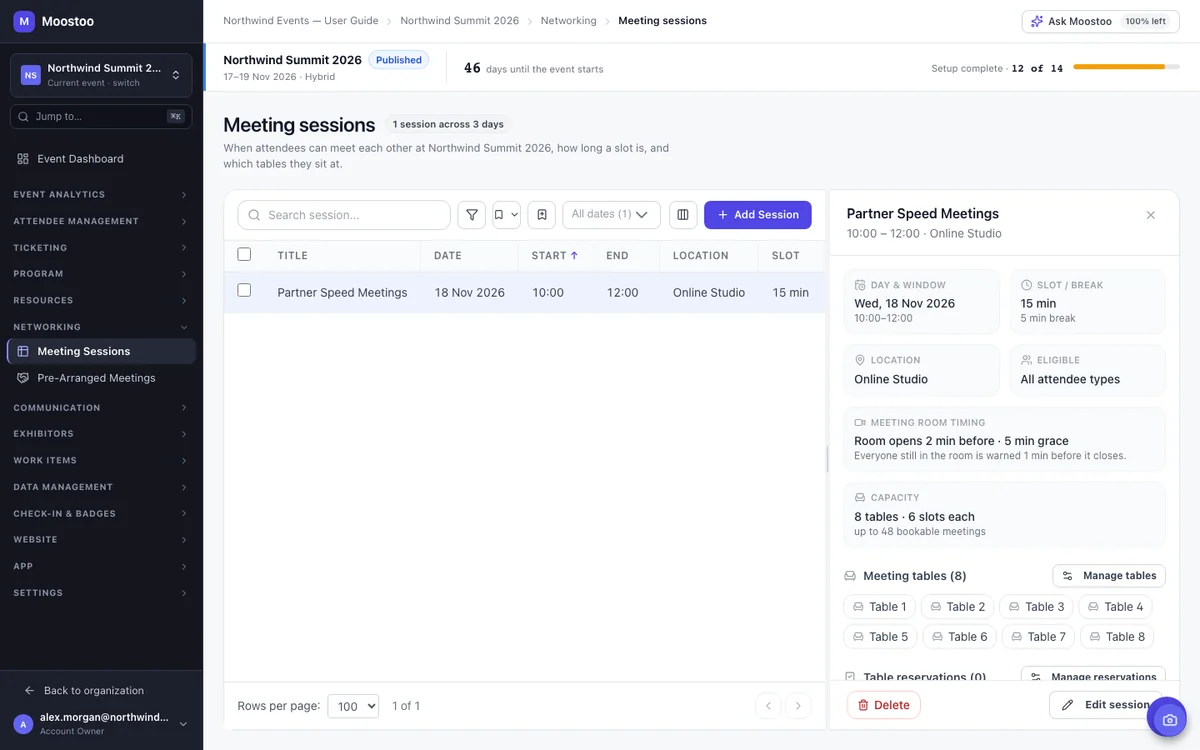
Nobody can request a meeting at all until you open a meeting session, the block of time Moostoo cuts into bookable slots and seats at tables. Pick a window, a slot length and a break between meetings, and choose which attendee types may meet inside it. Leave it empty and every type qualifies; narrow it to Investor and Startup Founder and you've built a hosted-buyer program in one form.
A good match still needs a reason to say yes. When AI writing help is switched on, Moostoo offers to draft the note that goes with a meeting request, written from both profiles, with a Suggest another option if the first draft doesn't land. The attendee edits every word before it sends, and the recipient answers exactly as they would any other request: accept, decline or suggest a different time.
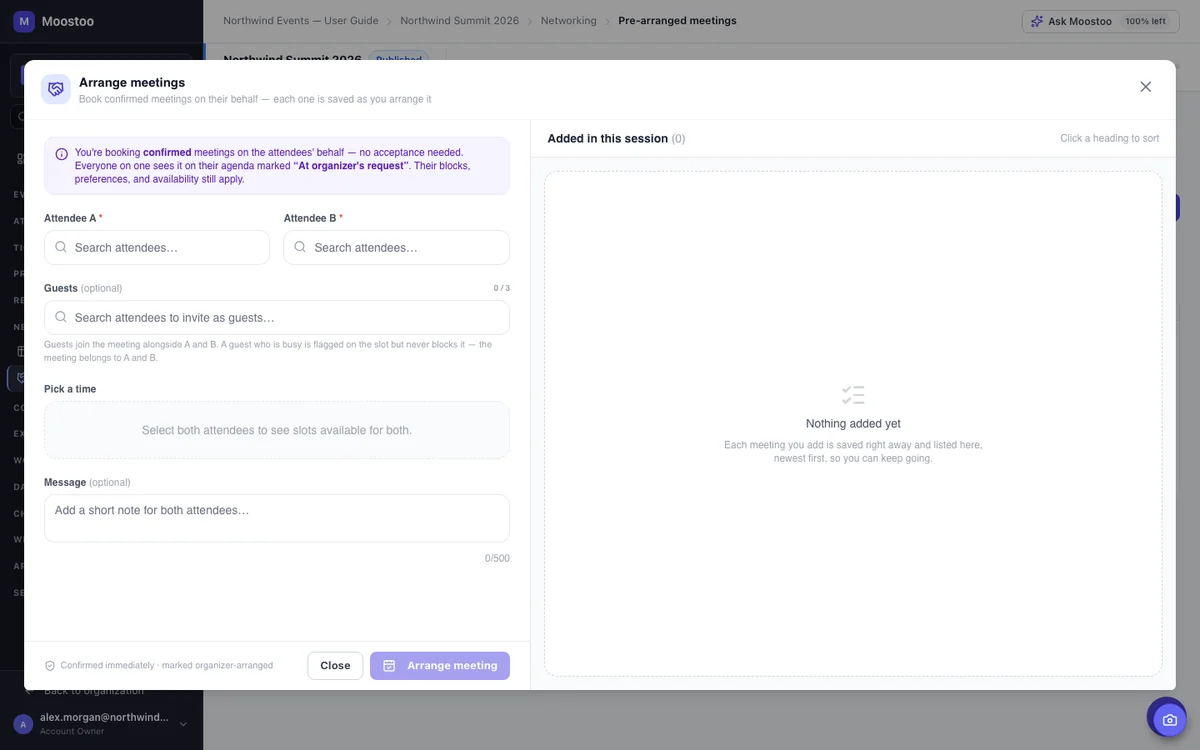
AI recommendations are a start, not the whole program. A sponsor hands you a list of twenty buyers they must see; a VIP asks you to run their calendar while they're on stage. Pre-Arranged Meetings lets your team book a confirmed meeting directly, or send an invitation framed as coming from one attendee to another, without ever becoming a party to it yourselves. Every guardrail an attendee faces still applies: the meeting session has to be open to both types, the experience rules have to allow the pair, and there has to be a free table and two free calendars.
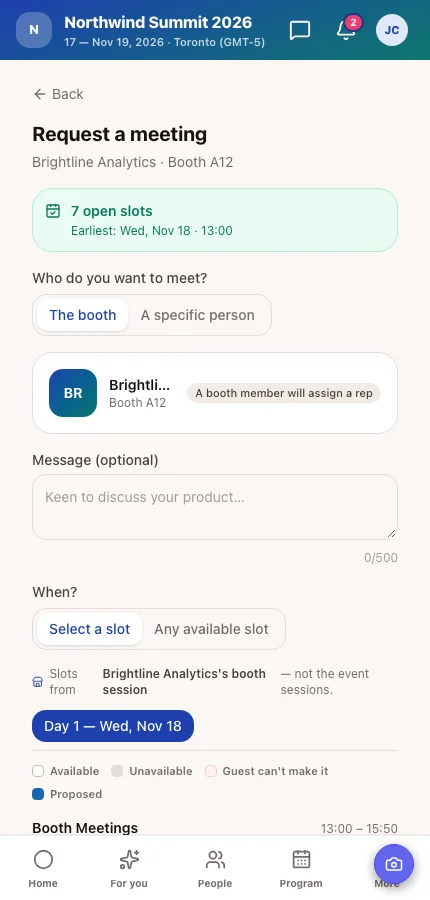
A booth meeting session works like any other, with its own hours, slot length and tables, but it belongs to one exhibitor. When someone invites a booth representative directly, or a representative invites an attendee, the booth's own slots are offered first; the general meeting sessions open up only once the booth has none left. At an online event every meeting is a video call. At a hybrid event, any meeting where at least one person attends online gets its own video link instead of a table, each with a waiting room to test camera and microphone before anyone's face appears.
The same AI runs underneath either way. What changes is how tightly you set the guardrails, in meeting sessions and experience rules.
| Aspect | Open Networking | Hosted-Buyer / B2B Program |
|---|---|---|
| Who requests meetings | Attendees browse Discover and request freely | Mostly your team, through Pre-Arranged Meetings |
| Meeting sessions | One or two windows, open to every type | Several windows, narrowed to specific type pairs |
| Visibility between types | Everyone sees everyone | Set per pair on the Experience Rules Visibility tab |
| Typical program | Conferences, trade shows, association events | Investor days, hosted-buyer programs, VIP concierge |
| Booking guarantee | None; the best match may never get requested | Arrange Meetings books a confirmed slot directly |
Running a small event where everyone already knows each other, under roughly fifty people? AI matching still works, but the lift is smaller when the room is already familiar. Meeting sessions and tables are usually still worth setting up, for the scheduling alone.
Matchmaking is part of the full product, not an add-on you switch on separately.
Covers ticket sales, the registration form, badges, check-in and email. AI matchmaking, meeting sessions and pre-arranged meetings live on the full product, so they're not part of this plan.
Everything on this page: AI matchmaking for people, sessions and booths, the Networking Summary, meeting sessions and tables, pre-arranged meetings, meeting guests and video rooms, plus the program, exhibitors, the event website and the attendee app designer.
Running a hosted-buyer or investor-day program at a flagship event? Corporate adds white-label branding on top of everything in Event App. Compare the plans or see how Moostoo runs in-person events.
Pick Canada (Montréal) or the EU (Frankfurt) when you set up your organization. AI matchmaking, the Networking Summary and every other AI feature process there too, backups included. For an EU organization, a feature with no EU-hosted model is switched off rather than sent elsewhere, and Ask Moostoo says so in plain words.
On the full platform, tell Ask Moostoo what you need: “Create a meeting session called Investor Office Hours on 2026-11-18 from 14:00 to 17:00 with 20-minute slots and 5-minute breaks, open to Investor and Startup Founder, with 15 numbered tables.” It shows exactly what it's about to create and waits for your OK before anything changes.
Five settings, mostly flipped once before your event opens.
Add Offers and Seeks to the profile form, plus two or three pool questions that matter to your audience. Moostoo warns you if you save a form that leaves both out, because nobody gets recommended to anyone without them.
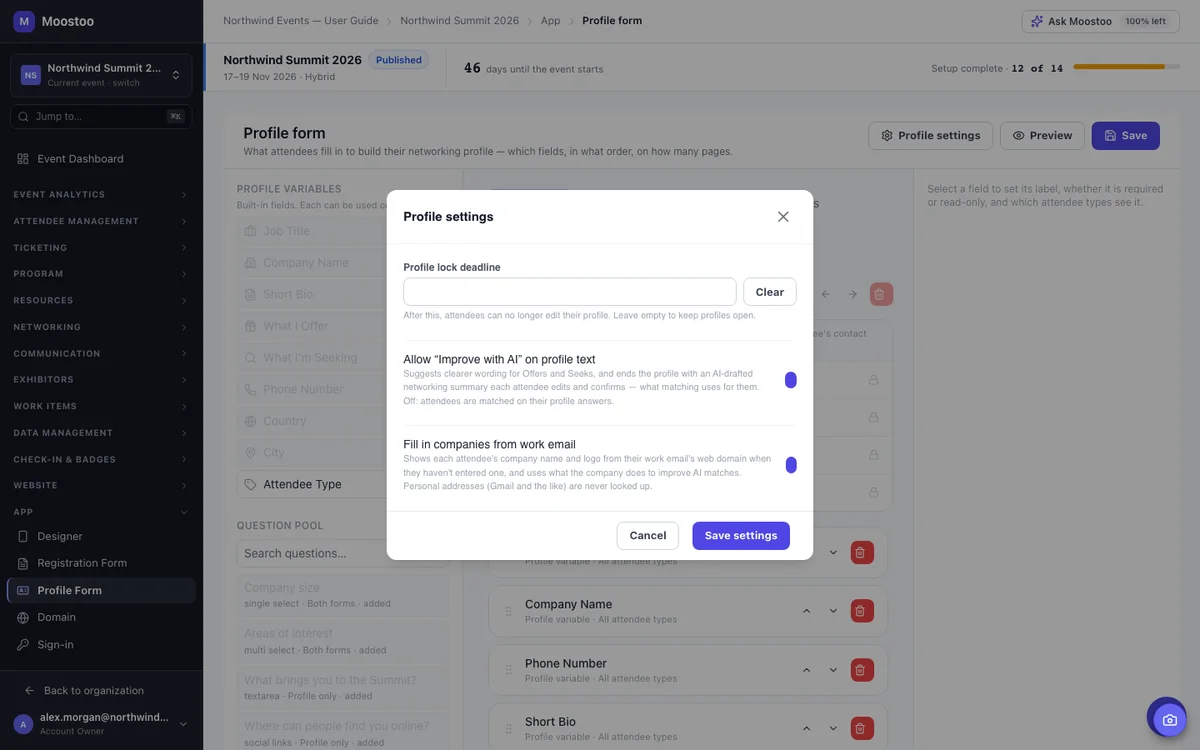
In Profile settings, switch on "Improve with AI" for clearer Offers and Seeks text, the Networking Summary step and Suggest a message on meeting requests. Decide separately whether to fill in companies from attendees' work email.
Without one, Request Meeting never appears, however good a match looks. Narrow the eligible attendee types if you're running a hosted-buyer program.
Decide who can see, chat with and request meetings from whom, by attendee type. Start permissive, then close the specific pairs that shouldn't reach each other.
Decide whether the match score itself appears on cards, and set a minimum if you only want to show strong matches.
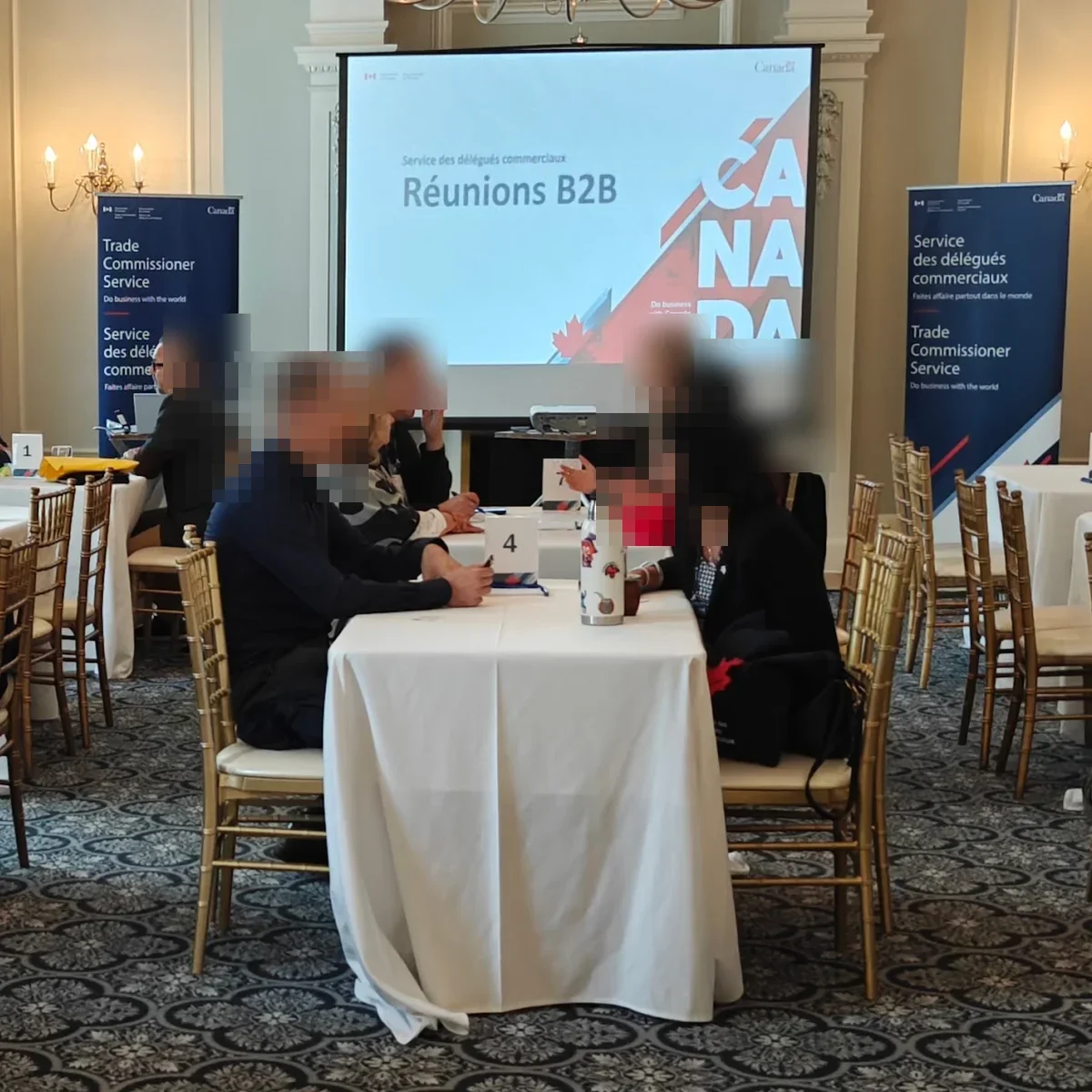
Event matchmaking software reads what each attendee offers and is looking for, then recommends the people, sessions and exhibitor booths worth their time, with a short reason for each suggestion. In Moostoo it also handles the booking: meeting sessions, tables, pre-arranged meetings and video rooms are part of the same system, not a separate scheduling tool.
Needs come first: one person's Seeks against another's Offers, in both directions, then checked against the rest of their profile and company data. Two people who both offer the same thing are never paired, since they're competitors, not a match, and colleagues (same company, booth or web domain) are never matched either.
Yes. Narrow a meeting session's eligible attendee types (Investor and Startup Founder, for example), set Visibility and Meeting Booking Permissions in Experience Rules, and use Pre-Arranged Meetings to guarantee specific people meet. It's the same business matchmaking platform underneath; you're just setting tighter guardrails.
Yes. At an online event every meeting runs on video. At a hybrid event each attendee chooses whether they attend onsite or online, and any meeting where at least one person is online gets its own link on Moostoo's video conferencing, with a waiting room. Two onsite attendees are seated at a table.
Offers, Seeks, at least one answered profile question, company information Moostoo found from their work email, or a confirmed Networking Summary. Someone with none of these still sees their own suggestions, but won't show up in anyone else's.
Yes. Arrange Meetings books a confirmed meeting between two attendees at a slot you pick; Send Invitations sends one framed as coming from one of them, which the recipient can still accept, decline or reschedule. The same checks an attendee's own request goes through still apply.
It still works, but the payoff is smaller once everyone already knows who's in the room, say, under fifty attendees at a tight-knit event. Meeting sessions and tables are usually worth setting up regardless, since they handle the scheduling even without heavy AI matching behind them.
Yes. Your organization is hosted in Canada or the EU, and AI matchmaking, the Networking Summary and every other AI feature process in that same region, including backups. A feature with no EU-hosted model is switched off for EU organizations rather than sent elsewhere.
Last updated October 2026. Product details are taken from the Moostoo Admin Guide.