
Attendee data source
A console event exists to put the right badge on the right person at the door, and none of that works without a list of ticket holders. So the first question a console event asks is where that list comes from. Answering it unlocks the badge, check-in and reporting screens; until then they are shown but locked, so it is always clear what is left to do.
How it works
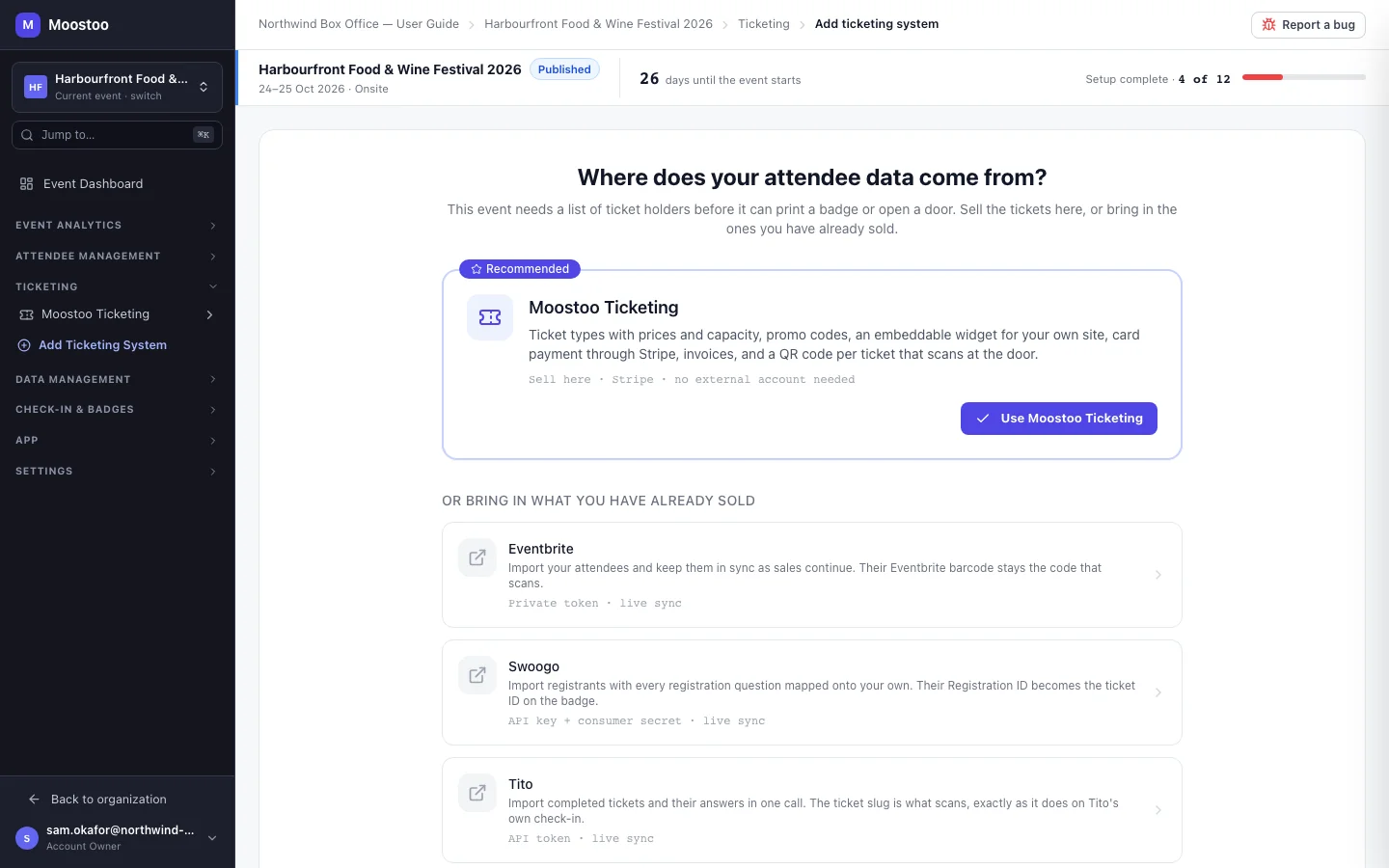
A new console event — and any console event opened before it has a source — lands on Where does your attendee data come from?. You either sell tickets with Moostoo, or bring in what you have already sold on another platform.
| Source | What it does |
|---|---|
| Moostoo Ticketing (Recommended) | Sell tickets yourself: ticket types with prices and capacity, promo codes, an embeddable widget for your own site, card payment through Stripe, invoices, and a QR code per ticket that scans at the door. See Ticketing setup. |
| Eventbrite | Import your attendees and keep them in sync as sales continue. Their Eventbrite barcode stays the code that scans. |
| Swoogo | Import registrants with every registration question mapped onto your own. Their Registration ID becomes the ticket ID on the badge. |
| Tito | Import completed tickets and their answers. The ticket slug is what scans, exactly as it does on Tito's own check-in. |
| Lu.ma | Import approved guests from a Luma Plus calendar, with their registration questions and their own check-in QR code. |
What the gate locks, and what it does not
Until one source has finished its setup, exactly nine screens are locked — shown in the sidebar with a lock and the note Choose where your attendee data comes from first. Opening one shows the screen's own header with that message, a sentence saying why that screen needs ticket holders, and a Choose a data source button:
- Check-in & Badges: Badges (and the badge designer), Check-in Config, Kiosk Setup, Printer Management, Mobile Scanner, Download Apps
- Event Analytics: Pre-Event Analytics, Live Analytics, Badge Printing
Everything else is open from the moment the event exists — attendee types, the question pool, the registration form, import/export, communications, privacy & legal, the event team and event settings — so you can prepare while you decide. The lock is a reminder, not a wall: it hides nothing and refuses nothing.
Finished setup For Moostoo Ticketing, choosing it. For an external platform, connecting it, picking the external event and saving a mapping that maps at least one of its ticket types to an attendee type. A connection you started and abandoned does not count.
Setup incomplete An abandoned connection is listed at the top of the source screen with Continue setup, which resumes it — it never creates a second one.
Unlocked The moment a source finishes, a banner says <source> is set up. Badges, check-in and reporting are now open. and the nine screens open. Adding a second source later re-locks nothing.
Step by step
Create the event, or open it — you land on Where does your attendee data come from?.
You can also reach it at any time from Ticketing in the sidebar.
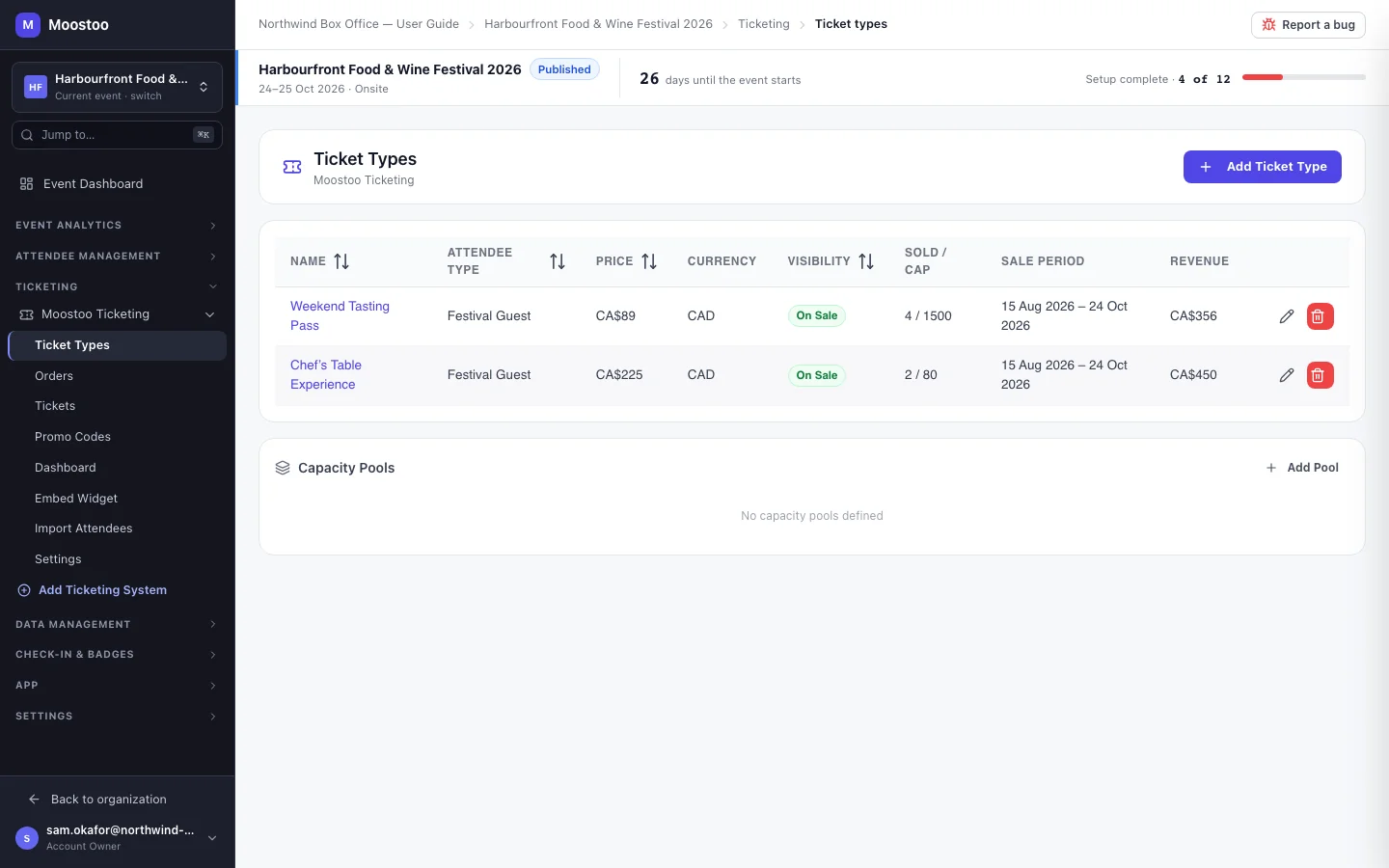
To sell with Moostoo, click Use Moostoo Ticketing, then create your ticket types.
See Ticket types.
To bring in tickets sold elsewhere, click the platform, connect your account, choose the external event and save the mapping.
See Ticketing platform import and Mapping console.
Watch for the confirmation banner, then open the unlocked check-in and badge screens.
What attendees see
Choosing a source sends nothing to anyone. What reaches ticket holders is what the source then does — a Moostoo checkout, or the import of people who already bought elsewhere (imports send no confirmation of their own).
Tips
- You can use more than one source — for example Moostoo for last-minute sales on top of an Eventbrite import.
- Decide which code your badges carry before printing: an Eventbrite barcode or a Lu.ma QR code keeps scanning as it did on the old platform.
- A test ticket holder you add by hand does not unlock the gate — only a finished source does, so a door is never opened with no tickets behind it.