

Post-event engagement is the work that turns a finished event into next year’s registrations and this year’s sponsor renewals: a segmented thank-you, results in sponsors’ hands while they still remember the booth, contacts in the CRM before sales moves on, and a plan for what to change. Most of it can be built before the doors open.
Key Takeaways
- The post-event report finalizes about two hours after the event ends. Don’t export numbers for sponsors before that banner clears.
- The networking window closes with the event. Recommendations stop refreshing and meeting requests need an upcoming meeting session, so tell attendees before the last session rather than after.
- Send the thank-you as a segmented email campaign. People who checked in and people who never showed up should not get the same email.
- Sponsors want their own numbers: booth visits, leads, meetings, an ROI summary they can forward, and the list of who actually stopped by.
- CRM sync and connectors move contacts and activity out of the event platform, so follow-up happens where sales already works.
What happens to networking when the event ends?
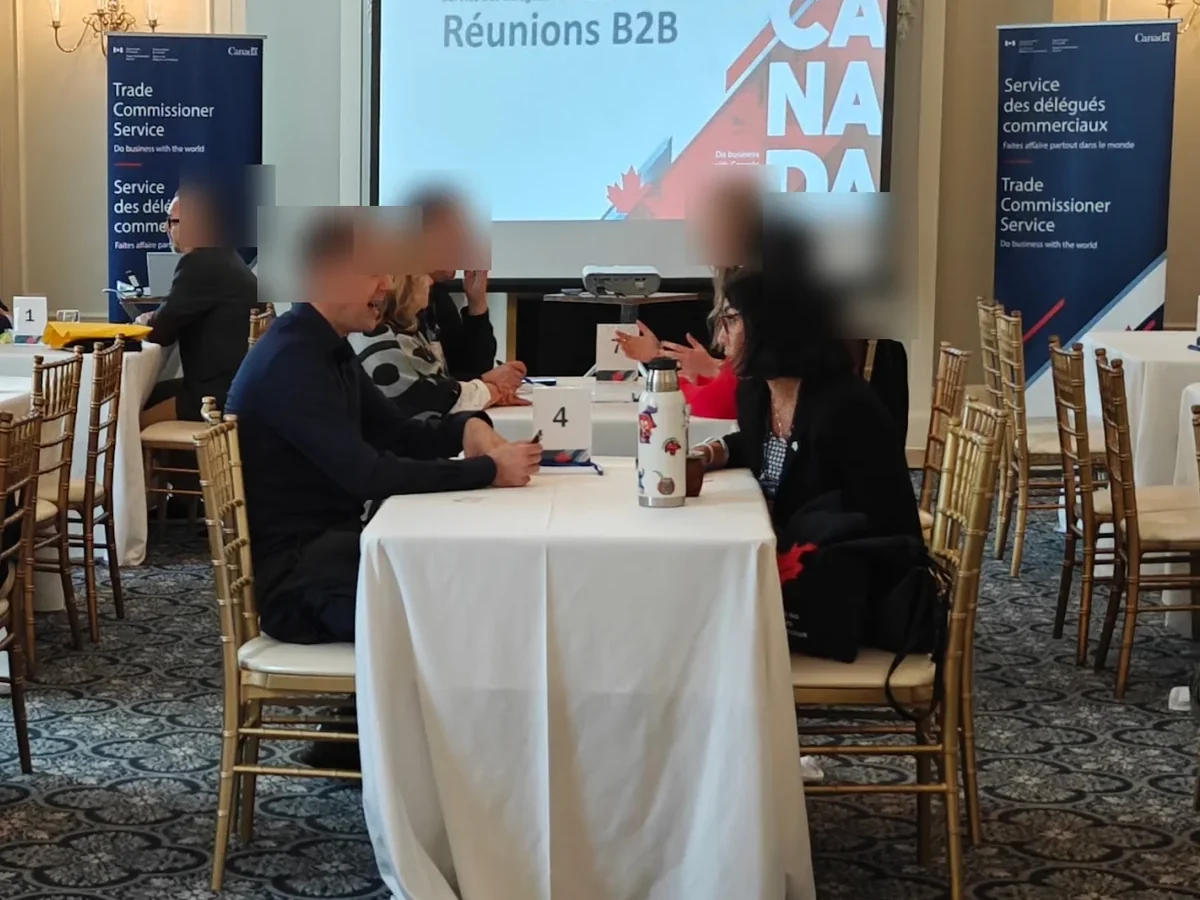
The booking window closes. In Moostoo, AI recommendations refresh while the event runs and are not recomputed once it has ended, and meeting requests are only offered when a meeting session still to come is open to both people’s attendee types. Once the last session has passed there is nothing left to book, so tell attendees on the last morning, not after.
Two practical consequences:
- Schedule a meeting session on the final day, even a short one, so there are slots for the introductions people put off.
- Publish an announcement to all attendees on the last morning along the lines of “Meeting requests close at 16:00 with the final networking block.” It appears in the From the organizers panel of the app’s home screen, with a push notification to attendees who allow them, which an email can’t match on event day.
If someone missed their match, the fallback is you. While sessions are still open, an organizer can send a meeting invitation in one attendee’s name from Networking → Pre-Arranged Meetings. After that, the introduction happens by email like it always did.
When are the post-event numbers final?
The post-event report opens as soon as the event ends, but for the first two hours it shows Data is still being finalized: late check-ins and session ratings are still arriving. Wait for that banner to clear before you export anything you intend to send.
When it does, the Scorecard tab gives you the one-page version: an Event Health Score from 0 to 100, total attendance against registrations, sessions held, revenue net of refunds, average session rating, meetings held and their completion rate, leads captured and connections made. The score is a weighted mix of attendance rate (30%), average session rating (30%), meeting completion rate (20%) and profile completion rate (20%), so a low number usually points at one of those four. Export Scorecard as PDF at the bottom of the tab gives you the debrief handout in one click.
The Networking tab is the one people skip and shouldn’t. It shows total meetings, completion rate, meetings per person, connections made and messages exchanged, which time slots were busiest, and a heatmap of which attendee types connected with which. If buyers were supposed to meet sellers, that heatmap tells you whether they did.
Two things to know before anyone quotes these figures. Attendance and drop-off come from session check-ins, so an event that did not scan badges at room doors will report low attendance in every session. And the NPS field reads Survey data pending until survey answers exist.
Need one number fast, say for a board member texting from the airport? Ask Moostoo, the assistant built into the admin app, can answer headline questions such as “How many attendees did we end up with, by attendee type?” without you opening the report.
How should the post-event thank-you go out?
As a segmented email campaign, sent within a day. Moostoo has a Post-Event Thank You template in its automated emails, but at the time of writing it has no trigger and does not send by itself. The thank-you is a campaign you create, and that is the better tool anyway, because a campaign can be segmented.
The campaign builder targets recipients on attendee type, ticket type, session registration, check-in status, a custom question’s answer, registration date, and whether they opened or clicked an earlier campaign. That gives you at least three thank-yous instead of one:
- Checked in: thanks, the slides or recordings you promised, a short feedback form, and a date for next year.
- Registered, never checked in: a shorter “sorry we missed you” with the material and an offer to talk. They are still a lead.
- Sponsors and exhibitors, by attendee type: a note that their results are coming, and when.
A few settings decide whether this lands. Attendees reply to thank-you emails with questions and requests, and by default those replies arrive in Communication → Inbox, where the whole team can answer them. Use the did not open condition three days later for a gentle second attempt at the people who missed the first one. If you want to test two subject lines, the A/B option needs a real audience; with fewer than 100 recipients per variant Moostoo warns that the result may not mean much. Unsubscribes are honored automatically and apply to every later campaign of the event.
Want to see exactly what each segment receives before the real send? Build the same campaigns in a sandbox event first. Its emails are captured, never delivered, so you can check every variant without writing to a single real attendee.
What do sponsors want after the event?
They want their own numbers. A sponsor does not care about your Event Health Score, only about what their booth produced. The Exhibitors & Sponsors tab of the post-event report lists booth visits, leads, meetings, page views and engagement per company, and an ROI Summary that compares each company’s investment with the estimated value of its leads.
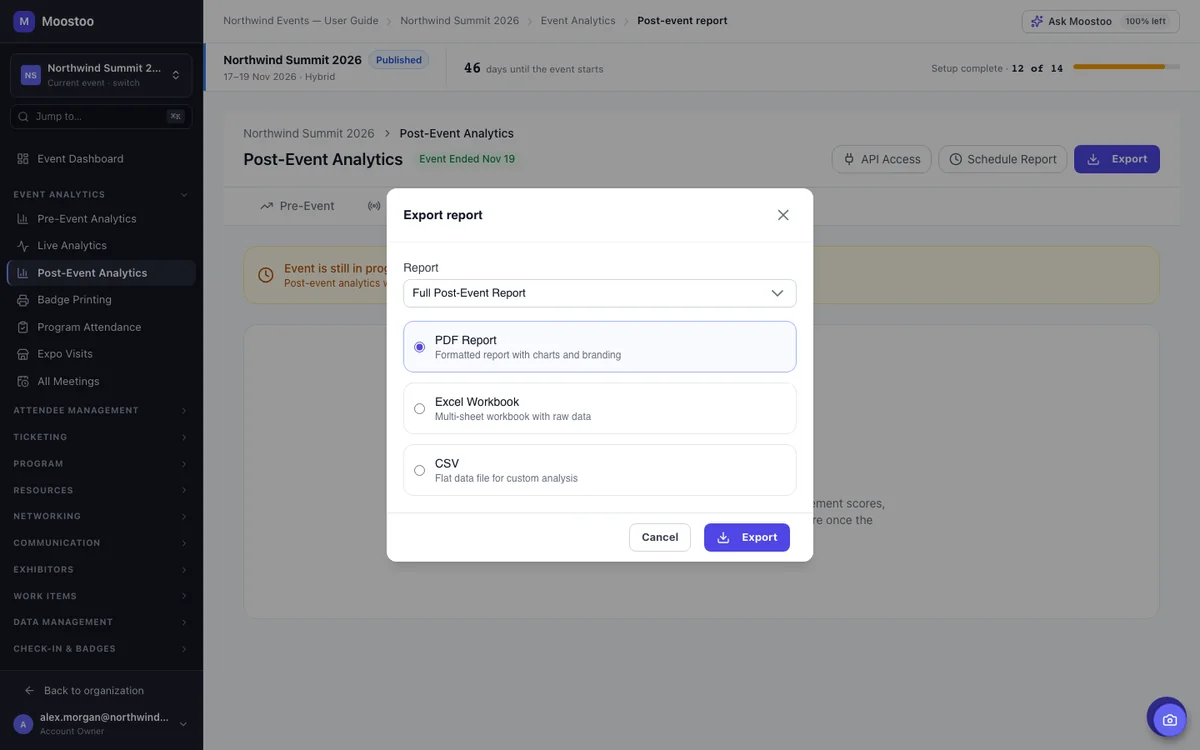
That estimate uses a lead value multiplier you can change on the tab (150 by default). Set it to what a lead is worth in your market before you export, then use Export and choose the Exhibitor & Sponsor ROI report: PDF for the renewal conversation, Excel for their own analysis.
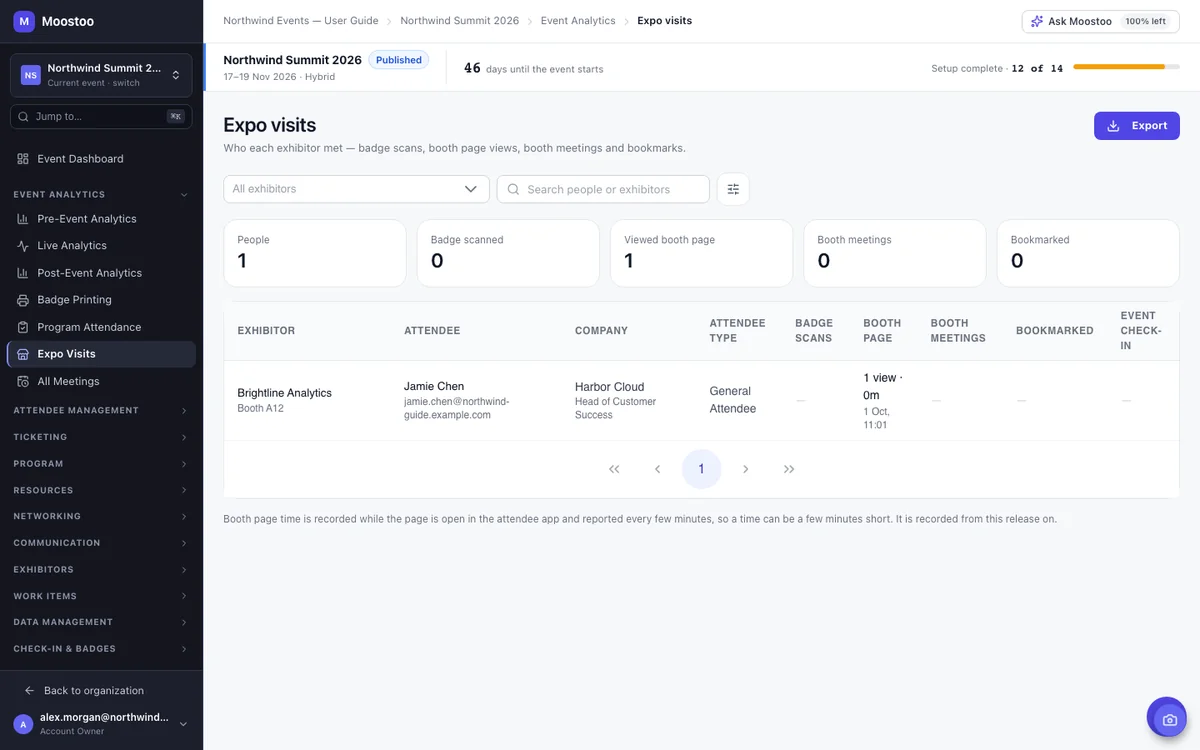
The ROI Summary is the headline. The detail behind it lives in Expo Visits, which lists every person who engaged with a given exhibitor and how: badge scans at the booth, how often they opened the booth page in the app and how long they stayed, confirmed booth meetings and bookmarks. Pick the exhibitor, narrow to the attendee types they paid to reach, and export it as CSV or Excel. That list is usually what turns “we had a good show” into a renewal, because the sales team can work it name by name.
Exhibitors don’t see this report themselves, so it’s yours to share. Both exports carry names and contact details (the post-event exports include job titles and companies for every attendee), so send them only where your privacy terms allow it.
If your organization runs Salesforce, exhibitor lead captures can also arrive there directly, as leads linked to the event’s campaign, through CRM sync. That spares the “can you send the spreadsheet again” email a week later.
How do the contacts get to sales?
CRM sync and connectors move them, so the follow-up that matters is done by sales and marketing in their own tools. Both mechanisms are described on the CRM sync and connectors page:
- CRM sync, set once for the organization, for HubSpot or Salesforce. HubSpot receives contacts, companies and a timeline of activity per contact: registration, check-in, session attendance, meeting completion. Salesforce receives contacts, one campaign per event with attendees as members, and exhibitor leads. Email is the match key; the sync runs in real time, every 15 minutes, hourly, daily or on demand.
- Connectors, set per event. A Mailchimp sync rule pushes a group of attendees to an audience. A Google Sheets export rule keeps a spreadsheet updated as records change. A Slack rule posts when a meeting completes or a lead is captured. Zapier and Make get a webhook for anything else.
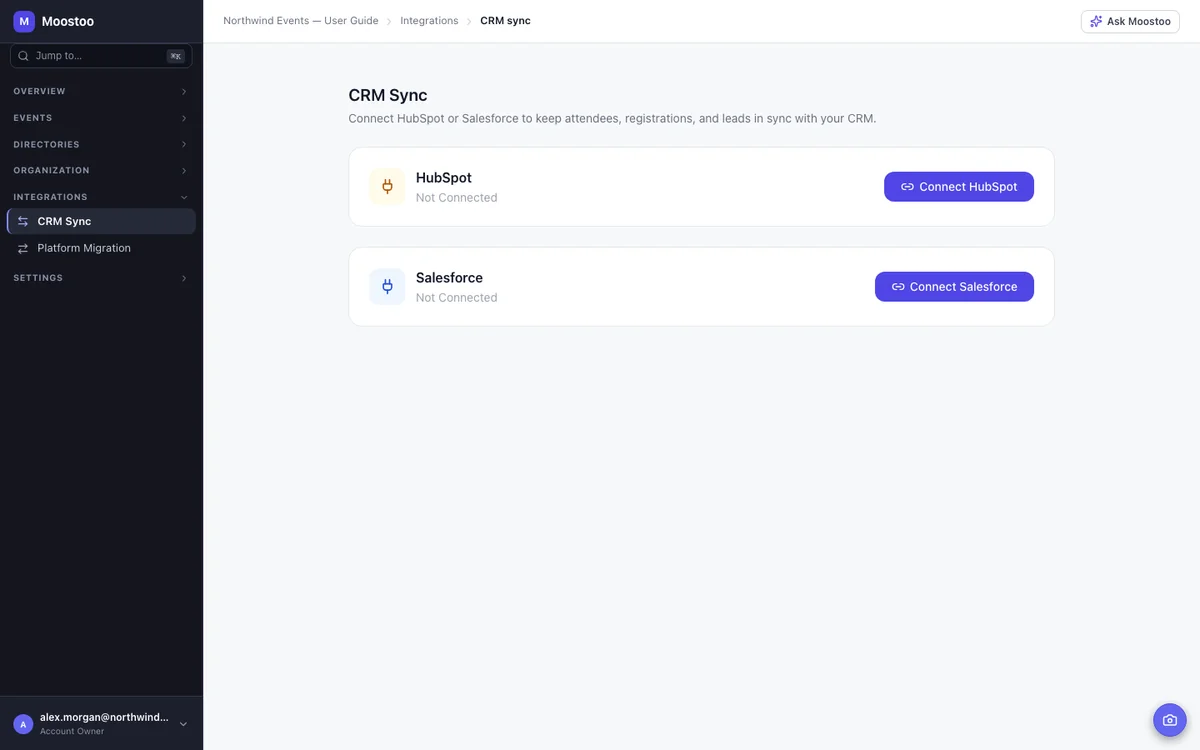
A record without an email cannot be synced and is skipped with a note in the Sync Log, so check the log once before you assume sales has everyone. A failed sync or webhook delivery can be retried from the same log.
Then say so in the privacy notice. Inside Moostoo, an organization’s data stays in the region it chose when it was created, Canada or the EU, analytics and AI included. Once records are synced to a CRM or a mailing tool they live under that tool’s terms, and attendees have a right to know where their details went.
What do speakers need to hear?
Send speakers their rating and their attendance within the week. The Sessions tab shows attendance, capacity fill, average rating, number of reviews and drop-off (people who left before the end) per session. The Speakers tab shows each speaker’s sessions, average rating, total attendees and a Repeat Invite verdict.
A speaker who hears their numbers from you, unprompted, tends to say yes next year. The drop-off column has a second use too: it tells you which sessions ran too long.
Read What Attendees Told You
Two sources of post-event engagement are easy to forget. Polls run during the event count toward each attendee’s Engagement Score and are the closest thing to a live survey you have. A closing poll on the last day (“Which track should we expand?”) costs nothing to run, and votes are anonymous, so people answer.
The Service & group chats view of Messages (communication oversight) lets you read, after the event, how service providers handled attendee requests and what came up in group chats. It is the fastest way to find the questions worth answering in next year’s FAQ. It never shows private chats between two attendees, which is the right call.
How do you plan next year from the data?
Benchmark first, then clone. When two or more of your events are complete, the Benchmarking tab puts this event beside up to five others: attendance, attendance rate, rating, revenue and connections, with a trend. For the wider view, organization analytics lines up every event your organization has run (registrations, check-in rates, meetings, revenue by ticket type, audience mix) and exports the comparison as CSV, Excel or PDF. Hit Refresh right after the event ends so the new edition is in it. That is the slide for leadership.
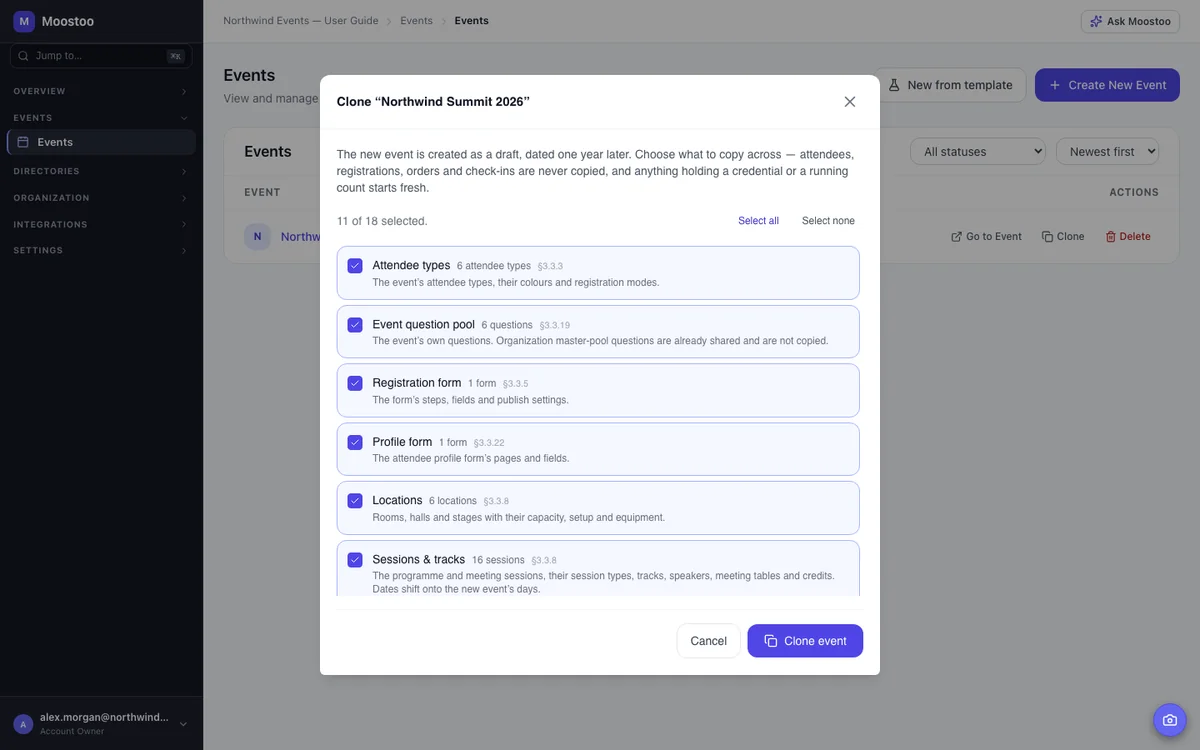
Then clone the event. The copy is created as a draft dated one year later, and you choose what comes across: attendee types, questions, forms, locations, sessions and tracks, badge designs, printers, kiosks and more. Every date moves by whole days onto the new edition. Attendees, orders, meetings, messages and campaigns are never copied. Experience rules and automated email templates are unticked by default because a new edition’s rules and wording usually deserve a fresh look. Treat that as the prompt to apply what the report told you.
A Post-Event Engagement Timeline You Can Copy
The same steps in order, with the moment each one belongs to.
- Before the event: build the thank-you campaigns as drafts (rehearse them in a sandbox if you like), write the last-day announcement, decide the lead value multiplier, connect the CRM.
- Last morning: publish the “meeting requests close at…” announcement; run the closing poll.
- T + 2 hours: the finalizing banner clears; read the Scorecard and export it as PDF for the internal debrief.
- T + 1 day: send the checked-in and no-show thank-you campaigns.
- T + 3 days: send each sponsor the Exhibitor & Sponsor ROI report and their Expo Visits list; send speakers their session numbers.
- T + 4 days: did not open follow-up.
- T + 2 weeks: check the Sync Log for skipped records; brief sales on the meeting-completion data.
- T + 1 month: benchmarking review, clone the event, fix what the report flagged.
This is the tail end of a longer arc. For the before-and-during half, see best ways to increase attendee engagement, and for the networking mechanics that produce the meetings this post measures, see why AI event matchmaking outperforms traditional networking.
Frequently Asked Questions
How soon after an event should you follow up?
Within 24 hours for the thank-you, and within three days for sponsor and speaker results. In Moostoo the post-event report finalizes about two hours after the event ends, so the numbers are ready the same day; the limiting factor is usually whether the campaign was drafted in advance.
What should a post-event thank-you email include?
The material you promised (slides, recordings), a short way to give feedback, the date or intention for the next edition, and a reply-to address a person reads. Segment it: attendees who checked in, attendees who did not, and sponsors each deserve a different version.
How do you measure post-event engagement?
Campaign open and click rates per segment, the post-event report’s Engagement Score per attendee (sessions attended, meetings completed, networking activity, profile completeness and polls), and, once you have two completed events, the benchmarking trend across editions.
Can Moostoo send the thank-you email automatically?
Not yet. The Post-Event Thank You template exists in the automated emails list, but it has no trigger at the time of writing. Create it as a campaign instead, which also lets you segment recipients and schedule the send on the event’s clock.
How do sponsors get their results?
From the Exhibitors & Sponsors tab of the post-event report: booth visits, leads, meetings, page views and an ROI Summary per company, exportable as PDF, Excel or CSV. For the names behind the numbers, export that exhibitor’s Expo Visits list. Neither report is visible to exhibitors (their My Booth area in the app has its own, smaller analytics), so the organizer sends them.
Can I schedule the post-event report to send itself?
Not yet. Schedule Report saves a report, format, recipients and frequency, but at the time of writing Moostoo keeps those schedules without sending them. Export the report and send it yourself for now. If a BI tool such as Tableau, Power BI or Looker should read the data, API Access gives you a read-only endpoint for the event’s report.
If you want to see the post-event report on a real event before you commit to anything, book a demo and ask for the Exhibitors & Sponsors tab.
Ready to boost your engagement?
Make your next event unforgettable with AI-powered attendee engagement.
