

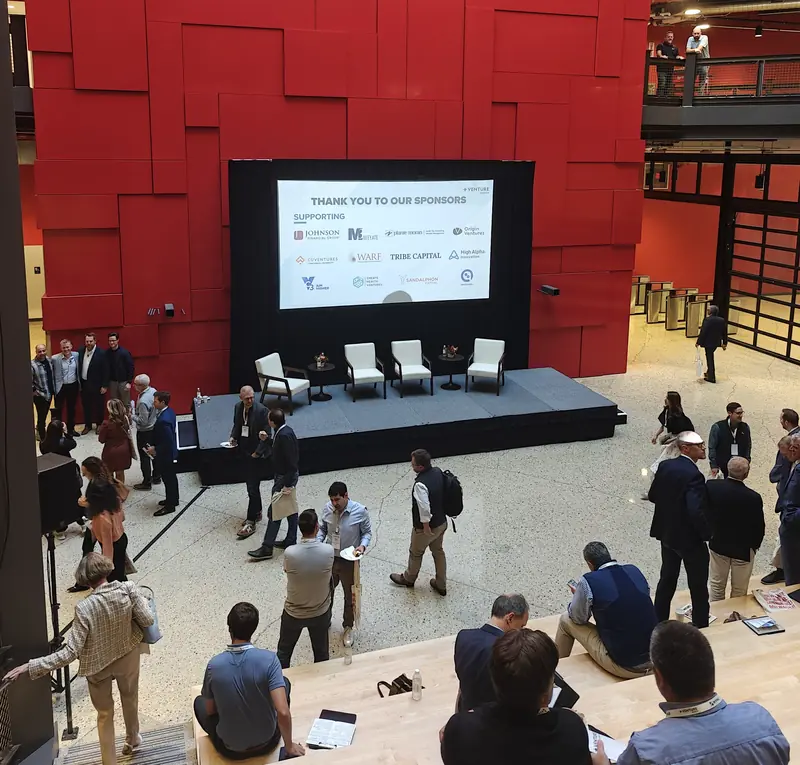
AI event matchmaking outperforms traditional networking because it reads what every attendee offers and seeks, pairs those needs in both directions, and only suggests people who can actually book a meeting. Unassisted networking depends on who you stand next to at the coffee station: a lottery at a small conference, an unread directory at a large expo.
Key Takeaways
- Matching starts from needs: one person’s Seeks against another’s Offers, then the rest of the profile and company data.
- Colleagues are never matched, and two people who offer the same thing are treated as competitors rather than a pair.
- A match only shows as bookable when a meeting session is open to both attendee types and the experience rules allow the pair.
- The organizer’s job is the setup: the profile form, at least one meeting session, and the rules for who may meet whom.
- After the event, the Networking tab of the post-event report shows meetings held, completion rate and which attendee types connected.
What goes wrong with traditional networking?
There are usually plenty of interesting people in the room. The trouble is that nobody has time to find them. An attendee at a two-day summit has maybe six free slots and a list of several hundred names with job titles.
So they talk to the people they already know, the sponsor with the loudest booth, and whoever queues next to them for lunch.
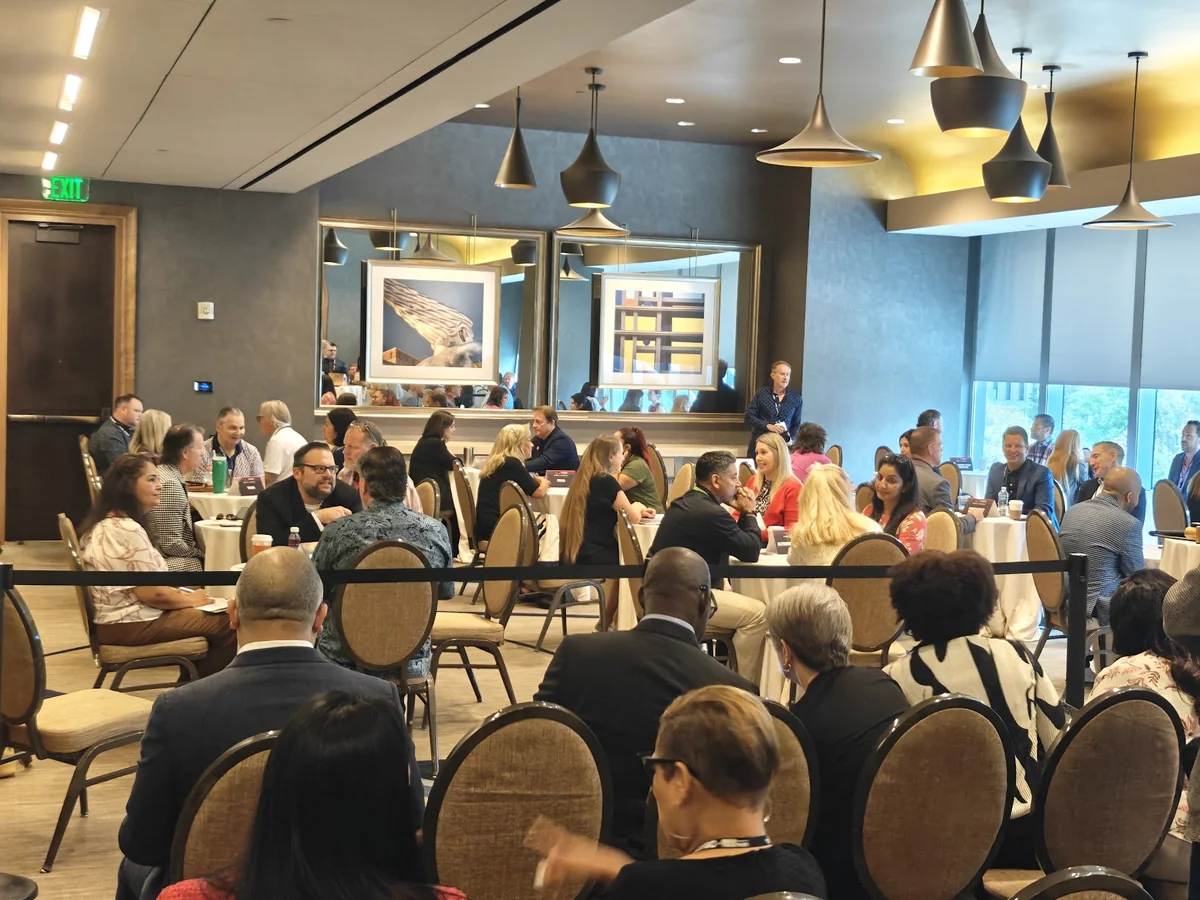
Three things make this worse at B2B events in particular:
- Buyers hide. The investors, hosted buyers or procurement leads that everyone else came to meet get swamped, so they stop answering.
- Colleagues cluster. Five people from the same company arrive together and spend the breaks with each other.
- Sponsors can’t prove anything. “We had good conversations” is not a number you can put in a renewal deck.
Badge scanning and business-card apps record who met. They don’t help anyone decide who to meet, and that decision is the part AI matchmaking takes over.
How does AI event matchmaking work?
In Moostoo, AI event matchmaking reads two profile fields before anything else: Offers and Seeks. One attendee’s Seeks are compared with another’s Offers, then the other way round. Only after that does the rest of the profile count: answered questions and what is known about the person’s company. Every suggestion carries a short reason, written for the attendee.
The full mechanics are on the AI matchmaking page of the admin guide. Here is the part that explains most “why wasn’t I matched with X?” questions.
- Needs come first. Two people who both offer the same thing are never paired. They are competitors.
- Colleagues are never matched. Same company, same booth or same company web domain rules a pair out.
- A person has to be matchable. Someone is suggested to others once they have Offers, Seeks, at least one answered profile question, company information found from their work email, or a confirmed Networking Summary. With none of those they still get their own suggestions but appear in nobody else’s.
- Every suggestion has a score. At 50 or more the person is marked Recommended in the attendee directory. Whether attendees see the number is the organizer’s choice in the card design.
- Only people they can meet rank at the top. If no upcoming meeting session is open to both attendee types, or the experience rules don’t allow the pair to request meetings, that person is ranked lower and never appears among the ten People to meet.
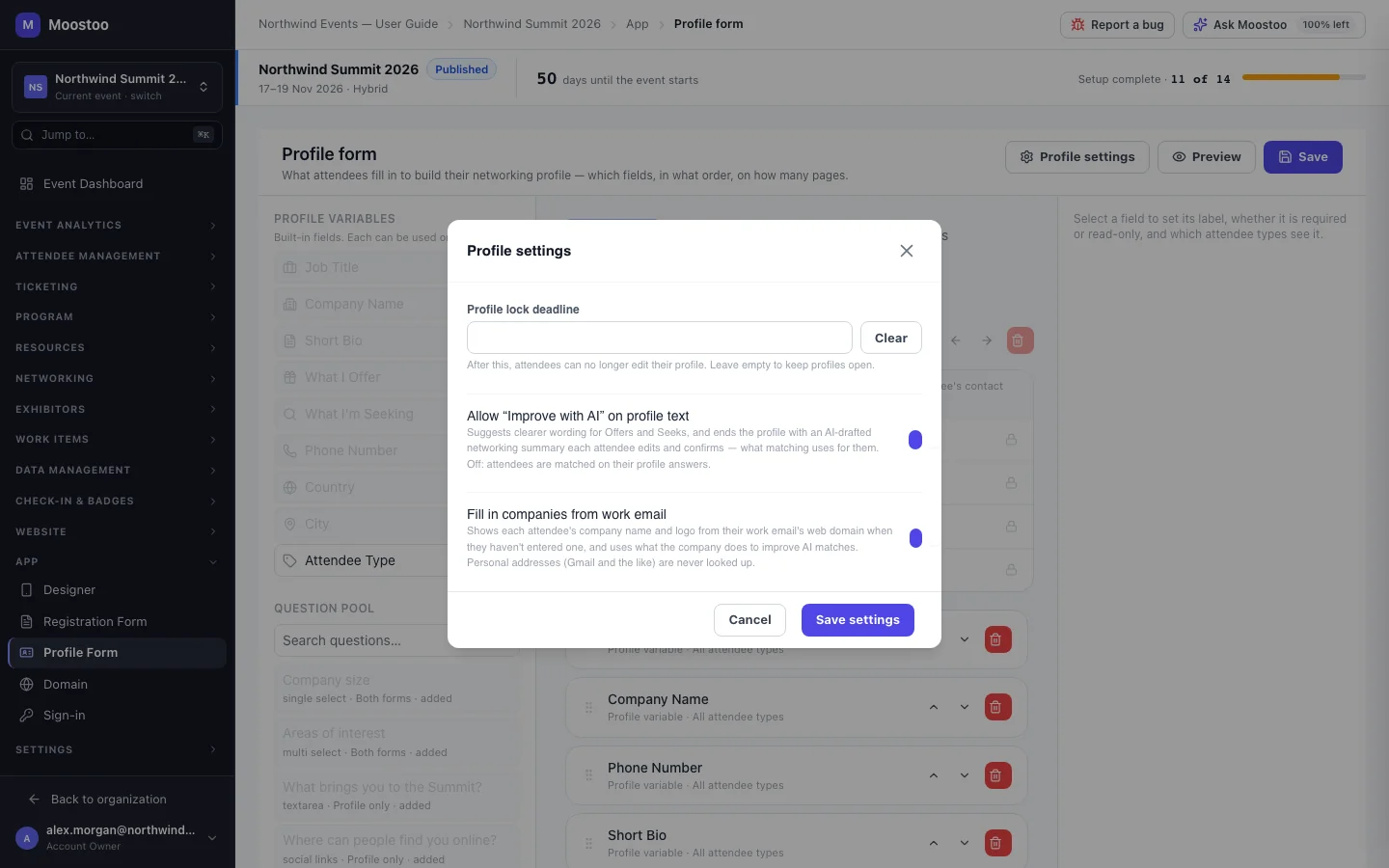
Two optional settings change what the AI has to work with. Improve with AI offers attendees clearer wording for their Offers and Seeks and ends the profile with a Networking Summary: four short sections (about me and my company, what I offer, what I’m looking for, topics and sessions I’m interested in) that the attendee edits and confirms. Once confirmed, matching reads the summary instead of the raw fields. Fill in companies from work email recognizes a company from the domain of a work address and uses what is known about it. Personal addresses such as Gmail are never looked up.
The summary is private. Other attendees never see it, and it is never exported. A match reason may paraphrase it but never quotes it word for word.
What does the attendee actually see?
The AI Recommendations screen in the attendee app has a People tab, a Sessions tab and, when the event has exhibitors, a Companies tab. Each card carries its reason. A person card offers Request Meeting and can be dismissed; a session can be added to the agenda; a company can be bookmarked. In the attendee directory, recommended people carry a badge and lead the default Best match order.
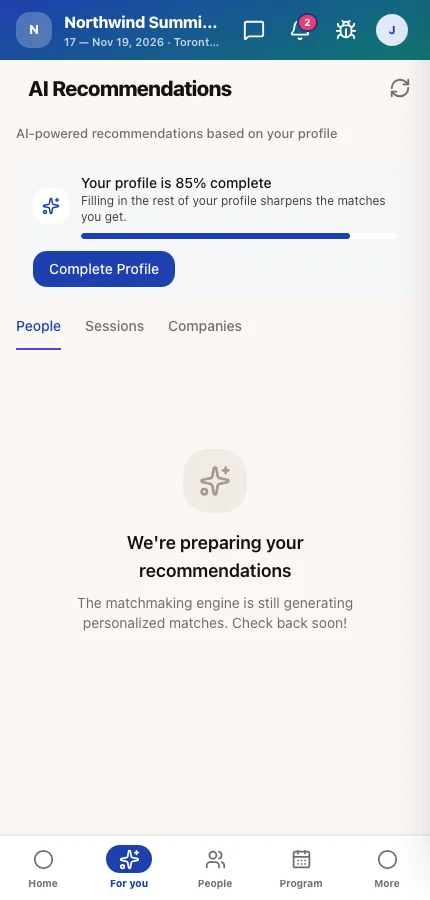
Recommendations refresh on their own as people edit their profiles. After a burst of registrations it can take a while, and nothing is recomputed once the event has ended, which is one reason to push profile completion early rather than on day one.
Why a Good Match Is Worthless Without a Meeting Slot
This is the part most “AI networking” pitches skip. A recommendation is only a suggestion. A meeting is a time and a table, and someone has to create those.
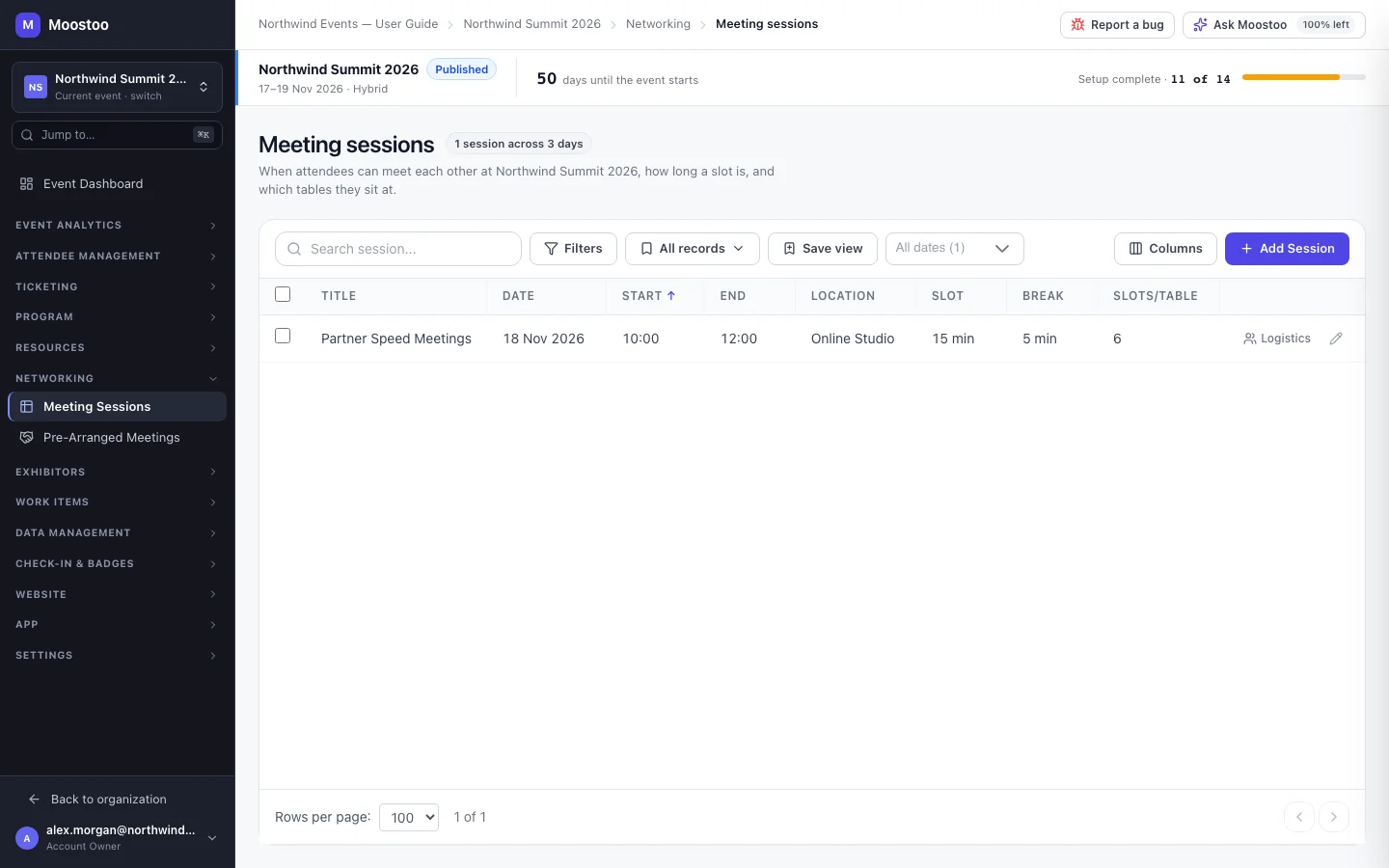
In Moostoo, attendees can only meet inside a meeting session: a block such as Partner Speed Meetings, day 2, 13:00–16:00 that the organizer cuts into slots of 10 to 60 minutes and seats at tables. Without one, the Request Meeting button doesn’t appear anywhere and recommendations stop pointing people at each other.
Meeting sessions also carry eligible attendee types. A session open to Investors and Startup Founders gives those two groups slots with each other and nobody else, which is how a free-for-all becomes a buyer–supplier or investor–founder program. On top of that, experience rules decide, type by type, who may see whom in the directory, who may start a chat and who may send a meeting request. Moostoo enforces those rules on the server, so a founder cannot cold-book an investor from a screen the rules didn’t intend.

For hosted-buyer days and VIP concierge work, organizers can also book pre-arranged meetings between two attendees, or send an invitation in one attendee’s name, from the admin app. The same guardrails apply: the session must be open to both types, a table must be free, and an attendee who blocked the other quietly never gets the invitation.
At an online event every confirmed meeting gets its own video room inside the app, with a waiting room to check camera and microphone first. At a hybrid event it happens for any meeting where at least one person is attending online; two people on site meet at a table. No links to send.
How do you set up an event for good matches?
The organizer never runs the matching by hand. What you control is the input. From the admin guide:
- On App → Profile Form, make sure the form asks for Offers and Seeks, and add the two or three pool questions that matter for your audience: industry, company size, what they are buying. Moostoo warns you if you save a form that asks for neither.
- Open Profile settings and decide on Improve with AI and Fill in companies from work email.
- Create at least one meeting session open to the types who should meet, and check the experience rules allow those pairs to request meetings.
- In the attendee card design, choose whether the match score is shown.
- Get attendees to finish their profile. The recommendations screen already nudges them with their completion percentage and the fields that would sharpen their matches.
A few pitfalls from real setups. Imported attendees usually arrive with no Offers and Seeks, so send them to the profile form early or they won’t be suggested to anyone. Write the Offers and Seeks hints with examples from your own industry, because vague answers produce vague matches. And if people complain their best match can’t be booked, look at the eligible types on your meeting sessions before you look anywhere else.
Where does the matching run?
Each Moostoo organization chooses its data region once, Canada or the EU, and everything it stores or processes stays there, AI matchmaking included. For an EU organization the matching, the profile writing help and the Networking Summary run on models hosted in the EU. A feature with no EU-hosted model is switched off rather than sent elsewhere.
For European associations and public-sector organizers who get asked where attendee data goes, that is a shorter answer than most.
When AI Matchmaking Isn’t Worth It
Honestly, not every event needs AI event matchmaking. A 40-person dinner where everyone already knows each other doesn’t. A single-audience meetup where every attendee offers the same thing and seeks the same thing will produce thin results, because the AI refuses to pair two people who offer the same thing. And a webinar-only program has no meeting slots to fill.
Matchmaking pays off when the room is mixed: buyers and suppliers, investors and founders, exhibitors and visitors, members from different chapters. Which describes most in-person conferences and expos with a sponsor list.
How do you know it worked?
Ask for the numbers instead of the anecdotes. During the event, live analytics shows meetings as they happen. Afterwards, the Networking tab of the post-event report lists total meetings, completion rate, meetings per person, connections made and messages exchanged, plus which time slots were busiest and a heatmap of which attendee types connected with which.
That heatmap is the slide sponsors want, because it shows whether their buyers actually met their sellers. What to do with those numbers afterwards is its own topic; see post-event engagement: how to keep the conversation going.
Frequently Asked Questions
What is AI event matchmaking?
AI event matchmaking is software that reads each attendee’s profile, works out who they should meet, which sessions to attend and which exhibitors to visit, and shows those suggestions with a reason. In Moostoo it matches one person’s Seeks against another’s Offers in both directions, then uses profile answers and company data, and scores each suggestion.
Does the AI ever match colleagues or competitors?
No. People from the same company, the same booth or the same company web domain are never matched with each other. Two attendees who both offer the same thing are treated as competitors rather than a match, so needs have to line up before a pair is suggested.
What happens if an attendee leaves their profile empty?
They still receive recommendations, based on whatever little there is, but they are not suggested to anyone else until they add Offers, Seeks or an answered profile question, or confirm a Networking Summary. This is the usual reason an imported attendee list produces few matches at first.
Can an organizer book meetings on behalf of attendees?
Yes. From Networking → Pre-Arranged Meetings, an organizer can book a confirmed meeting between two attendees at a free table, or send an invitation framed as coming from one of them. Every rule attendees live by still applies, including meeting limits, eligible types and blocks.
Want to see how matches look for your attendee types? Book a demo and bring your profile form.
Ready to boost your engagement?
Make your next event unforgettable with AI-powered attendee engagement.
