

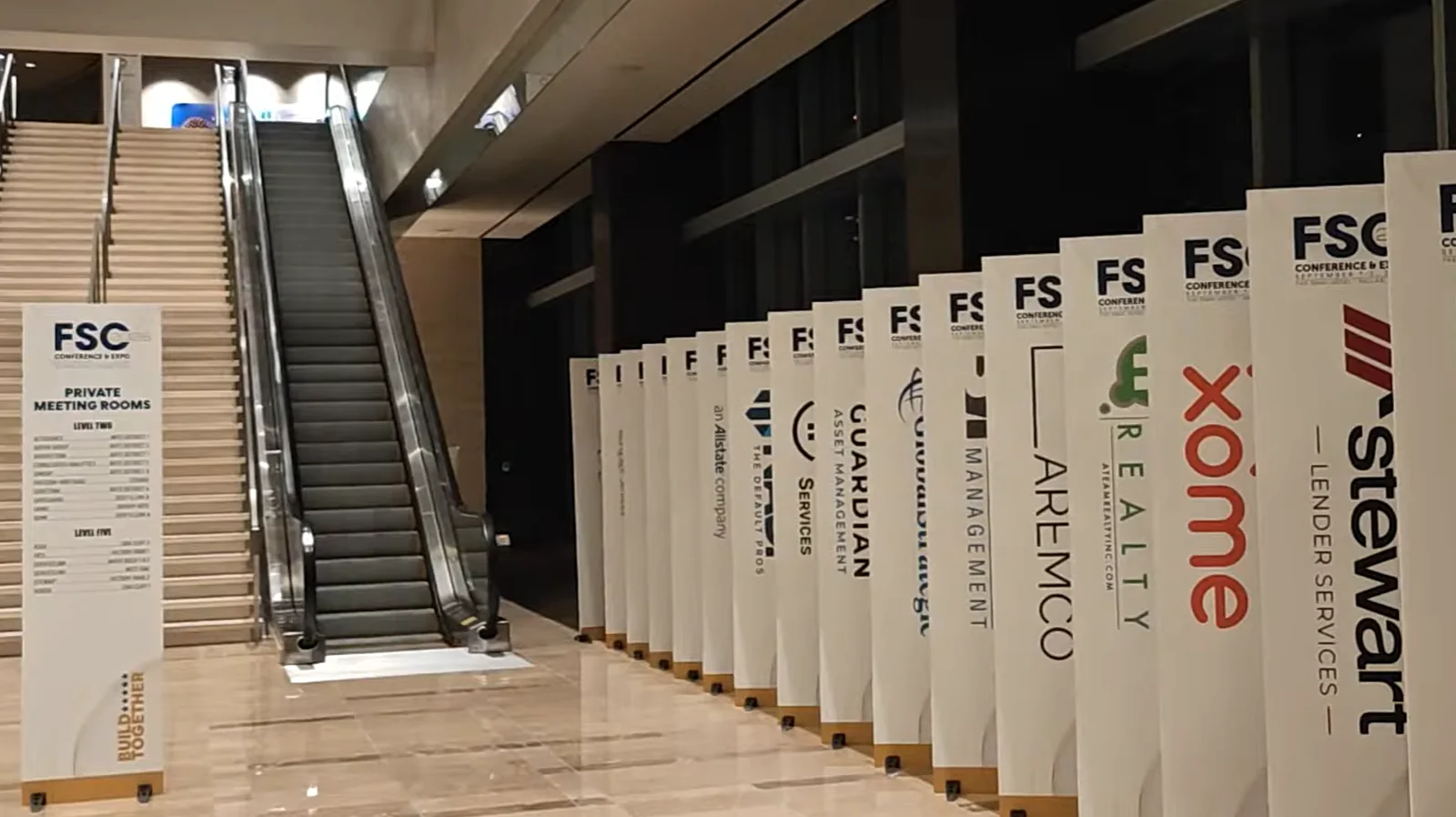
For the second consecutive year, Moostoo ran the full attendee experience at Five Star Conference in Dallas: eight self-service check-in kiosks, on-site badge printing, a dedicated mobile app, AI matchmaking and on-site support. According to Five Star Conference’s own registration count, more than 1,300 attendees checked in over four days. Attendees booked over 500 meetings through the app.
Key Takeaways
- Per Five Star Conference’s own count, 1,300+ attendees checked in across 8 self-service check-in kiosks over four event days, with a custom badge designed and printed on-site for every one of them.
- A dedicated Five Star Conference app (iOS and Android) carried AI matchmaking, 1:1 meeting scheduling, chat, session reminders and directories. Attendees booked more than 500 meetings through it.
- Between last year’s event and this one, we shipped four fixes. Each one targeted friction we’d watched attendees hit in year one: a print-confirmation step, an idle-timeout reset, an app-locked kiosk mode, and a rebuilt sign-in flow.
- This year, check-in and attendee management ran with no reported issues, the kind of result that only shows up once the small stuff gets fixed.
At a Glance
| Event | FSC Conference & Expo (Five Star Conference) |
| Location | Dallas, TX |
| Duration | 4 days |
| Partnership | 2nd consecutive year on Moostoo |
| Attendees checked in | 1,300+ |
| Self-service kiosks | 8 |
| Meetings booked via matchmaking | 500+ |
| App | Dedicated iOS & Android app |
| Ticketing platform | Swoogo, live API sync |
What did Moostoo’s self-service check-in kiosks and app cover at Five Star Conference?
Everything from the door to the follow-up. Registration stayed on Five Star’s existing platform, Swoogo, connected to Moostoo over a live API integration, so a ticket purchase became an attendee record automatically. From there, attendees checked in at one of eight self-service check-in kiosks, each printing a custom-designed badge on the spot. Staff handled only the exceptions.
A dedicated Five Star Conference app, built for iOS and Android, gave attendees AI-matched connections, in-app chat, 1:1 meeting scheduling, session reminders with schedule navigation, and directories for speakers, sponsors and partners. Attendees used that matchmaking to book more than 500 meetings with each other across the four days.
Behind the scenes, we staffed an on-site help desk for the full event, plus a phone line the Five Star team and attendees could reach around the clock. We also ran live and post-event analytics, so the organizers had real numbers on arrivals, check-in pace and app usage instead of a guess about how the event went.
The meetings attendees book afterward are what a matchmaking platform can actually measure. That matters more than how full a room looks on day one.
What Changed Since Last Year, and Why
Most of this work happens away from attendees: specs, data, decisions about what should work. Standing at a kiosk during a real event shows a different gap: between “this should work” and “this works for someone in a hurry, third in line, holding a coffee.” That gap got smaller this year, in four specific ways.
A Confirmation Screen for a Line That Doesn’t Like Waiting
Last year, a few attendees tapped Print Badge more than once while their badge was already on its way to the printer — not a bug, just instinct while waiting. This year’s kiosk flow adds a short confirmation step. The attendee sees the badge that’s about to print and taps once to confirm, so there’s a clear answer to “did that work?” before anyone reaches for the button again. Paired with it, an idle timeout resets an unattended kiosk back to its welcome screen after a short pause, so the next person in line never lands on the last person’s badge.
A Kiosk That’s Locked Down, Not a Browser Tab
Check-in now runs as a purpose-built kiosk app that locks the device into check-in mode for the length of the event, instead of a browser window someone could accidentally navigate away from. No stray back button mid-badge, no starting over because a tap landed somewhere it shouldn’t have — just the check-in flow, start to finish, on a device that only does that.
Sign-In That Starts With “Who Are You,” Not “Prove It”
Some attendees assumed they already had a Moostoo account and tried logging in with the credentials they’d used to buy their ticket — a reasonable assumption that led to a few confused moments at the door and in the app. The sign-in flow now asks for an email address first, then routes each person to log in or create an account depending on whether they’re already registered for the event. One less decision an attendee has to make correctly on their own.
A Refreshed Look
Beyond the fixes above, the app also got a cleaner interface and more branding and customization options, so it reads as Five Star Conference’s app rather than a generic template with their name on it.
Did the fixes work?
Yes, by the only numbers we had on-site. Check-in and attendee management ran with no reported issues across four days and eight kiosks: no queue backing up over a printing hiccup, no attendee stuck re-entering an account they already had. That’s one event’s worth of evidence, not a controlled study.
But it’s the same event, the same venue and a similar crowd to last year, with four specific changes in between. When something you fixed stops showing up as a problem, that’s usually a sign it was the right fix.
Why We’re Telling You About the Fixes, Not Only the Wins
It would be easier to publish only the numbers: 1,300 attendees, 500 meetings, zero complaints. But a partner who’s used us for two years has also seen the version of the product that occasionally made someone tap a button twice. Pretending that never happened isn’t the transparency that keeps a partnership going into a third year.
Every event we run teaches us something specific enough to fix before the next one. For more on how the matchmaking side of that keeps improving, see why AI event matchmaking outperforms traditional networking; for how this same event’s photo shows up in a head-to-head platform comparison, see Moostoo vs Swapcard. The full management edition used here and the lighter Ticketing & Check-in Console share the same kiosk and badge-printing engine, so a smaller event gets the same fixes without the matchmaking layer.
Frequently Asked Questions
How many attendees can Moostoo check in at one event?
Per Five Star Conference’s own count, it checked in 1,300+ attendees across 8 self-service kiosks over 4 days on Moostoo, with a badge designed and printed on-site for each one. Kiosk count and print-hub setup scale to the event. See self-service kiosks for how routing across multiple printers works.
What does Moostoo’s AI matchmaking actually do at an event like this?
It matches what one attendee is offering against what another is looking for, plus their profile and company data, and never pairs colleagues or people at the same booth. At Five Star Conference, attendees used it to book more than 500 meetings with each other through the event app.
What did Moostoo change about check-in between the two Five Star Conference events?
Four things: a confirmation screen before a badge prints, an idle timeout that resets an unattended kiosk to its welcome screen, a locked-down kiosk app in place of a browser-based flow, and a sign-in flow that asks for an attendee’s email first and routes them to log in or register based on their status. All four came from watching attendees use the first year’s version on-site.
Does Moostoo provide on-site support during an event?
For Five Star Conference, Moostoo staffed an on-site help desk for the full four days plus a phone line for the event team and attendees to reach at any hour. Support level depends on plan tier; ask your account team what’s included for your event size.
Does Moostoo work with Swoogo for registration?
Yes. Five Star Conference sold tickets on Swoogo and kept doing so. Moostoo connects to Swoogo with an API consumer key and secret, imports registrations with the Swoogo Registration ID as the ticket ID, and keeps syncing automatically after that, so a new or changed registration in Swoogo reaches Moostoo without a manual re-import. See connect a ticketing platform for how the same connection works for Eventbrite, Tito and Lu.ma.
If you’re planning a multi-day conference and want check-in, badges and matchmaking to hold up the way they did here, book a demo and walk us through your attendee count and day count.
Ready to boost your engagement?
Make your next event unforgettable with AI-powered attendee engagement.
