
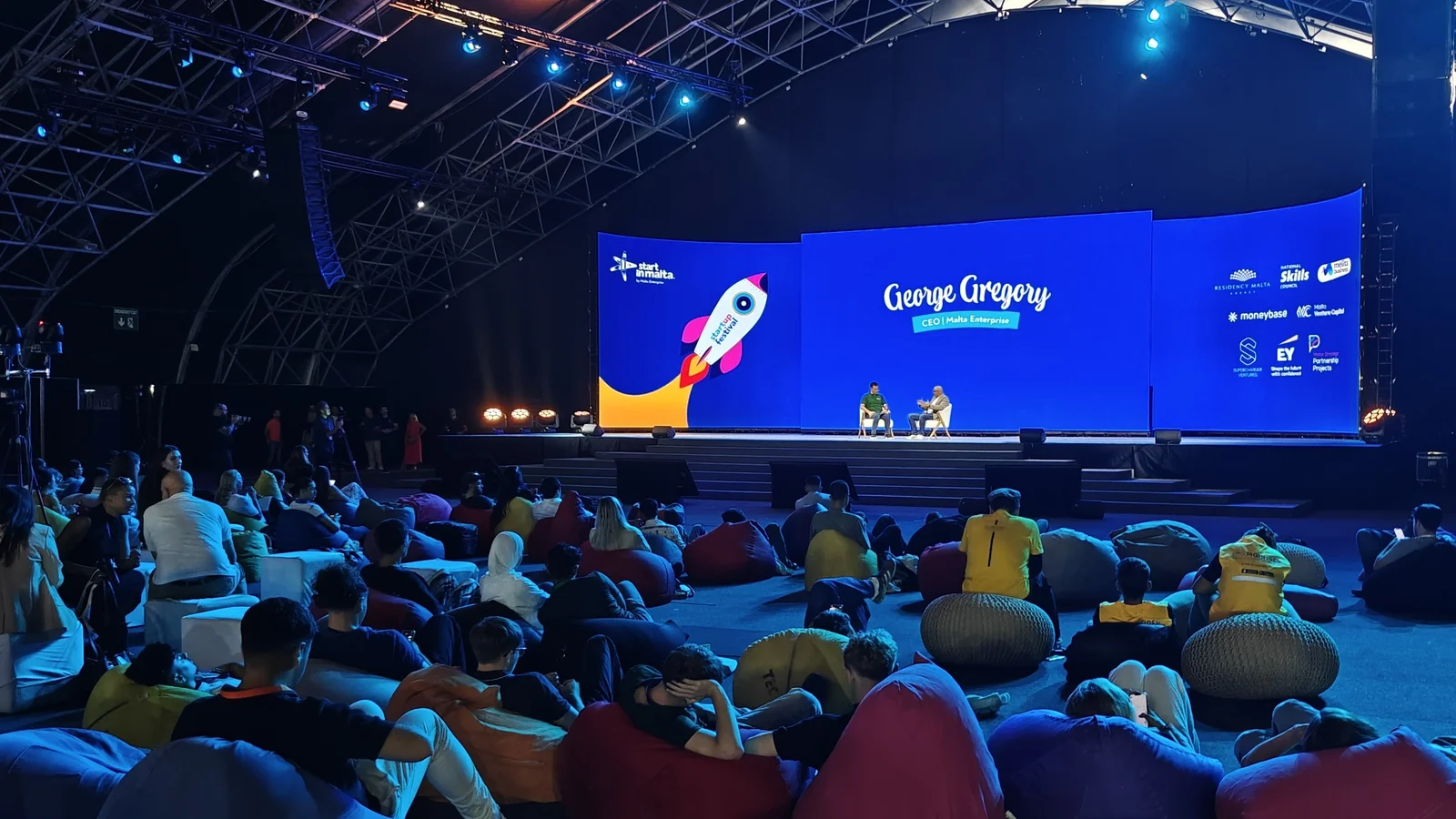
Good event agenda design starts from the results you need and works backwards to the sessions. Decide what success looks like for organizers, sponsors and attendees, then build the days around it: content balanced with networking, varied formats, the best speakers in the best slots, and room for each attendee to build their own agenda.
Key Takeaways
- Write down what ROI means for organizers, sponsors and attendees before you place a single session.
- Put networking on the agenda as real time blocks, not leftovers between talks. In Moostoo, 1:1 meeting blocks are meeting sessions that land on each attendee’s agenda once booked.
- Vary the formats and keep tracks to three to six themes, so attendees can filter the program on a phone.
- Let attendees personalize: Moostoo’s attendee app recommends sessions matched to each person’s interests and lets them save their own agenda.
- Plan the last day on purpose. The networking window closes with the event, and the post-event report shows which sessions held their audience.
Why does event agenda design affect ROI?
Because the agenda decides where attendees spend their time, and time is what every stakeholder is buying. Filling slots is the easy part; the real work is lining up the day with the goals behind the event. A poorly planned agenda shows up in the results:
- Attendees drift off mid-event, or never make it to the sessions you built for them.
- Sponsors miss the visibility and the conversations they paid for.
- Organizers struggle to prove value afterwards, because nothing on the agenda was tied to a number.
With careful event agenda design, every block has a job, and you can check afterwards whether it did that job.
Step 1: What does ROI look like for this event?
Before you draft a single session, write down what success means for each group, and how you will measure it. The agenda then becomes the plan for producing those numbers, and the post-event report becomes the check. Here is what to define, and where Moostoo shows it:
- For organizers: registrations, attendance against registrations, session ratings and revenue. Pre-event analytics track registrations and project attendance against capacity; the post-event Scorecard rolls the rest into one page.
- For sponsors: leads, booth visits, booth meetings and attendance at the sessions they sponsor. Program attendance lists, session by session, who saved it, who checked in and, for online and hybrid events, who watched.
- For attendees: the people they met and the sessions they attended. Meetings, connections and an Engagement Score per attendee are all in the post-event report.
Clarity here keeps the agenda honest. If a block doesn’t serve any of these numbers, ask why it is there.
Step 2: How do you balance content and networking?
Schedule networking as real blocks of time, the same way you schedule talks. Many agendas overload with back-to-back sessions and leave networking to the coffee line, which means attendees who came to meet people go home having met few of them. The fix is to give networking its own place on the agenda:
- Dedicated networking breaks between sessions. In Moostoo, add them as Break or Social sessions so attendees see the whole day but can filter them out.
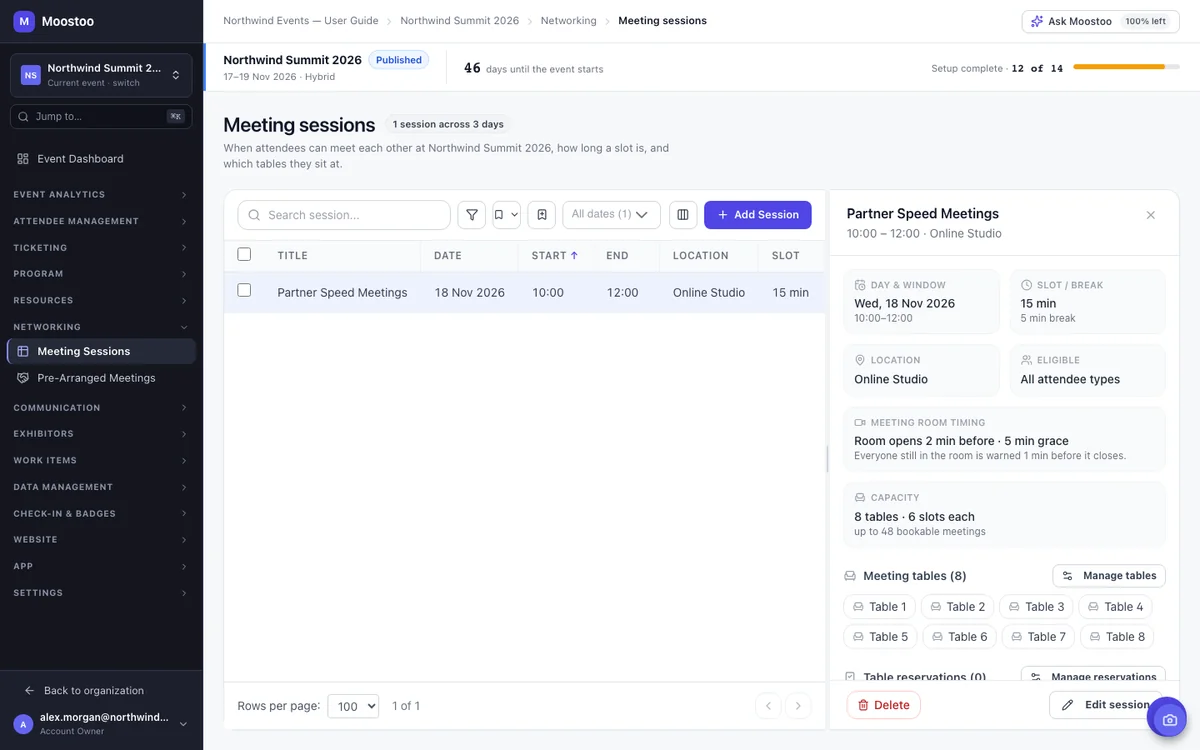
- Bookable 1:1 meeting blocks. A meeting session is a window Moostoo cuts into slots at tables. Attendees see AI-matched people with a Request Meeting button and can book ahead of time, and each confirmed meeting lands on both people’s agendas with its table.
- A mix of structured and unstructured networking: roundtables, speed networking rounds and plain open time all have a place.
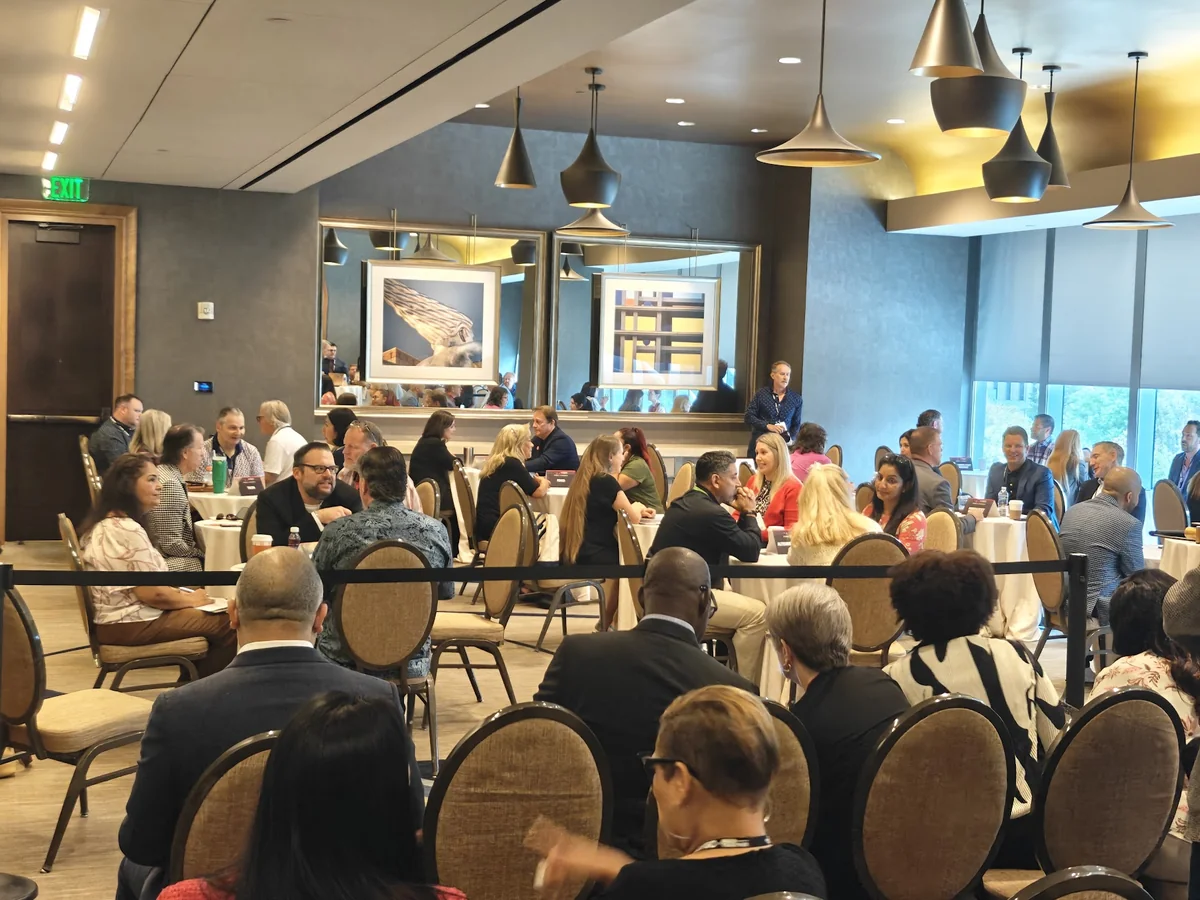
Meeting blocks never show up in the public program or on the website’s schedule, so they don’t clutter the timetable. They appear where they matter: on the agendas of the two people meeting.
Step 3: Which session formats should you mix?
Vary the format to match what each part of the agenda has to do. A program of identical 45-minute talks is easy to build and hard to sit through, and it is one of the most common mistakes in event agenda design. Different formats do different jobs, so give each one a clear purpose:
- Keynotes for thought leadership and sponsor visibility.
- Breakouts and workshops for deeper learning in smaller rooms.
- Panels and fireside chats for diverse perspectives.
- Interactive moments such as live polls and audience questions, for participation.
Moostoo comes with built-in session types (Presentation, Panel, Workshop, Break and Social), and you can add your own, such as Keynote or Fireside chat. Types become filters in the attendee app and on the website’s schedule. Group sessions into color-coded tracks for the themes that run through the day, and keep them to three to six so they read well as filter chips on a phone.
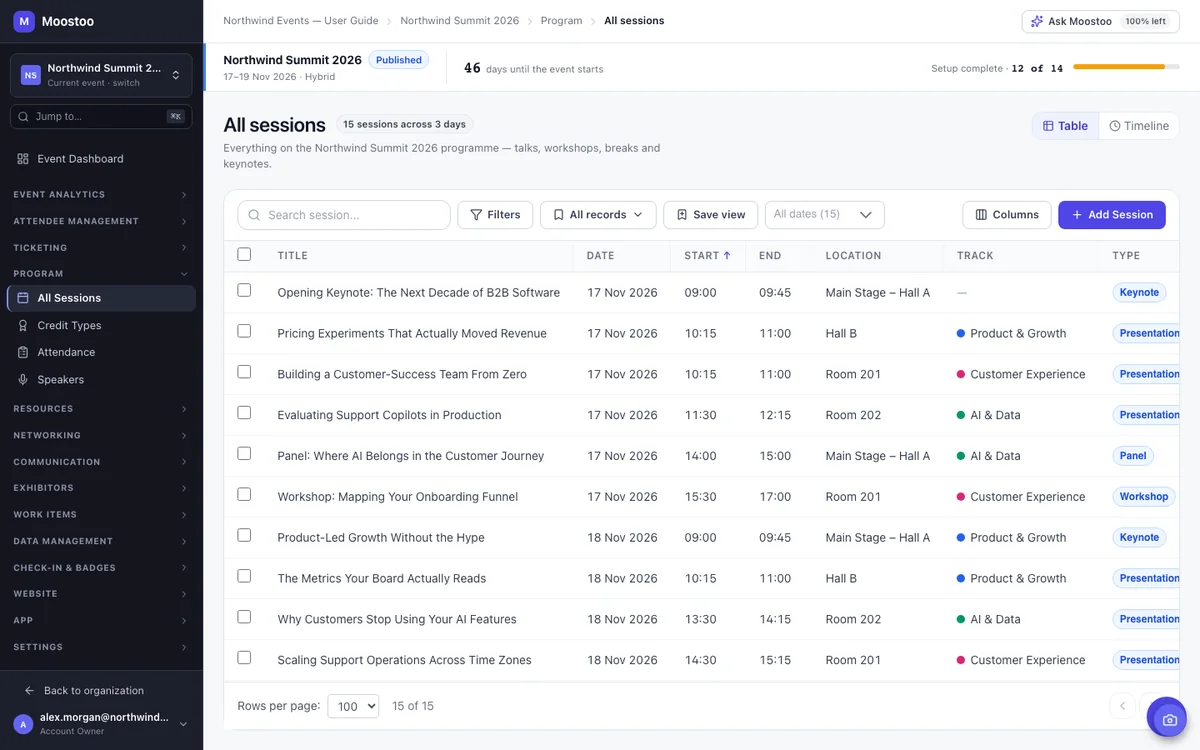
Are shorter, interactive sessions really better? Often they are, but your own data will tell you. The Sessions tab of the post-event report shows drop-off for each session: the people who left before the end.
Step 4: Which time slots should get your best content?
Put your highest-value content where attention is highest. For most events that means mornings and the first slot after lunch, before the afternoon energy dip. In event agenda design, these slots are the prime real estate, so reserve them for:
- High-profile speakers
- Sponsored presentations
- Major announcements
Save lighter or social sessions for later in the day when energy naturally dips. Two practical details help here. First, Moostoo refuses conflicts as you build: a speaker can’t be in two overlapping sessions, and a room can’t host two sessions at once. Second, a session’s capacity follows its room. Once as many attendees have saved it to their agenda as there are seats, it shows as Full, which tells you early when a popular talk needs the bigger room.
During the event, live analytics shows session ratings as they come in, including the lowest-rated session of the day. That is useful when you still have time to adjust tomorrow’s agenda.
Step 5: How do you personalize each attendee’s agenda?
Give every attendee the full program, then help them narrow it down. One agenda doesn’t fit everyone: a founder, an investor and a marketer at the same conference want different days, and good event agenda design leaves room for all three. In the Moostoo attendee app:
- Recommended sessions. The app’s home screen can show a Recommended Sessions section, matched to each attendee’s interests, next to their best people matches.
- Track and type filters. Attendees browse the program by day, track and type, and save the sessions they want to their own agenda while seats remain.
- Sessions for specific audiences. A session restricted by attendee type, such as a VIP dinner or an investor briefing, only appears for the types you choose.
- Remote viewers. A streamed session can be watched from the app, so hybrid attendees can follow the stages they can’t sit in.
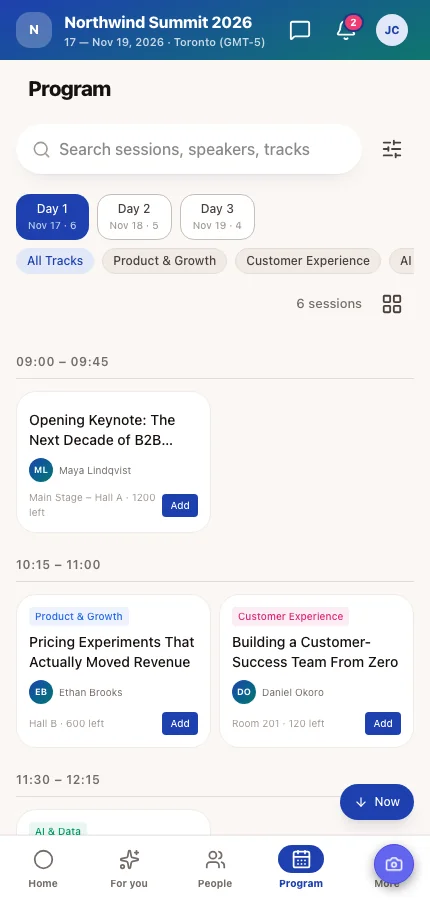
The result is that each attendee walks in with a day built around their own goals, which gives them a reason to stay for it. At the Five Star Conference, the event’s own app carried the agenda with session reminders and schedule navigation, alongside AI matchmaking and 1:1 meeting scheduling.
Step 6: What should happen at the end of the agenda?
Plan the last day as carefully as the first. ROI doesn’t stop when the last session ends, but the window to act on it is shorter than most organizers expect, and the closing hours are where event agenda design most often runs out of attention. Keep room at the end of the agenda for:
- A final networking block. Meeting requests are only offered while a meeting session is still to come, and AI recommendations stop refreshing once the event has ended. Schedule a last meeting session on the final day, even a short one.
- A sponsor-led closing reception, added as a Social session so it sits on the agenda.
- A plan for the content afterwards, such as slides or recordings you promised, sent in a thank-you campaign.
Then use the post-event report to design the next agenda: the Sessions tab shows attendance, capacity fill, ratings and drop-off, and the Speakers tab gives each speaker a Repeat Invite verdict. For the full follow-up plan, see post-event engagement: how to keep the conversation going.
What does a sample one-day agenda look like?
Here is a simple one-day conference agenda template that puts the six steps of event agenda design together: a headline keynote in the prime slot, tracks for personalization, two bookable meeting blocks and a social close. Treat the times as a starting point and adjust them to your venue, your audience and your sponsors.
| Time | Block | Why it’s there |
|---|---|---|
| 08:30–09:00 | Check-in and coffee | A soft start while badges print |
| 09:00–09:45 | Opening keynote | Prime slot for your headline speaker |
| 10:00–11:00 | Breakouts by track | Deeper learning, personalized by track |
| 11:00–12:00 | 1:1 meeting session | Matched meetings booked ahead of time |
| 12:00–13:00 | Lunch (Social) | Unstructured networking |
| 13:00–13:45 | Sponsored presentation or panel | Post-lunch prime slot for sponsor visibility |
| 14:00–15:00 | Workshops | Hands-on formats when energy dips |
| 15:00–16:00 | Final meeting session | Last chance to book the meetings people put off |
| 16:00–17:00 | Closing reception (sponsor-led) | Social close and sponsor goodwill |
To build it in Moostoo, add the program sessions under Program → All Sessions (or import them from a spreadsheet) and the two meeting blocks under Networking → Meeting Sessions. Ask Moostoo, the assistant in the admin app, can add sessions from a sentence such as “Add a 30-minute Keynote called ‘The State of Customer Experience’ on day 1 at 09:00.”
Frequently Asked Questions
What makes event agenda design effective?
An effective agenda balances learning, networking and sponsor visibility, and ties each block to a result you can measure. It mixes formats, puts the strongest content in the prime morning and post-lunch slots, schedules networking as real time blocks, and lets each attendee build their own day from the full program.
How do you design an agenda for hybrid events?
Plan for two audiences watching the same program. Keep sessions focused, give networking dedicated slots, and make sure remote attendees can take part too. In Moostoo, stages can be live-streamed in parallel, attendees choose whether they attend onsite or online, and a meeting with an online party gets its own video room.
Can AI help personalize event agendas?
Yes. Moostoo’s attendee app can show each attendee recommended sessions matched to their interests, alongside AI matchmaking that suggests the people they should meet. Attendees then save the sessions they want to their own agenda, and confirmed 1:1 meetings are added to it automatically.
How many tracks should a conference agenda have?
Three to six is a good range for most events. Tracks are themes that run through the day, so too many of them split the audience thin and are hard to scan on a phone. Use session types, such as Keynote or Workshop, for the kind of session, and tracks only for the topic.
How do you know if your agenda worked?
Compare what you planned with what happened. The post-event report shows attendance, capacity fill, ratings and drop-off per session, meetings by time slot, and each speaker’s ratings. Program attendance shows, person by person, who saved a session, who came and who watched online.
Want to see how your agenda would look in Moostoo? Book a Moostoo demo.
Ready to boost your engagement?
Make your next event unforgettable with AI-powered attendee engagement.
